MacBook Pro is afraid of sand
The weekend was spoiled by my MacBook Pro: it had gone to sleep at the office, woke up at home, and a few seconds later froze solid. Had to do a hard reset.
The OS refused to boot — neither from the main partition nor from the Recovery HD partition that OS X Lion creates for restoring/reinstalling the system. Although the MacBook could see both partitions. I managed to boot from a USB stick.
My first thought was something wrong with the hard drive — either partitions had detached or the disk was dying. I pulled the drive, hooked it up to my second Mac via a USB enclosure. All files in place, no signs of trouble. OK, I figured, time to reinstall macOS from scratch — looked like a software glitch, those upgrade-from-previous-version updates can be flaky.
Backed up everything, ran Disk Utility’s repair, it fixed something I didn’t understand. Stuck the drive back in — decided to try booting from it — and lo and behold, everything worked. I breathed a sigh of relief, shut down, started up, slept the laptop, woke it — all fine.
It sat quietly until the next evening. I opened it — and the same thing happens — freezes and won’t boot any more. Booting in verbose mode (CMD+V at startup shows the boot log on screen instead of just the apple on a grey background) showed me some unfamiliar errors, clearly disk-related — the system couldn’t mount one of the partitions. This time it wouldn’t even boot from the USB stick. I pulled the drive again, wiped all partitions — no good. Stuck in a different drive — and that’s when it turned out that one was sometimes invisible too. Annoyed, I drove to the service centre, by then almost certain the problem was with the cable.
That’s exactly what it was — they swapped the cable, charged me 2,500 roubles. They ran my MacBook through their tests — the rest of the hardware is fine.
Investigating the cause of the cable damage is unlikely to be possible. But the cable looks very strange.
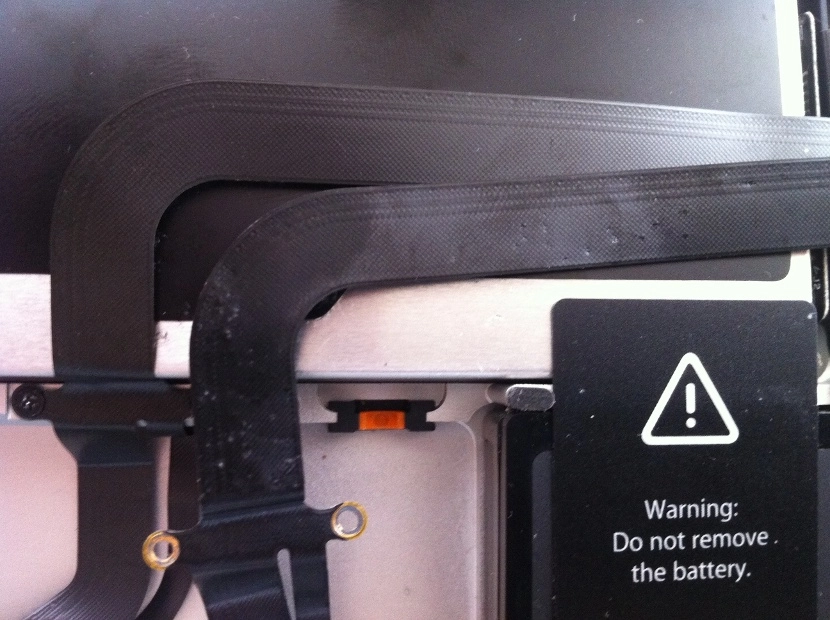
On top — the new one, freshly installed. Below — the old one, all marked up. The cable itself is quite thin, and those pinpoint dents could easily have broken contacts inside it. What’s strange — the same dents are on the optical drive, and in a few other places. And all of this is inside the case.
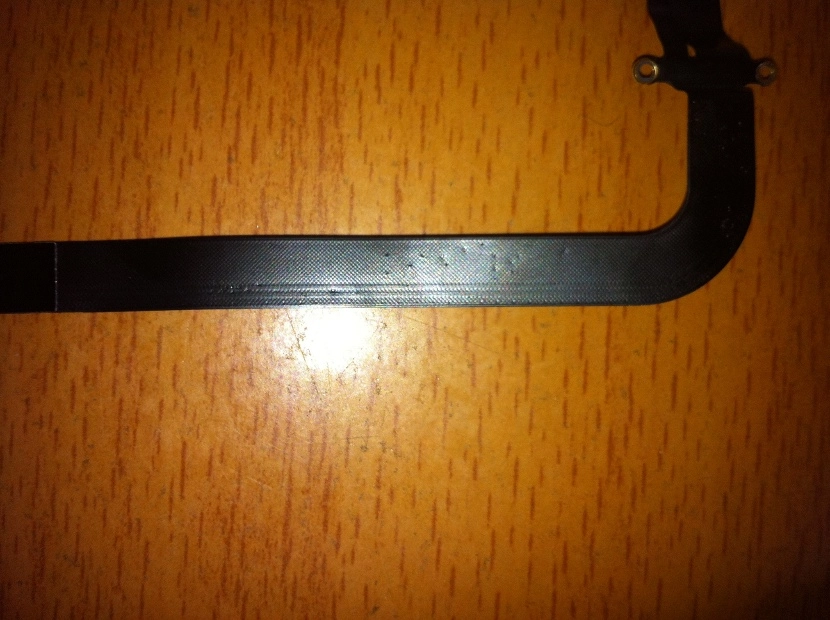
Another shot of the old cable
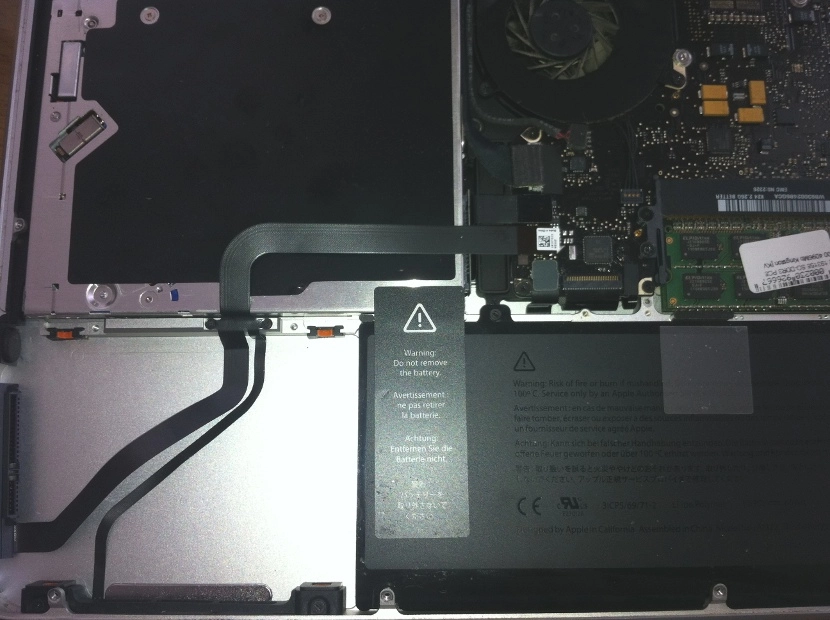
The cable runs through the case the way you can see in the photo above (the hard drive lives bottom-left), with the case lid sitting on top.
The only theory I have for what could have happened: sand got inside, kept shifting around in there and getting pressed when the laptop was being carried in a backpack. In principle it could have got in in Vietnam, where I spent a month and occasionally got the laptop out on the beach — and on that beach there’s usually a strong wind (kite-surfers come there for a reason), with sand constantly in the air. But that was a year and a half ago — why the problem only showed up now, and where the hell all the sand has gone, given that it was inside a closed case, is still a mystery.
Now I need to give the laptop’s insides a proper cleaning, in case anything’s still in there. And tape over that cable with something. They suggested heat-resistant tape, the kind that doesn’t mind temperature. Just to put a layer between the cable and the case lid, so that if anything gets in again, it scratches the layer rather than the cable. Maybe a thin foam strip would work too — we’ll see when I get to it. Sand is evil.
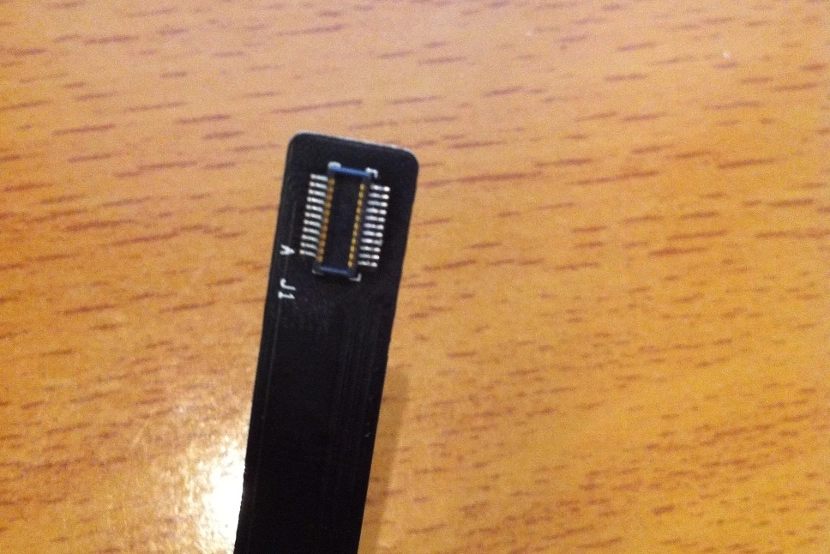
By the way, this cable plugs into the motherboard with this odd-looking thing: