Streaming audio on Mac OS X
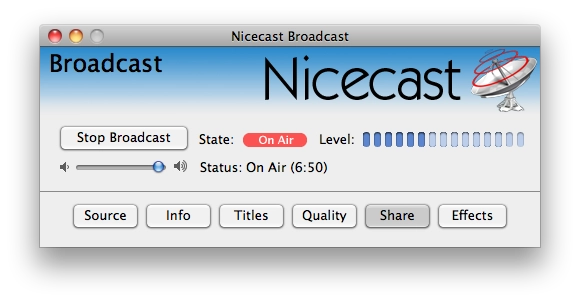
It just so happens that in my room the speakers are on one side and the computer on the other. Running a cable from the speakers doesn’t feel like a sane idea. So — there are speakers, wi-fi, and a wi-fi-capable mobile device (in my case an iPad, but anything that can play music over wi-fi will do). I remembered that there’s a great tool called Nicecast — with one click you can set up an online broadcast. The point: stay at my desk and control the music there, but have it play on the speakers across the room. Some will say running a cable is easier, but… fuck yeah, why not over-engineer it?
The app itself is simple, though paid — but if you know where to look, that’s not really an obstacle. In the Source tab you can pick the application from which you’re broadcasting. I picked iTunes. After clicking Start Broadcast the stream begins. It doesn’t matter what’s playing in your source app. If nothing’s playing — silence will be broadcast. By default the stream goes out on port 8000; the Share tab has links for listening via an m3u file, which all modern («desktop») players understand. If you want, you can also broadcast onto the public internet, provided you have an external IP — at one point I used to listen to music at work that way, controlling the player on the other side via TeamViewer.
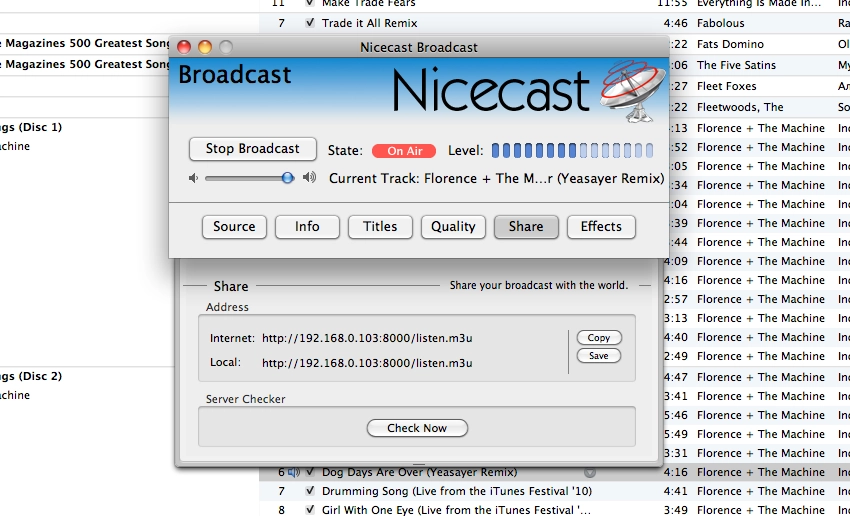
On the other side, as I wrote above, I have an iPad. First I tried OPlayer HD, which is supposed to be able to play files by URL, but it didn’t accept the link. I didn’t have any other players on the device. Then I just tried opening it in stock Safari — and voilà, the music plays. Which means iPhone and iPod Touch will work too. I don’t know how things are with this on Android and Windows Phone 7, but m3u files (which are basically just plain playlists) are surely played by something there as well.

Since we’re streaming over the local network, we’re not seriously bandwidth-limited and can crank the broadcast quality up to maximum in the Quality tab.
The lag is about 4–5 seconds, so watching a film this way isn’t really an option. Although it might be possible to get rid of the lag. As I understand it, Nicecast pre-buffers a few seconds before starting the stream. There’s probably a setting to disable that. I didn’t get around to checking — had to run off to work.