Working with JSON (parsing) in Objective-C for iOS
Another post — to help things settle in my own head. About working with JSON in Objective-C, using parsing of tweets from Twitter’s public timeline as an example.
Out of the box Objective-C has nothing for working with data in JSON format. Only with XML. But there is a JSON framework, in case you’re forced into this by necessity / whim / your boss’s refusal to give you the data in XML (underline the relevant option). You can download it on GitHub. The latest version at the moment is 3.0.3. There’s also an alpha 3.1, but that’s an alpha.
The archive contains a Readme, examples, the framework itself, and some other files whose purpose is so far unknown to me :)
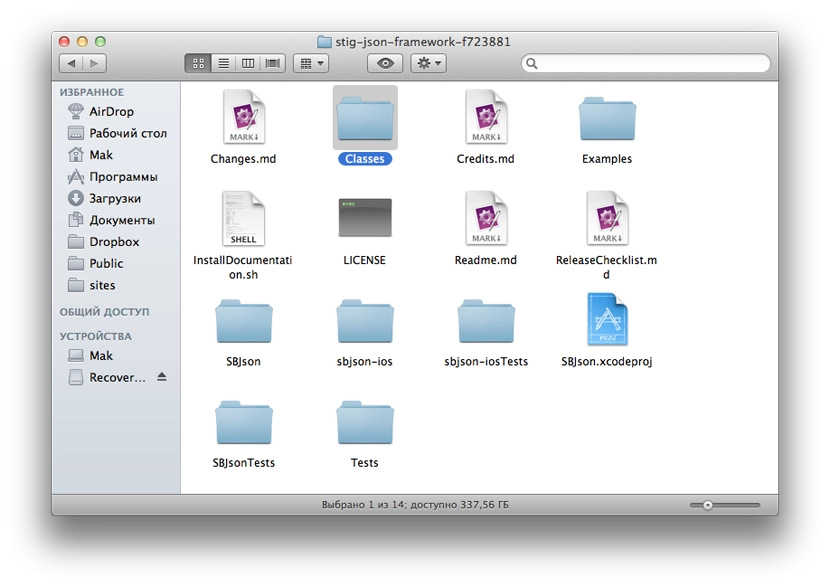
The framework files themselves live in the Classes folder, which is what you need to drag into the file list of your Xcode project. For convenience I renamed the folder to JSON after importing.
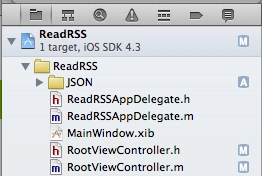
In RootViewController.h we import the framework with the line:
#import "SBJson.h"
In RootViewController.h we add the following code:
@interface RootViewController : UITableViewController  {
    NSMutableData *jsonData;
}

@property (nonatomic, retain) NSMutableData *jsonData;

@end
We declare a class property jsonData of type NSMutableData — that’s where we’ll stash the data returned by the request to the Twitter API.
The property line is needed in case we want to access the jsonData property from outside our class. nonatomic means that jsonData isn’t locked, i.e. we can both get and set the value. They write that nonatomic is faster than atomic. Atomic means we lock the value. About retain they say: How the setter method will set the variable. I haven’t fully figured out yet why this is needed and how to work with it, but without that line nothing works =).
We’ll grab JSON data from Twitter. Conveniently, the public timeline doesn’t require any auth or tokens — you just send a request to a particular URL, perfect for trying things out.
To start with — we have a class RootViewController. In RootViewController.m we’ll put the following code in viewDidLoad:
@synthesize jsonData;

- (void)viewDidLoad {
    [super viewDidLoad];
    // create an NSURL object with the address the request will go to
    NSURL *url = [ NSURL URLWithString: @"http://twitter.com/statuses/public_timeline.json" ];

    // create the NSURLRequest — the request itself
    NSURLRequest *theRequest=[NSURLRequest requestWithURL:url
                                              cachePolicy:NSURLRequestUseProtocolCachePolicy
                                          timeoutInterval:60.0];
    // start the connection
    NSURLConnection *theConnection=[[NSURLConnection alloc] initWithRequest:theRequest delegate:self];
    if (theConnection) {
        self.jsonData = [NSMutableData data];
    } else {
        NSLog(@"Connection failed");
    }
    [theConnection release];
}
To handle the connection and the data, you also need to add this code:
/**
 * As each new chunk of data arrives, append it to what we already have
**/
- (void)connection:(NSURLConnection *)connection didReceiveData:(NSData *)data {
    [jsonData appendData:data];
}

/**
 * If the connection fails — log the error to the console
**/
- (void)connection:(NSURLConnection *)connection didFailWithError:(NSError *)error {
    NSLog(@"%@", error);
}

/**
 * Once all data has arrived — parse it
**/
- (void)connectionDidFinishLoading:(NSURLConnection *)connection {
    // store the received data into the result string
    NSString *result = [[NSString alloc] initWithData:jsonData encoding:NSUTF8StringEncoding];

    // we can log it to the console and inspect what we got
    NSLog( @"%@",result );

    // create the JSON parser object
    SBJsonParser *jsonParser = [[SBJsonParser alloc] init];

    // parse the result string into an NSArray
    NSArray *dataObject = [jsonParser objectWithString:result error:nil];

    // breakpoint can go here

    // don’t forget to free the objects
    [jsonParser release];
    [result release];
}
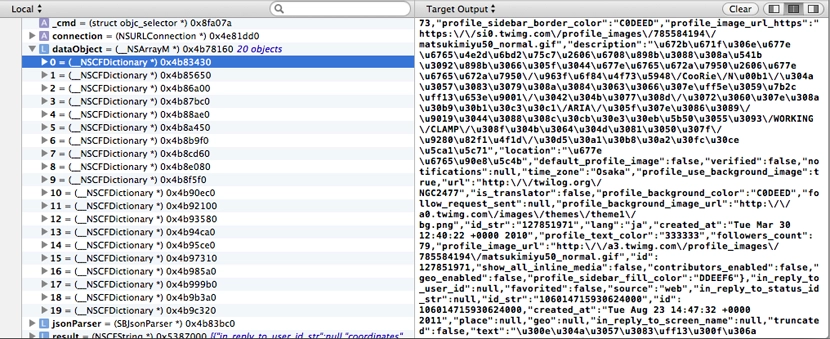
If you set a Breakpoint (CMD+\) at the spot indicated above (see «breakpoint can go here»), you can inspect the values at that point. The screenshot below shows that the string we received from Twitter was parsed into a dataObject of type NSArray, which contains 20 items inside it — i.e. data on 20 tweets from the public timeline.
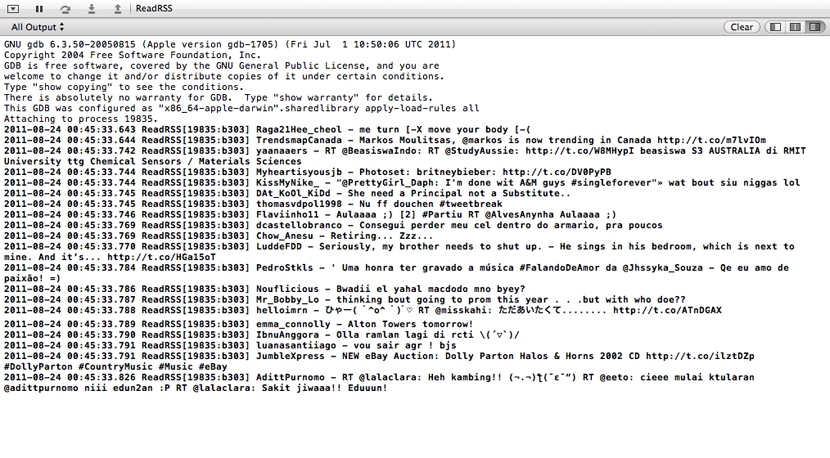
After the breakpoint line, the received data can already be processed somehow. For example, you can log the received tweets to the console as «Username — TweetText»:
for ( NSDictionary *tweet in dataObject ) {
    NSLog(@"%@ - %@", [[tweet objectForKey:@"user"] objectForKey:@"screen_name"], [tweet objectForKey:@"text"] );
}
Hopefully I haven’t lied or got anything wrong anywhere. Corrections / clarifications very welcome.