How to Upgrade a Hackintosh from Mac OS X Mountain Lion to Mavericks
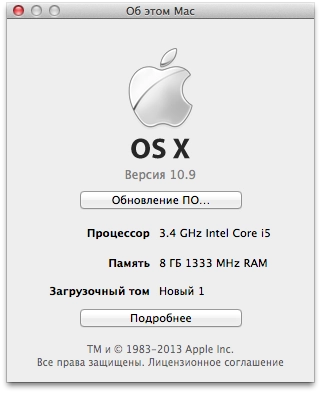
I upgraded my work Hackintosh to 10.9 today. Everything was rather strange, but doable.
Before that it was running 10.8.5 Mountain Lion. I downloaded the Mavericks update from the Mac App Store. I launched it, the installer asked for a reboot, and after the reboot nothing happened — Mountain Lion simply loaded again.
To install the update, you need the following:
- Download the myHack utility.
- Take a USB drive or flash drive with at least 8 gigabytes.
- Launch myHack, enter your password, and choose Create OS X Installer from the menu
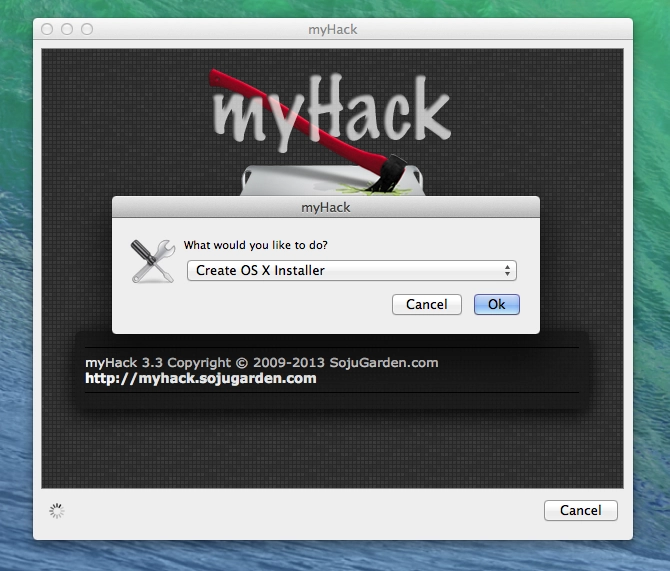
- Select the flash drive/USB drive in the list of disks
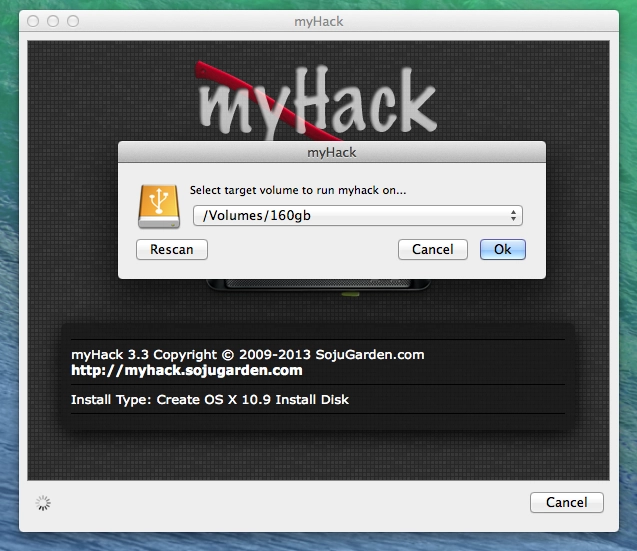
- Select where your Install OS X Mavericks package is located — usually it is in the Applications folder. Then agree that your flash drive/USB drive will be erased
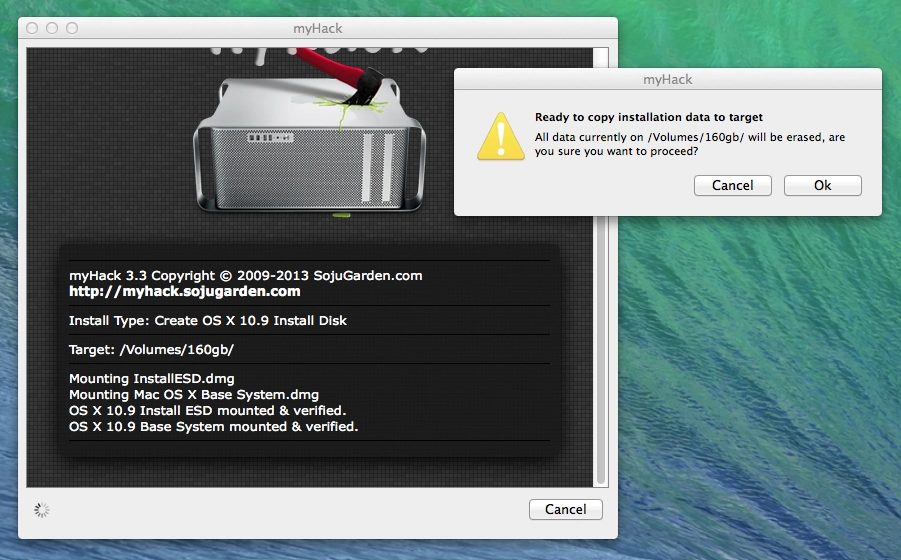
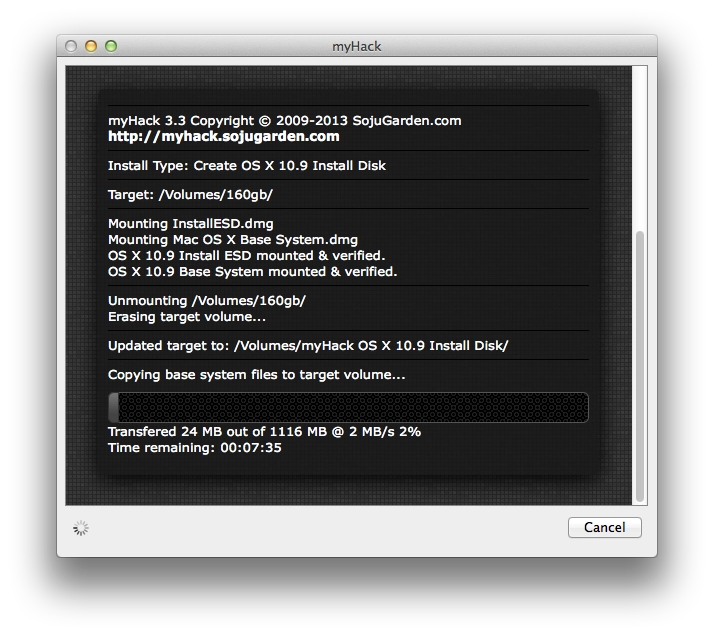
- Watch your installer disk being created
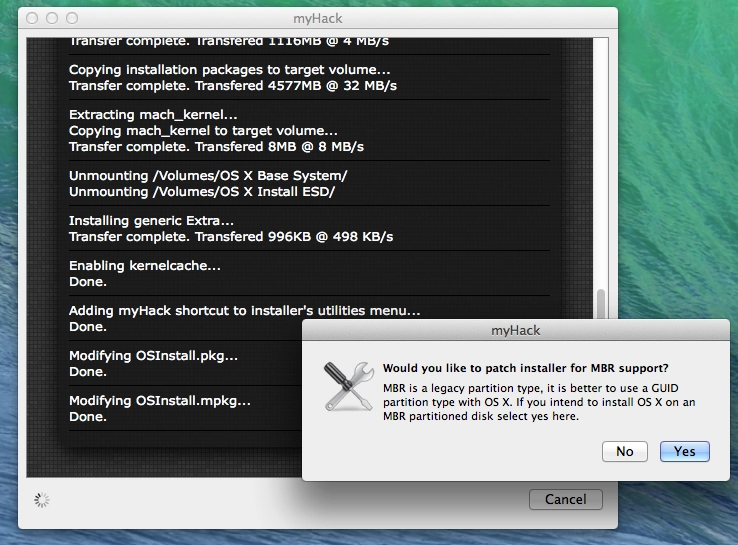
- At the end of the installation, myHack will ask whether to patch the installer for MBR support. People on the internet say you should press No because Mavericks does not support that.
As far as I understood, it creates a regular installer disk with Mavericks, while also installing the Chameleon bootloader onto the disk together with various bells and whistles so all of this can start. On top of that, some myHack scripts are run at the end of system installation, installing something into the new system during setup itself. - Next, boot from our disk. In my case, installation started from the USB disk, but it did not get any farther than a gray screen with a mouse cursor. Apparently some kexts were missing. So I set it to boot from the main hard drive, where 10.8.5 Mountain Lion was installed, and in the bootloader simply selected the USB disk. For some reason installation started with that setup. The system installed without any problems. Moreover, it upgraded Mountain Lion to Mavericks while keeping all files, accounts, and settings.
- After the reboot it will already boot from the main hard drive into Mavericks. The upgrade is complete.
And after the upgrade the dancing with tambourines begins again: installing kexts and all the rest. Naturally, after the upgrade macOS did not start for me. It only started with the -x -v -f flags for the bootloader. In safe mode I launched Multibeast 6, which was made specifically for Mavericks, and installed EasyBeast — some kind of basic set of kexts.
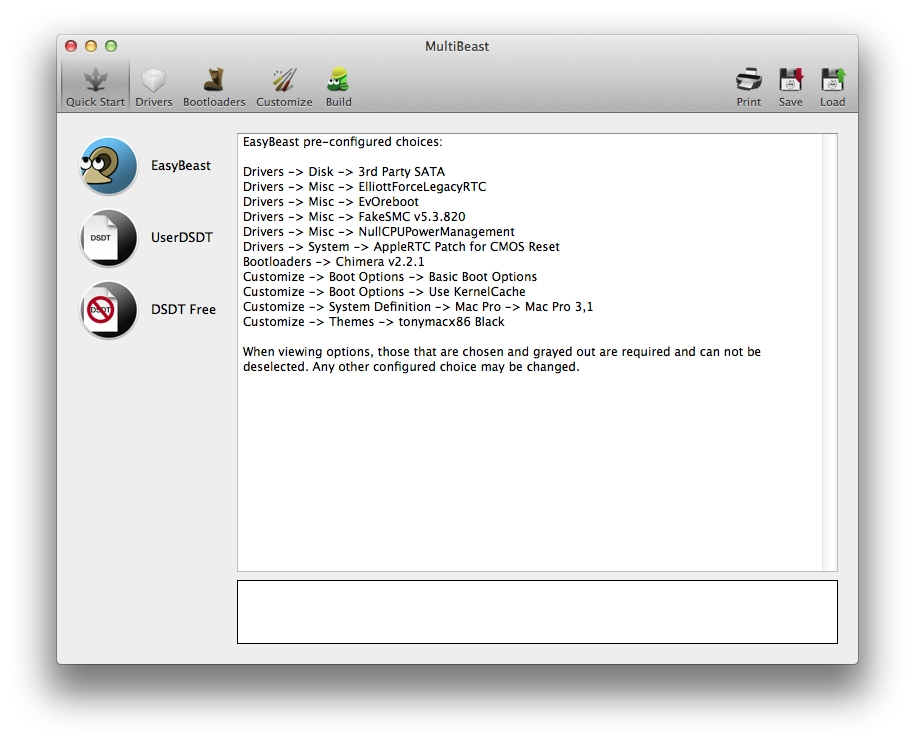
I installed it, rebooted, and got a black screen. As it turned out, Multibeast 6 now uses the GraphicsEnabler=No flag for the bootloader by default. That is exactly why my video did not start and I got a black screen when the system booted. Once I googled that, I added this flag at system startup and everything worked. I then used Multibeast to add this flag in Bootloader, and that was it. After that I had to deal again with the Kernel Panics that traditionally appeared after the update and are described here. Add sound drivers, and my Hackintosh is upgraded and now runs on Mavericks.
I am saving this here just in case — if I had known all of this in advance, I would have saved myself 2-2.5 hours of reboots and googling.