$ grep -r Tag: «шпаргалки»

-rw-r--r-- 1.4K Apr 11, 2024 · FC685FE · ~2 min

Creating a DMG File from the Terminal

dmg code snippets шпаргалки bash

Creating a DMG file from Terminal

Have you ever needed to package your application for distribution on macOS? The solution is simpler than you might think, and it's right at your fingertips in the Terminal. I recently stumbled upon a handy bash function that streamlines the creation of a DMG (Disk Image) file. Here's how to set it up:

Step 1: Edit Your Profile

nano ~/.zprofile

Step 2: Add the Bash Function

Next, insert the following function into your .zprofile. This script utilizes the hdiutil command, which is built into macOS, to create an HFS+ filesystem within a DMG file.

dmg(){
    hdiutil create -fs HFS+ -srcfolder "$1" -volname "$2" "$2.dmg"
}

Step 3: Save and Source Your Profile

After adding the code, save the changes and exit `nano`. To make the function available immediately without restarting your terminal, source your profile:

source ~/.zprofile

Step 4: Use the Function

Now, you can easily create a DMG file for any folder or application. For example, to create a DMG for the 'ModulbankInformer.app', simply run:

dmg ModulbankInformer.app ModulbankInformer

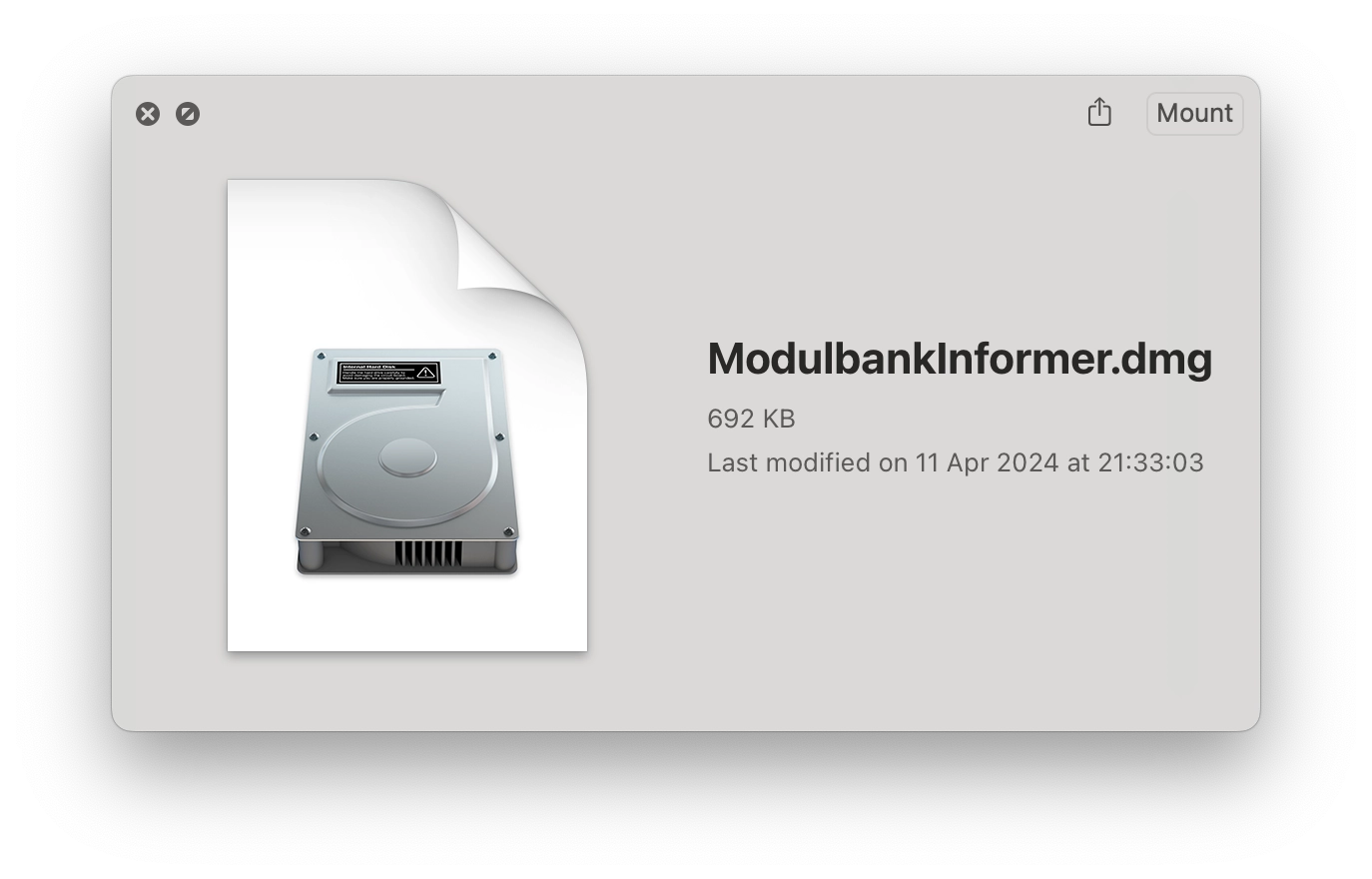
This command will generate a ModulbankInformer.dmg file with the contents of the ModulbankInformer.app directory.

And there you have it - a quick and efficient way to create DMG files directly from your Terminal!

[↵] open page creating-a-dmg-file-from-terminal.md
-rw-r--r-- 1.1K Apr 4, 2024 · 0427246 · ~1 min

A middleware for Vapor 4 routing to trim a slash in url path

vapor code snippets шпаргалки swift server side swift

It’s a common thing for a website or a backend to allow URLs like mySite.com/webpage and mySite.Com/webpage/ for the same page. These pages are different URLs for a search engine. If you want to avoid duplicates, you can add a simple middleware to trim the ending slash and redirect a user.

Here’s an example code for such a middleware class for Vapor 4:

final class TrimSlashInPathMiddleware: Middleware {
    func respond(to request: Request, chainingTo next: Responder) -> EventLoopFuture<Response> {
        if request.url.path.count > 1, request.url.path.hasSuffix("/") {
            let newPath = String(request.url.path.trimmingSuffix(while: { $0 == "/" }))
            let response = request.redirect(to: newPath, redirectType: .permanent)
            return request.eventLoop.makeSucceededFuture(response)
        }
        return next.respond(to: request)
    }
}

Just add it to configure.swift file:

import Vapor

public func configure(_ app: Application) throws {
    app.middleware.use(TrimSlashInPathMiddleware())

    app.http.server.configuration.port = 8081

    try routes(app)
}

Works with Vapor 4.92.5.

[↵] open page a-middleware-for-vapor4-to-trim-a-slash-in-url-path.md
-rw-r--r-- 1.5K Mar 29, 2020 · C1C7EDD · ~1 min

Wrapping models in SwiftUI for Identifiable conformance

swiftui swift шпаргалки

Using an array of models in List view in SwiftUI requires conformance to Identifiable protocol.

Here's an example of a model:

struct MyDataModel {
    let title: String
    let message: String
} 

An example of SwiftUI view that you want to display a list:

struct TestView: View {
    var dataArray: [MyDataModel]
    var body: some View {
        List(dataArray) { data in
            VStack {
                Text(data.title)
                Text(data.message)
            }
        }
    }
} 

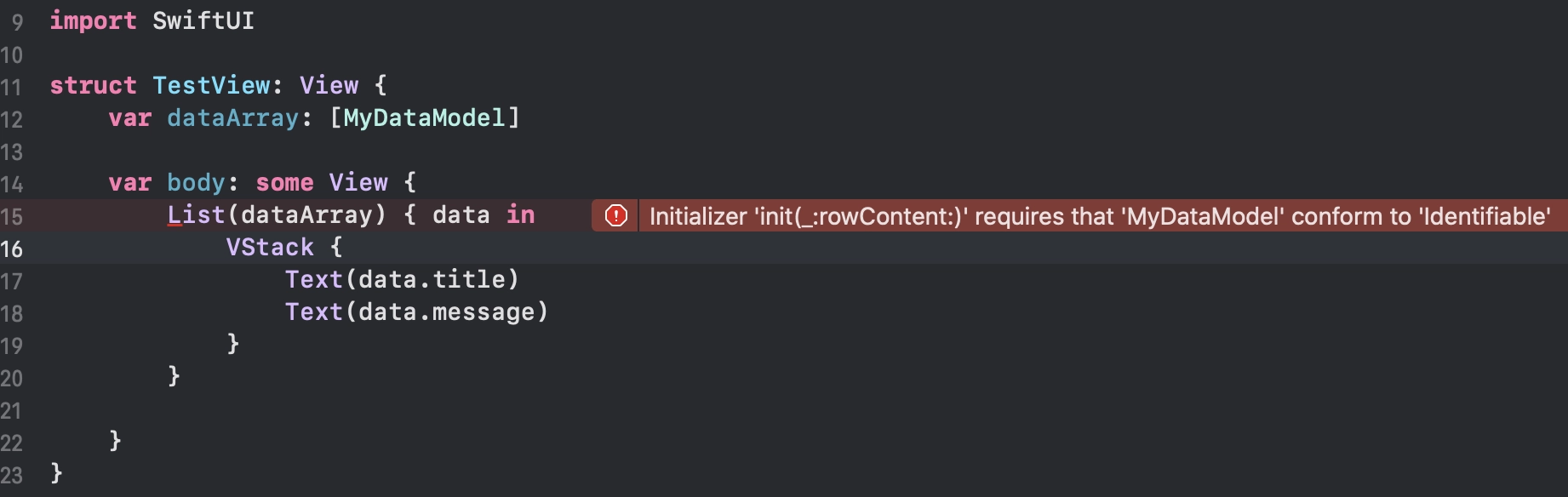
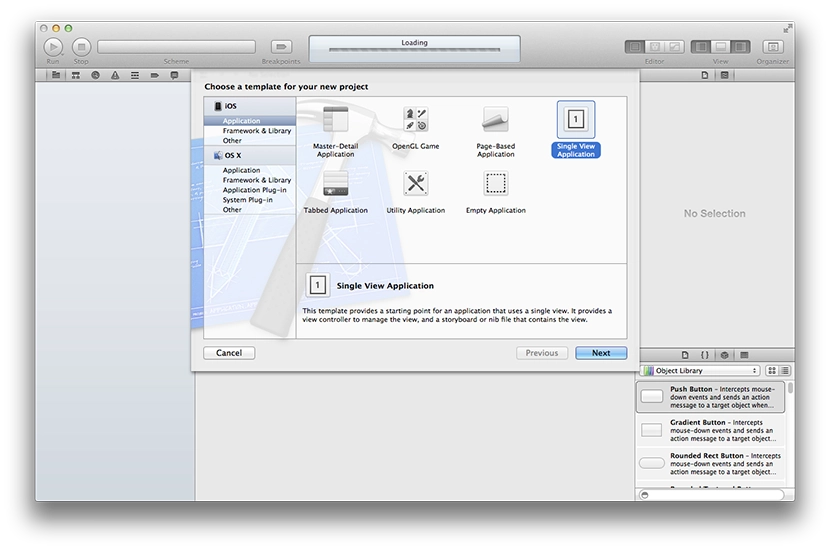
Using MyDataModel in List will show an error in Xcode:

Xcode Identifiable conformance error

Sometimes you can't just change a model. It might be a data model from a third party SDK that you're using in your app. But you can create a wrapper for this struct to confirm Identifiable protocol:

struct MyDataModelWrapper: Identifiable {
    var id = UUID()
    var data: MyDataModel
}

let testDataModel = MyDataModel(
    title: "Title 1",
    message: "I wanna be used inside of a List"
)

let wrappedData = MyDataModelWrapper(data: testDataModel)

So the view will look like this:

struct TestView: View {
    var dataArray: [MyDataModelWrapper] 

    some View {
        List(dataArray) { wrappedData in
            VStack {
                Text(wrappedData.data.title)
                Text(wrappedData.data.message)
            }
        }
    }
}

Done.

[↵] open page wrapping-models-in-swiftui-for-identifiable-conformance.md
-rw-r--r-- 956B Sep 10, 2019 · 64BE02E · ~1 min

Using GitHub Actions as a CI for Swift project

swift github ci шпаргалки

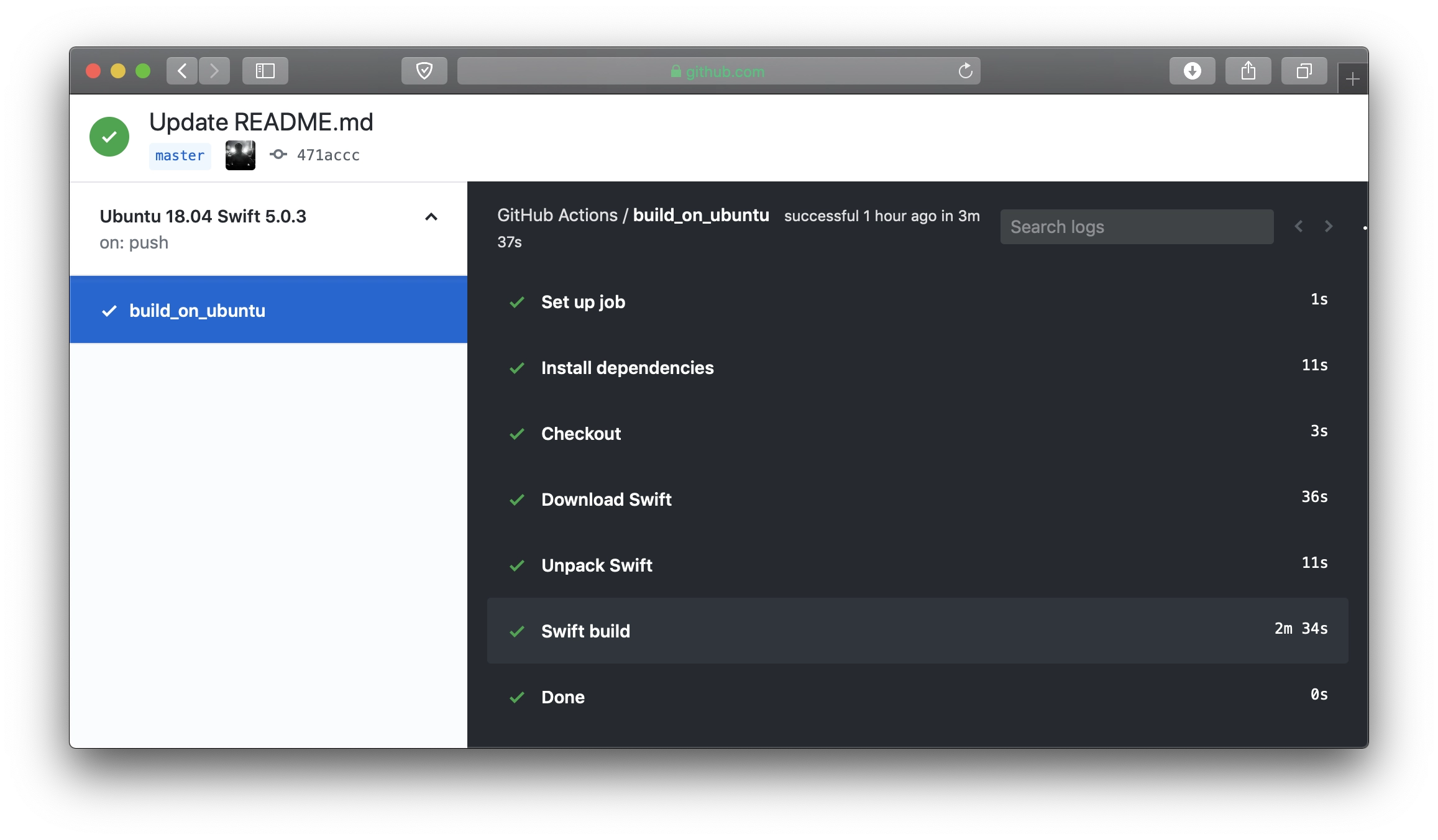
Github Actions

Here's a config for a GitHub Actions workflow to build a Swift project. This example is for building a Vapor project using Swift 5.0.3 on Ubuntu 18.04:

name: Ubuntu 18.04 Swift 5.0.3

on: [push]

jobs:
  build_on_ubuntu:
    runs-on: ubuntu-18.04

    steps:
    - name: Install dependencies
      run: sudo apt-get update; sudo apt-get install -yq libssl-dev zlib1g-dev

    - name: Checkout
      uses: actions/checkout@master

    - name: Download Swift
      run: curl https://swift.org/builds/swift-5.0.3-release/ubuntu1804/swift-5.0.3-RELEASE/swift-5.0.3-RELEASE-ubuntu18.04.tar.gz --output swift.tar.gz

    - name: Unpack Swift
      run: |
          tar xzf swift.tar.gz
          mv swift-5.0.3-RELEASE-ubuntu18.04 swift

    - name: Swift build
      run: |
          export PATH=$(pwd)/swift/usr/bin:"${PATH}"
          swift build -c release
[↵] open page using-github-actions-as-ci-for-building-swift-project.md
-rw-r--r-- 374B Sep 5, 2017 · E5E50B4 · ~1 min

openssl and Vapor 2

vapor swift шпаргалки

I ran into a problem where a Vapor 2 project stopped compiling on Ubuntu. More precisely, one of its dependencies, Crypto. It turned out that because of an added repository containing newer versions of some libraries, it would not compile. Writing it down here — I had to downgrade:

apt install libssl-dev=1.0.2g-1ubuntu4.10
apt install openssl=1.0.2g-1ubuntu4.10
[↵] open page openssl-i-vapor-2.md
-rw-r--r-- 1.8K May 3, 2017 · 6BC24C7 · ~2 min

Weak delegate in Swift 3

swift шпаргалки утечки памяти

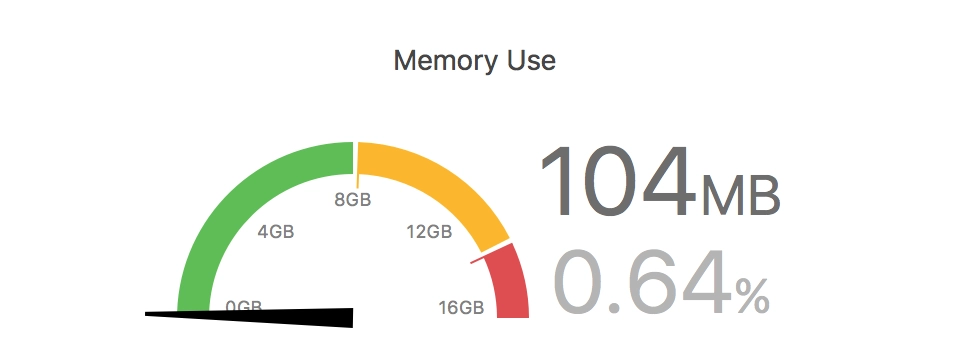
Memory usage in Xcode

I was fighting memory leaks in a work project. Digging led me to the fact that after leaving a UIViewController, far from all memory gets released. If you open this UIViewController several times, go back, and open it again, memory consumption grows and does not get released very much.

The root of the problem turned out to be protocols and delegates. A classic mistake. In my UIViewController I use a UICollectionView with a custom cell that has a delegate. My UIViewController is the delegate for each cell. An example of implementing such a protocol and delegate on the internet and in a Swift book looks roughly like this:

// Protocol
protocol MyCollectionViewCellDelegate {
    func someFunc()
}

// UICollectionViewCell
final class MessageCollectionViewCell: UICollectionViewCell {
    var delegate: MyCollectionViewCellDelegate?
}

// UIViewController
func collectionView(_ collectionView: UICollectionView, cellForItemAt indexPath: IndexPath) -> UICollectionViewCell {
    // some code....
    cell.delegate = self
}

Inside the cell object we have a strong reference to the delegate (UIViewController), which results in a memory leak.

The solution is simple — make the reference to delegate weak. To do that, you have to specify that only a class can implement the protocol. Structures are out, but there is no need for them here anyway. It changes like this:

// Protocol
protocol MyCollectionViewCellDelegate: class {
    func someFunc()
}

// UICollectionViewCell
final class MessageCollectionViewCell: UICollectionViewCell {
    weak var delegate: MyCollectionViewCellDelegate?
}

After these simple changes everything became great — after navigating back from the UIViewController, memory usage returns to its initial level.

[↵] open page weak-delegate-v-swift-3.md
-rw-r--r-- 577B Oct 28, 2016 · 7DC1233 · ~1 min

Shake effect animation for UIView

шпаргалки swift
// MARK: - UIView Extension, or NSView
extension UIView {

    /// Shake animation
    func shake() {
        let animation = CAKeyframeAnimation(keyPath: "transform.rotation")
        animation.timingFunction = CAMediaTimingFunction(name: kCAMediaTimingFunctionLinear)
        animation.duration = 1.0
        animation.values = [-Double.pi / 6, Double.pi / 6, -Double.pi / 6, Double.pi / 6, -Double.pi / 7, Double.pi / 7, -Double.pi / 8, Double.pi / 8, 0.0 ]

        layer.add(animation, forKey: "shake")
    }

}

myView.shake()

[↵] open page shake-effekt-dlya-uiview.md
-rw-r--r-- 996B Sep 26, 2016 · 55D7D8F · ~1 min

An Elegant Notification.Name Extension in Swift 3

swift шпаргалки

In the new Swift 3 there is now a different initializer for NSNotification (now simply Notification; the NS prefix was dropped):

struct Config {
    static let ShouldCloseBrowserNotification = "ShouldCloseBrowserNotification"
}

let notification = Notification(
    name: Notification.Name(rawValue: Config.ShouldUpdateDialogNotification),
    object: nil,
    userInfo: nil
)
NotificationCenter.default.post(notification)

The name parameter does not look very nice now. But you can extend Notification.Name to make it look better:

extension Notification.Name {
    static let shouldCloseBrowserNotification = Notification.Name("ShouldCloseBrowserNotification")
}

let notification = Notification(
    name: .ShouldUpdateDialogNotification,
    object: nil,
    userInfo: nil
)
NotificationCenter.default.post(notification)

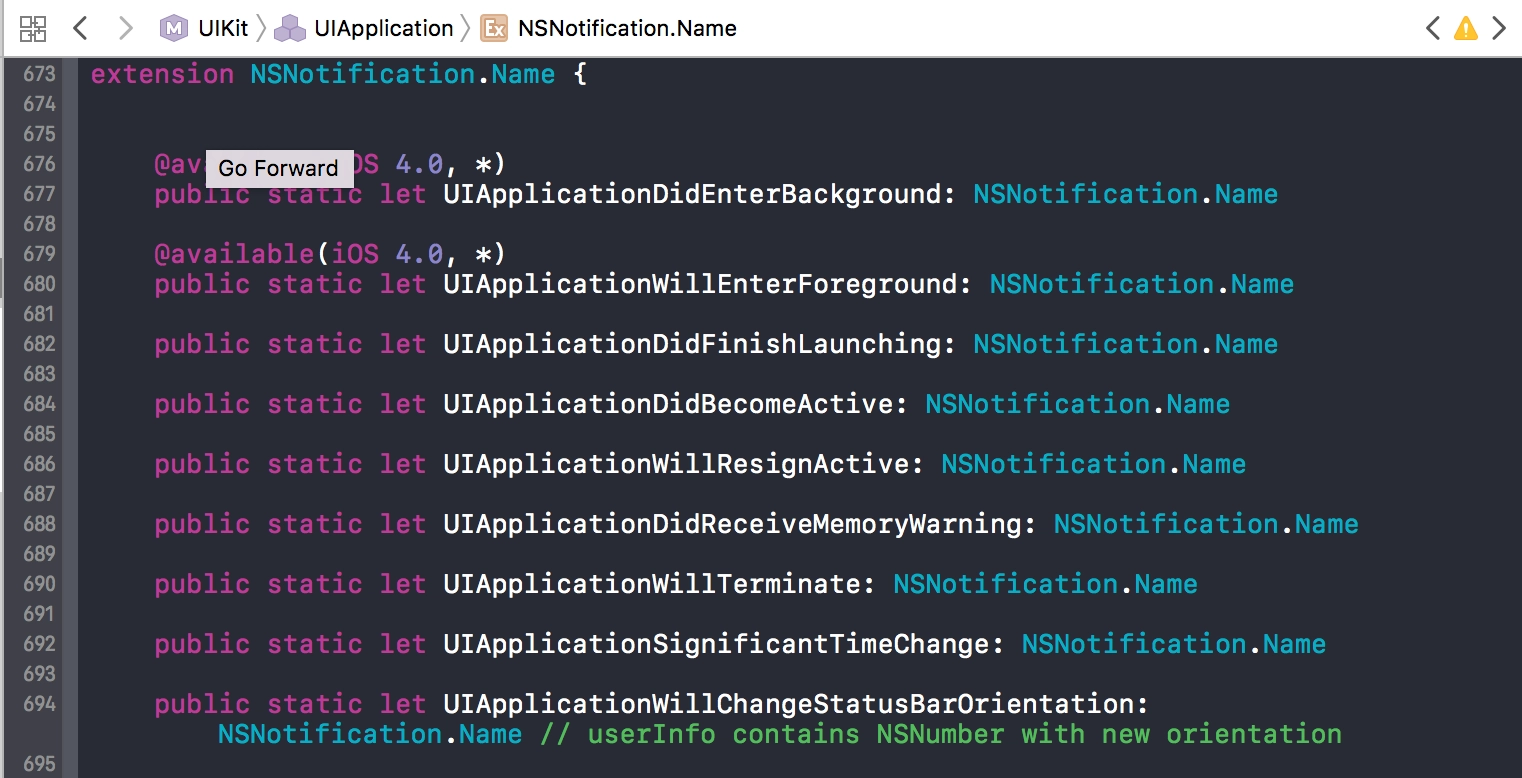
UIKit itself is structured in roughly the same way:

UIKit code

[↵] open page elegantnyj-extension-dlya-notification-name-v-swift-3.md
-rw-r--r-- 712B Aug 18, 2016 · 14091F5 · ~1 min

A Block (Closure) as a Class Property in Swift

swift шпаргалки

An example of using a block (closure) as a class property in Swift.

class ChatViewController: UIViewController {

    private var someClosure: (() -> Void)?
    private var anotherClosure: ((arg: Double) -> Bool)?

    func executeClosures() {
        if self.someClosure != nil {
            self.someClosure()
        }

        if self.anotherClosure != nil {
            let boolResult = self.anotherClosure(arg: 2.0)
        }
    }

    func addSelfClosure(closure: (() -> Void)!) {
        self.someClosure = closure
    }

    func printSomething() {
        self.addSelfClosure() {
            print("closure called")
        }
        self.executeClosures() // prints: closure called
    }

} 
[↵] open page blok-zamykanie--kak-svojstvo-klassa-v-swift.md
-rw-r--r-- 2.9K Aug 12, 2016 · EC7C9DE · ~2 min

Custom Badge for UITabBarController in Swift

swift шпаргалки uitabbarcontroller

It was 2016, and to change the colors of a badge inside a tab you still had to create your own UI element and add it to the tab bar manually. A working solution in Swift:

// MARK: - UITabBarController extension for badges
extension UITabBarController {

    /**
    Set badges

    - parameter badgeValues: values array
    */
    func setBadges(badgeValues: [Int]) {

        for view in self.tabBar.subviews {
            if view is CustomTabBadge {
                view.removeFromSuperview()
            }
        }

        for index in 0...badgeValues.count-1 {
            if badgeValues[index] != 0 {
                addBadge(
                    index: index,
                    value: badgeValues[index],
                    color:UIColor.yellowColor(),
                    font: UIFont.systemFontOfSize(11)
                )
            }
        }

    }

    /**
    Add badge for tab

    - parameter index: index of tab
    - parameter value: badge value
    - parameter color: badge color
    - parameter font: badge font
    */
    func addBadge(index: Int, value: Int, color: UIColor, font: UIFont) {
        let badgeView = CustomTabBadge()

        badgeView.clipsToBounds = true
        badgeView.textColor = UIColor.whiteColor()
        badgeView.textAlignment = .Center
        badgeView.font = font
        badgeView.text = String(value)
        badgeView.backgroundColor = color
        badgeView.tag = index
        tabBar.addSubview(badgeView)

        self.positionBadges()
    }

    override public func viewDidLayoutSubviews() {
        super.viewDidLayoutSubviews()
        self.tabBar.setNeedsLayout()
        self.tabBar.layoutIfNeeded()
        self.positionBadges()
    }

    /**
    Positioning
    */
    func positionBadges() {

        var tabbarButtons = self.tabBar.subviews.filter { (view: UIView) -> Bool in
            return view.userInteractionEnabled // only UITabBarButton are userInteractionEnabled
        }

        tabbarButtons = tabbarButtons.sort({ $0.frame.origin.x < $1.frame.origin.x })

        for view in self.tabBar.subviews {
            if view is CustomTabBadge {
                let badgeView = view as! CustomTabBadge
                self.positionBadge(badgeView, items:tabbarButtons, index: badgeView.tag)
            }
        }
    }

    /**
    Position for badge

    - parameter badgeView: badge view
    - parameter items: tab bar buttons array
    - parameter index: index of tab
    */
    func positionBadge(badgeView: UIView, items: [UIView], index: Int) {

        let itemView = items[index]
        let center = itemView.center

        let xOffset: CGFloat = 12
        let yOffset: CGFloat = -14
        badgeView.frame.size = CGSizeMake(17, 17)
        badgeView.center = CGPointMake(center.x + xOffset, center.y + yOffset)
        badgeView.layer.cornerRadius = badgeView.bounds.width/2
        tabBar.bringSubviewToFront(badgeView)
    }

}

/// Custom UILabel class for badge view
class CustomTabBadge: UILabel {}
[↵] open page kastomnyj-bejdzh-dlya-uitabbarcontroller-na-swift.md
-rw-r--r-- 1.0K Aug 9, 2016 · FDC24F3 · ~1 min

Delay Function in Swift

swift шпаргалки

A very nice bit of syntactic sugar: a function for running code with a delay via Grand Central Dispatch using dispatch_after:

Update 2024. Swift 5.5+

If you need a delay inside an async function:
func someMethod() async throws {
    // sleep for 2 seconds
    try await Task.sleep(nanoseconds: NSEC_PER_SEC * 2)
}

Swift 2:

/**
Delay function using GCD. Syntax sugar.

- parameter delay: delay in seconds
- parameter closure: closure code to execute after delay
*/
func delay(delay:Double, closure:()->()) {
    dispatch_after(
        dispatch_time(
            DISPATCH_TIME_NOW,
            Int64(delay * Double(NSEC_PER_SEC))
        ),
    dispatch_get_main_queue(), closure)
}

Swift 3:

/**
Delay function using GCD. Syntax sugar.

- parameter delay: delay in seconds
- parameter closure: closure code to execute after delay
*/
func delay(_ delay: Double, closure:()->()) {
    let when = DispatchTime.now() + delay
    DispatchQueue.main.asyncAfter(deadline: when, execute: closure)
}

Usage:

delay(0.4) {
    // code
}
[↵] open page funktsiya-zaderzhki-na-swift.md
-rw-r--r-- 705B Jun 14, 2016 · B548F4B · ~1 min

A modal UIViewController with transparency

swift шпаргалки

Cheat sheet: how to present a UIViewController over another one so that it is semi-transparent and the content underneath shows through.

In Storyboard, set the Segue Kind field to «Present Modally». For the UIViewController you are showing, set the background color to Clear Color, then create an inner background (an image or another UIView) with an alpha value, for example 0.5.

In code:

self.performSegueWithIdentifier("segueName", sender: self)

override func prepareForSegue(segue: UIStoryboardSegue, sender: AnyObject?) {
    if segue.identifier == "segueName" {
        let vc = segue.destinationViewController as! YourViewController
        vc.modalPresentationStyle = .Custom
    }
}
[↵] open page modal-nyj-uiviewcontroller-s-prozrachnost-yu.md
-rw-r--r-- 1.4K May 12, 2016 · 6FA87ED · ~1 min

Testing asynchronous code in XCTest

swift xctest тесты шпаргалки

While writing tests in the app, I ran into the fact that tests containing asynchronous code did not work. For example, if we make an asynchronous network request and then verify the result inside the callback block. The assertions simply did not run, and Xcode said the test had passed successfully even when it obviously should not have.

While googling, I found two solutions: one via semaphores from Grand Central Dispatch, the other with expectations. I liked the expectations approach more. Example test:

import XCTest

class apiClientTests: XCTestCase {
    override func setUp() {
        super.setUp()
    }

    override func tearDown() {
        super.tearDown()
    }

    /**
    SampleTest
    */
    func testSampleAsyncRequest() {
        let exp = expectationWithDescription("\(#function)\(#line)")

        APIClient.sharedInstance.someMethod { (responseObject, error) in
            XCTAssertNotNil(responseObject, "responseObject should not be nil")
            XCTAssertNil(error, "error should be nil")

            exp.fulfill()
        }

        waitForExpectationsWithTimeout(40) { (error) in
            if error != nil {
                XCTAssertTrue(false)
            }
        }
    }
}

P.S. — if you want tests to run in a specific order, remember that they are run in plain alphabetical order. So you need to name them test1Name, test2Name, and so on.

[↵] open page testirovanie-asinhronnogo-koda-v-xctest.md
-rw-r--r-- 961B May 11, 2016 · 61AD73C · ~1 min

A note on Socket.IO-Client-Swift

socket.io swift шпаргалки

A small cheat sheet: there is a Swift client for socket.io. At first glance, GitHub documents how to use it pretty well. The problem is that it absolutely did not want to connect to my Node.js backend with the sample code.

The logs showed (when trying polling requests) that the client was hitting /engine.io and getting a 404 error. Studying the browser JavaScript library, which works with the same backend without any dancing with a tambourine, showed that a different path had to be specified: /socket.io. Fortunately, there is a dedicated option for that.

So in the end, this is what we get:

let socketURL = NSURL(string: "http://localhost:3000")
let socket = SocketIOClient(socketURL: socketURL!, options: [
    .ForceWebsockets(true),
    .Path("/socket.io/"),
    .ConnectParams(["token": "token"])
])

socket.on("connect") {data, ack in
    print("socket connected")
}

socket.connect() 
[↵] open page zametka-pro-socket-io-client-swift.md
-rw-r--r-- 307B Apr 22, 2016 · 4E22F08 · ~1 min

Converting a UTC date with milliseconds from String to NSDate in Swift

swift шпаргалки

To convert a date from text into NSDate from a slightly non-standard format with milliseconds:

let dateString = "2016-04-22T17:42:46.762+03:00"

let dateFormatter = NSDateFormatter()
dateFormatter.dateFormat = "yyyy-MM-dd'T'HH:mm:ss.SSSZ"

let myDate = dateFormatter.dateFromString(dateString) 
[↵] open page konvertirovanie-utc-daty-s-millisekundami-iz-string-v-nsdate.md
-rw-r--r-- 810B Apr 18, 2016 · E93D4A7 · ~1 min

A log function for Swift that outputs file, method, and line

шпаргалки swift полезное

A cheat-sheet function for logging in Swift:

import Foundation

/**
 A log function that outputs the file, method, and line it was called from. 
 Example usage: DLog("hello")

 - parameter messages: text/objects to print
 - parameter fullPath: path to the calling file
 - parameter line: line number in the file
 - parameter functionName: name of the calling method/function
*/
func DLog(messages: Any..., fullPath: String = #file, line: Int = #line, functionName: String = #function) {
     let file = NSURL.fileURLWithPath(fullPath)
     for message in messages {
          print("\(file.pathComponents!.last!):\(line) -> \(functionName) \(message)")
     }
}

// Example:
DLog("message 1", "message 2")
// YourClass.swift:42 -> someMethod() message 1
// YourClass.swift:42 -> someMethod() message 2
[↵] open page log-funktsiya-dlya-swift-s-vyvodom-fajla-metoda-i-stroki.md
-rw-r--r-- 1.5K Apr 6, 2016 · EF30922 · ~1 min

A simple console.log with file and line number output in Node.js

node.js javascript полезное шпаргалки

While coding in Node.js, I constantly need to print something to the console. Errors, for example. But for better information it is more convenient to know exactly where the output is coming from. Especially since when I was coding for iOS, I always had such a handy macro at hand, but with Node.js I had to google and dig around, because many examples from Stack Overflow simply crashed on the latest Node.js 5.10.0. They crashed because they used Error.captureStackTrace(err, arguments.callee), and now you need to use NFE.

In the end I made what I wanted. Leaving it here as a cheat sheet.

npm install colors --save

File logger.js:

'use strict';

let colors = require('colors');
colors.enabled = true;

exports.p = function logger(somethingForPrint) {
    somethingForPrint = somethingForPrint || '';
    const originalPrepareStackTrace = Error.prepareStackTrace;

    Error.prepareStackTrace = (error, stack) => { return stack; };

    let e = new Error;
    Error.captureStackTrace(e, logger);

    const stack = e.stack;
    const filename = stack[0].getFileName().split('/').reverse()[0];
    const trace = filename + ':' + stack[0].getLineNumber() + " " + colors.bold.black('%s') + "\n";

    Error.prepareStackTrace = originalPrepareStackTrace;

    console.log(trace, somethingForPrint);
}; 

Use:

const logger = require('../utils/logger');
logger.p('something happened');
// file.js:401 something happened 
[↵] open page prostoj-console-log-s-vyvodom-fajla-i-nomera-stroki-v-node-js.md
-rw-r--r-- 585B Mar 24, 2016 · 75B06AF · ~1 min

Restoring a broken GRUB bootloader on Hetzner

шпаргалки hetzner grub ubuntu linux

This is already the second time in 2-3 years that I have run into GRUB breaking on one Hetzner server. As a result, after a reboot the server becomes unreachable. You have to go to the control panel, enable booting from the rescue image in the Rescue section, connect to it over SSH, and restore the bootloader. Looking up the info every time is annoying, so in short, after connecting to the rescue system over ssh, enter this in the console:

mount /dev/md3 /mnt
chroot-prepare /mnt
chroot /mnt
mount -a
apt-get install grub2
grub-install /dev/sda
update-grub
exit
reboot now
[↵] open page vosstanovlenie-sletevshego-zagruzchika-grub-na-hetzner.md
-rw-r--r-- 1.2K Oct 14, 2015 · 1821E8C · ~1 min

Xcode 7 Bug with [NSLocalizableString length]

шпаргалки баги xcode

Xcode 7 has a localization bug where the app crashes while calling [NSLocalizableString length] over and over again. I hit it in my project because some of my xibs were outside the project folder itself, in the Base.lproj folder. As a result, every time something from those xibs was loaded in the app, it crashed for no obvious reason. In the latest Xcode 6 everything worked perfectly. I managed to fix it by renaming Base.lproj to en.lproj and adding the files from that folder to the project again.

There are a couple more solutions on Stack Overflow; the idea is the same, but for some people it was enough just to toggle the Use Base Localization checkbox on and off, or mark English for the Storyboard file. But that is more for people whose entire UI is drawn inside a Storyboard. There is also a thread on the Apple developer forums.

The bug seems to have been around in Xcode 7 for a while; I think it was present in the betas too. It is still there in the current 7.01 release. Hopefully they will fix it in the near future.

[↵] open page bag-xcode-7-s-nslocalizablestring-length-.md
-rw-r--r-- 1.6K Jul 23, 2015 · BB014D8 · ~2 min

A Few Words About Parse.com

parse.com javascript rest шпаргалки кодировка

I was tinkering with something on Parse. In short: the thing is very cool, there are great SDKs for different platforms, and you can even use them in Javascript on both the frontend and the backend. You can even write the backend right there in their cloud with node.js, and you can connect Express if you need it. But there are two caveats:

  1. When you create a scheduled push notification, you specify the send time. Through the Javascript SDK, however, it sets it in GMT and that's it. Everyone gets the push according to GMT regardless of their time zone. You cannot specify in the Javascript SDK that you want to send a push to everyone, for example, at 19:00 local time, so that a client in any time zone receives the message at their own 19:00. This bug is already 2 years old. Instead, they suggest using their REST API from Javascript (sic!).
  2. Okay, so you use the REST API; fortunately this can be done conveniently from the same Javascript SDK, and everything works as it should, pushes get scheduled for local time, but... all Russian letters are stripped out of the message title text. All the examples in the REST API documentation ask you to specify the request header "Content-Type: application/json", but that is not enough to keep Cyrillic and other non-Latin characters from being stripped. It turns out you need to specify the encoding in the header: "Content-Type: application/json; charset=utf-8". God knows what encoding they expect by default for data in an international service, but there it is.

Other than that, of course, the service is very cool.

[↵] open page para-slov-pro-parse-com.md
-rw-r--r-- 2.2K Jul 10, 2015 · 02CABEA · ~2 min

Building an iOS Project from the Console with xcodebuild

ios xcodebuild шпаргалки

I'll leave myself a cheat sheet on how to make a bash script that builds your project into an ipa file.

In the iOS project source folder, create a folder, for example, scripts, and inside it create the file build.sh

mkdir scripts
touch build.sh
chmod +x build.sh

Put your provisioning profile into that folder. Say it is called arm1.ru.mobileprovision. After that, put this code inside build.sh:

#!/bin/bash

# go to the script directory
CURRENT_DIR="$( cd "$( dirname "${BASH_SOURCE[0]}" )" && pwd )"
cd "${CURRENT_DIR}"

# use the same name that is selected in the project settings under Build Settings > Code Signing Identity
CODE_SIGN_IDENTITY="iPhone Distribution: Your Code Signing Identity"

# name of the provisioning profile stored here
PROVISION="$PWD/arm1.ru.mobileprovision"

# name of the scheme we are building
SCHEME="appScheme"
WORKSPACE="$PWD/../your-app.xcworkspace"

echo "Building..."

BUILDDIR="$PWD/build"
DSYMDIR="$PWD/dSYM"

if [ ! -d "$BUILDDIR" ]; then
    mkdir -p "$BUILDDIR"
fi

if [ ! -d "$DSYMDIR" ]; then
    mkdir -p "$DSYMDIR"
fi

# find the UUID in the provisioning profile
UUID=`grep UUID -A1 -a "${PROVISION}" | grep -io "[-A-Z0-9]\{36\}"`


xcodebuild     -workspace "${WORKSPACE}"     -scheme "${SCHEME}"     -sdk iphoneos     -configuration Release     CODE_SIGN_IDENTITY="${CODE_SIGN_IDENTITY}"     PROVISIONING_PROFILE="${UUID}"     OBJROOT=$BUILDDIR     SYMROOT=$BUILDDIR

if [ $? != 0 ]; then
    echo "Build failed"
    exit 1
fi

echo "Packaging..."

NOW=$(date +"%d_%m_%Y_%H_%M_%S")

xcrun -sdk iphoneos PackageApplication -v "${BUILDDIR}/Release-iphoneos/${SCHEME}.app" -o "$PWD/${SCHEME}_${NOW}.ipa"
if [ $? != 0 ]; then
    echo "Packaging failed"
    exit 2
fi

mv "${BUILDDIR}/Release-iphoneos/${SCHEME}.app.dSYM" "${DSYMDIR}/${SCHEME}_${NOW}.app.dSYM"

echo "Build succeeded."

Voilà, in the folder with the script you now have appScheme.ipa - the built project. The dSYM folder contains the dSYM files. You can add something else at the end of the script. In one of my projects, the end uploads the build to our homemade Testflight and sends the install link to everyone who needs it. Convenient: double-click the sh file and everything gets built and sent.

[↵] open page sborka-ios-proekta-iz-konsoli-cherez-xcodebuild.md
-rw-r--r-- 1.0K Jul 9, 2015 · E4EC750 · ~1 min

How to Disable the Swipe Back Gesture in iOS 8

objective-c ios шпаргалки

iOS has a system gesture - swipe from the left edge of the screen and you go back to the previous screen. It's cool and intuitive, and it annoys me when apps disable it, but sometimes you still have to do it. For example, because of an interface decision that conflicts with this swipe.

So for iOS 8, add this to the current UIViewController:

in YouViewController.h:

// add the gesture handling protocol
@interface YouViewController : UIViewController <UIGestureRecognizerDelegate>

in YouViewController.m:

- (void)viewDidLoad {
  [super viewDidLoad];

  self.navigationController.interactivePopGestureRecognizer.enabled = NO;
  self.navigationController.interactivePopGestureRecognizer.delegate = self;
}

#pragma mark - UIGestureRecognizerDelegate

- (BOOL)gestureRecognizerShouldBegin:(UIGestureRecognizer *)gestureRecognizer {
  // disable the gesture if this is swipe back
  if ([gestureRecognizer isEqual:self.navigationController.interactivePopGestureRecognizer]) {
    return NO;
  } else {
    return YES;
  }
}
[↵] open page kak-otklyuchit-zhest-swipe-back-v-ios-8.md
-rw-r--r-- 803B Jul 2, 2015 · 33C822E · ~1 min

Proper Date Parsing with RestKit. From NSString to NSDate

objective-c restkit шпаргалки

A problem came up because dates were being parsed incorrectly through RestKit - the time zone was not taken into account, so in the end all dates were displayed 3 hours later than they should have been.

Inside RestKit there are already several NSDateFormatters for parsing a date. If one fails, the second one is used, and so on. But none of them matched the format in which I was getting dates through the API. To parse dates correctly, you need to add your own NSDateFormatter, and put it first in the list so it is applied first:

NSDateFormatter *dateFormatter = [[NSDateFormatter alloc] init];
[dateFormatter setDateFormat:@"yyyy-MM-dd'T'HH:mm:ss Z"];

[RKObjectMapping alloc];
[[RKValueTransformer defaultValueTransformer] insertValueTransformer:dateFormatter atIndex:0];
[↵] open page pravilnyj-parsing-dat-cherez-restkit-iz-nsstring-v-nsdate.md
-rw-r--r-- 2.3K Jun 8, 2015 · 994A146 · ~1 min

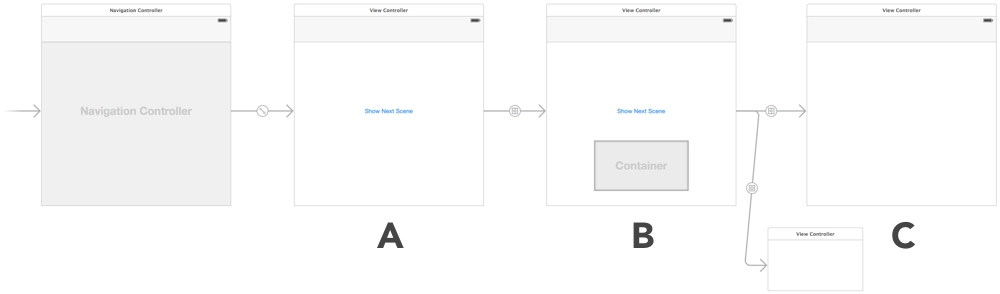
UIViewController Lifecycle

objective-c шпаргалки uiview

UIViewController Lifecycle

A small cheat sheet on the UIViewController lifecycle - which methods are called, and in what order, during different transitions between UIViewControllers.

[↵] open page zhiznennyj-tsikl-uiviewcontroller.md
-rw-r--r-- 1.4K Jun 1, 2015 · 676411C · ~1 min

CALayer+UIColor Category

objective-c xcode полезное шпаргалки

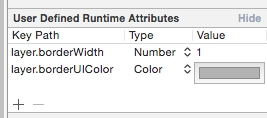
I found a nice little thing on Stack Overflow. In Xcode's Interface Builder you can set some UI values through User Defined Runtime Attributes. I needed to set a border. You can set the layer.borderWidth thickness and it will be picked up, but the color will not. layer.borderColor stores a value of type CGColorRef, while the color you can choose in Interface Builder is a UIColor. A simple category lets you use UIColor through the layer.borderUIColor property.

CALayer+UIColor.h :

//
// CALayer+UIColor.h
//
// Created by Sergey Armodin on 29/05/15.
// Copyright (c) 2015 Sergey Armodin. All rights reserved.
//

#import <QuartzCore/QuartzCore.h>
#import <UIKit/UIKit.h>

@interface CALayer (UIColor)
/**
* CGColor to borderColor
*/
@property(nonatomic, assign) UIColor* borderUIColor;
@end

CALayer+UIColor.m :

//
// CALayer+UIColor.m
//
// Created by Sergey Armodin on 29/05/15.
// Copyright (c) 2015 Sergey Armodin. All rights reserved.
//

#import "CALayer+UIColor.h"

@implementation CALayer (UIColor)
/**
* Setter
*
* @param color UIColor
*/
- (void)setBorderUIColor:(UIColor *)color {
    self.borderColor = color.CGColor;
}

/**
* Getter
*
* @return UIColor
*/
- (UIColor *)borderUIColor {
    return [UIColor colorWithCGColor:self.borderColor];
}
@end

And voilà:

CALayer+UIColor Category

[↵] open page kategoriya-calayer-uicolor.md
-rw-r--r-- 305B May 18, 2015 · D1006D5 · ~1 min

Thread-Safe Singleton Definition via GCD

objective-c шпаргалки

Cheat sheet. Tired of having to go hunt for it every time.

+ (instancetype)sharedInstance {
    static MyClass *sharedInstance = nil;
    static dispatch_once_t oncePredicate;
    dispatch_once(&oncePredicate, ^{
        sharedInstance = [[self alloc] init];
    });
    return sharedInstance;
} 
[↵] open page potokobezopasnoe-opredelenie-singltona-cherez-gcd.md
-rw-r--r-- 921B Apr 15, 2015 · 1AC392D · ~1 min

Getting the Weekday Number in Objective-C

objective-c шпаргалки

Cheat sheet for getting the weekday number from NSDate:

/* get the Gregorian calendar */
NSCalendar *gregorian = [[NSCalendar alloc] initWithCalendarIdentifier:NSGregorianCalendar];
/* NSDateComponents lets you get the weekday number, day of month, etc. from NSDate. */
NSDateComponents *comps = [gregorian components:NSWeekdayCalendarUnit fromDate:[NSDate date]];
// get the weekday number. It will be from 1 to 7
NSInteger weekday = [comps weekday];

In iOS, depending on which region is selected in the device settings, the week starts either on Monday, as in Russia, or on Sunday, as in the US. If you only need to output the short name of the weekday, for example: Mon, Tue, Wed, Thu, you can do it like this:

NSDateFormatter *weekdayDateFormatter = [[NSDateFormatter alloc] init];
[weekdayDateFormatter setDateFormat: @"EE"];
NSLog(@"%@", [weekdayDateFormatter stringFromDate:dateFromString]);
[↵] open page poluchenie-nomera-dnya-nedeli-na-objective-c.md
-rw-r--r-- 616B Apr 14, 2015 · 65C2C2F · ~1 min

Simulating a Bad Internet Connection in OS X

шпаргалки os x полезное разработка

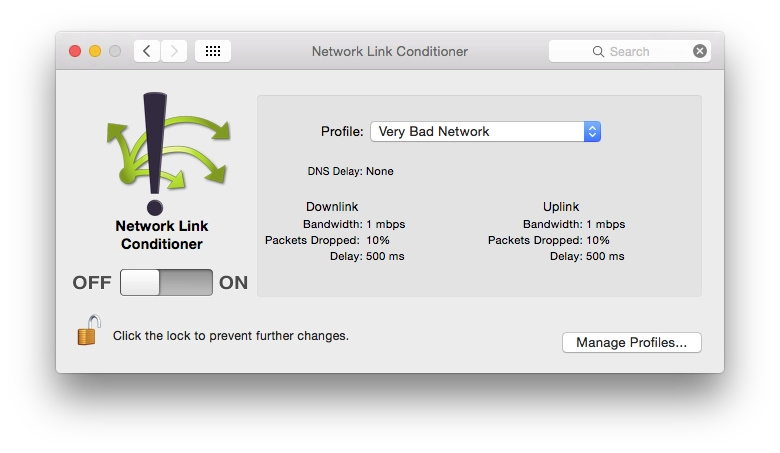
Network Link Conditioner

I'll leave another cheat sheet in the form of a link. Network Link Conditioner is a tool from Apple from the Hardware IO Tools for Xcode set. It lets you limit connection speed in macOS. You can test, for example, how an app behaves under EDGE connections or worse. The same thing exists in the Developer section of iOS settings, but that is on the device, while this is in OS X.

By the way, the same set also contains a simulator for HomeKit.

[↵] open page simulyatsiya-plohogo-soedineniya-s-internetom-v-os-x.md
-rw-r--r-- 771B Apr 14, 2015 · CE47AFA · ~1 min

Automatic Build Number Increment in Xcode

шпаргалки xcode

Automatic Build Number Increment in Xcode

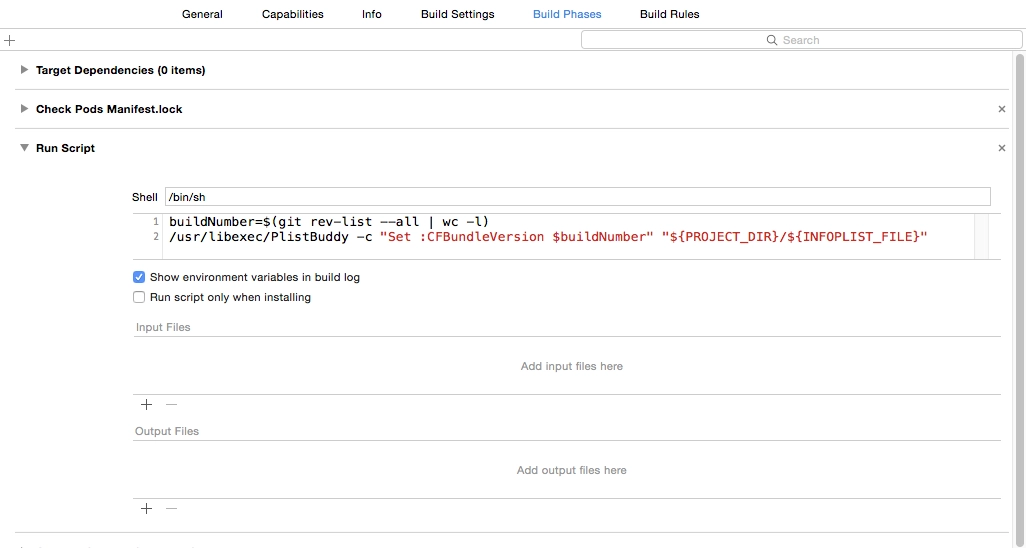
Another cheat sheet so I can quickly find it later, just in case. As is well known, in Xcode you can run your own bash scripts while building a project.

These 2 lines of code allow you to automatically increment the build number in the app:

buildNumber=$(git rev-list --all | wc -l)
/usr/libexec/PlistBuddy -c "Set :CFBundleVersion $buildNumber" "${PROJECT_DIR}/${INFOPLIST_FILE}"

The first line counts the number of commits in the git repository. The second writes that number to the target's .plist file as the build number. Each new commit increments the build number by one. This is one way to do it.

Put it into the required target's Build Phases.

[↵] open page avtouvelichenie-nomera-bilda-v-xcode.md
-rw-r--r-- 2.9K Feb 11, 2015 · B0BD248 · ~2 min

Changes to Core Location Manager in iOS 8

objective-c шпаргалки ios 8

Changes to Core Location Manager in iOS 8

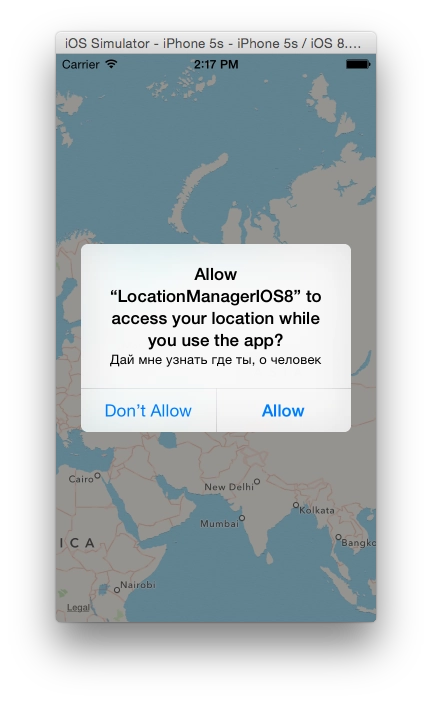
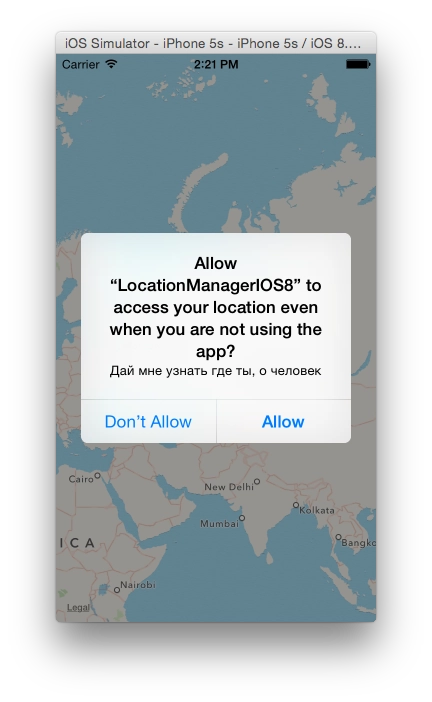
A note about how in iOS 8 you now have to request permission to use geolocation differently.

[↵] open page izmeneniya-v-core-location-manager-v-ios-8.md
-rw-r--r-- 9.2K Nov 13, 2014 · 9717C8C · ~7 min

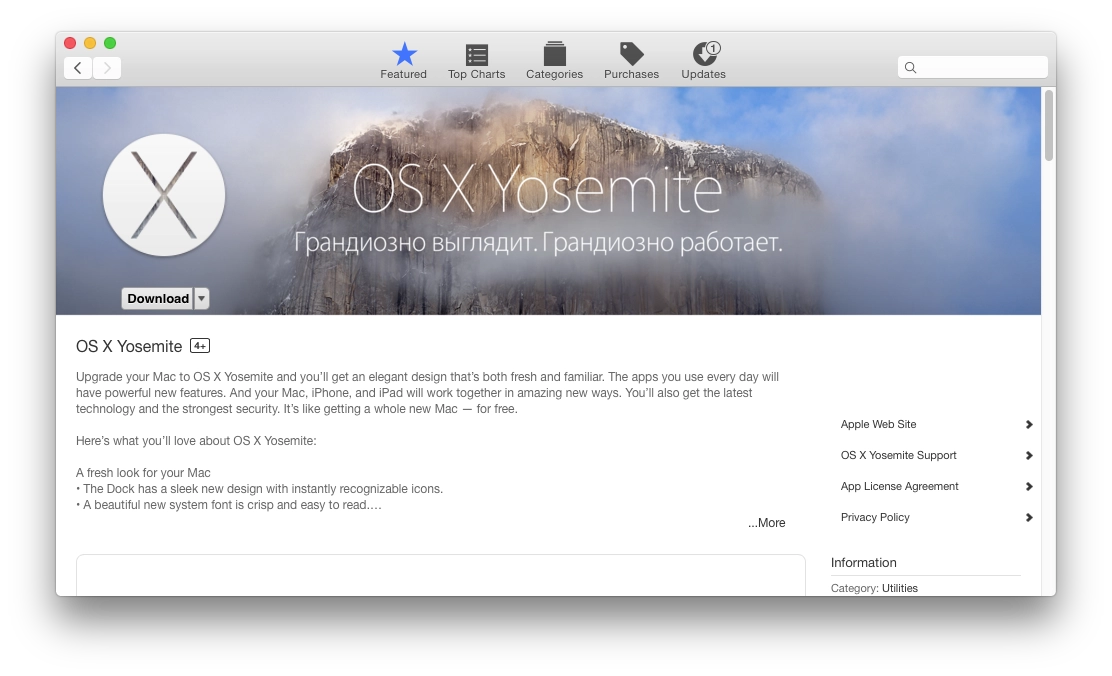
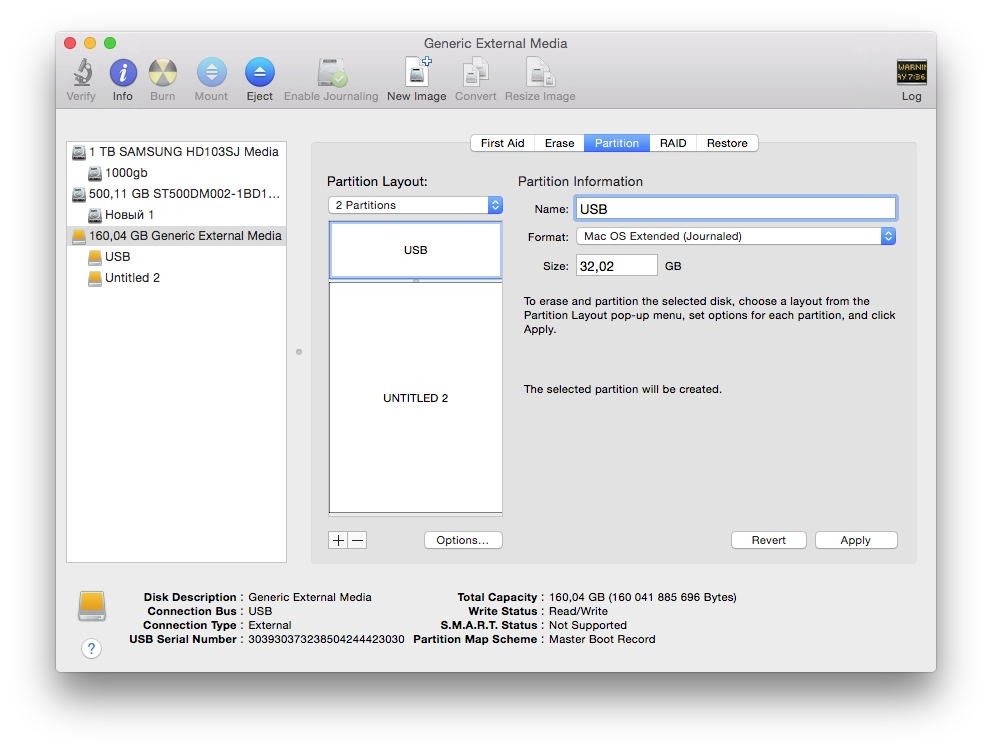
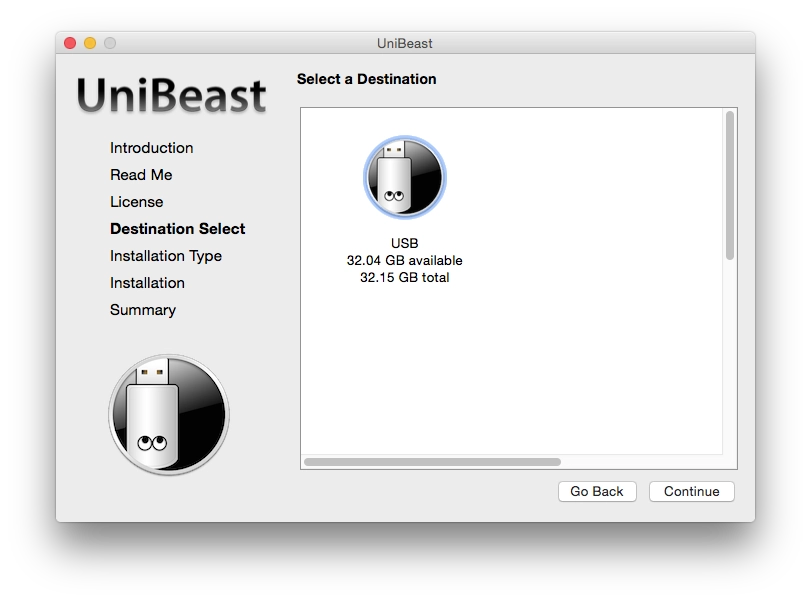
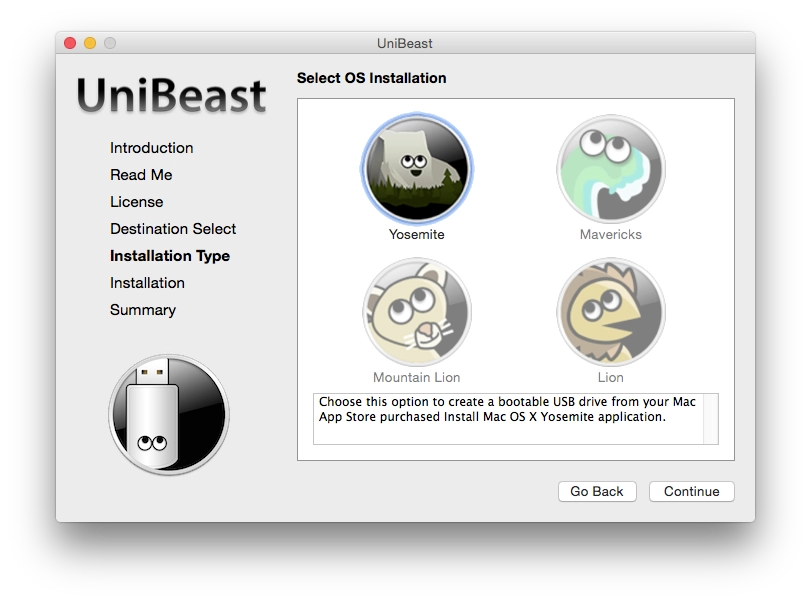
How to update a Hackintosh from OS X Mavericks to Yosemite

хакинтош os x yosemite mavericks шпаргалки

How to update a Hackintosh from OS X Mavericks to Yosemite

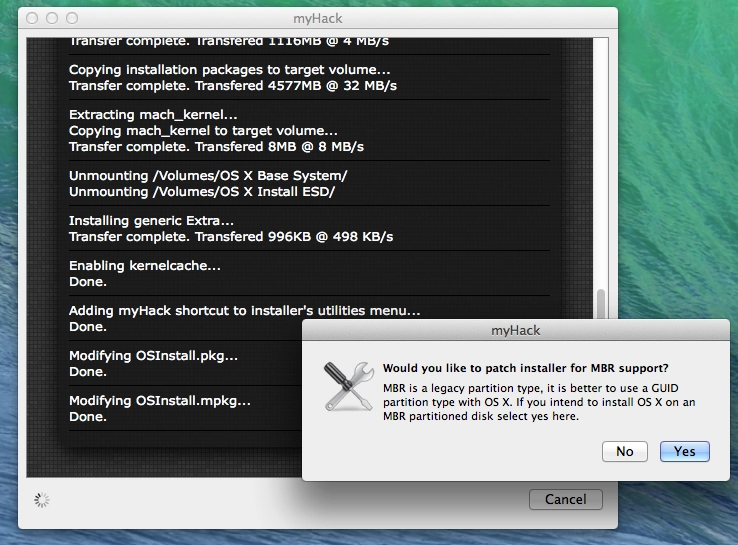
I finally updated my work Hackintosh from OS X 10.9 to 10.10. It took a lot of time. Here is how I did it and what problems I ran into.

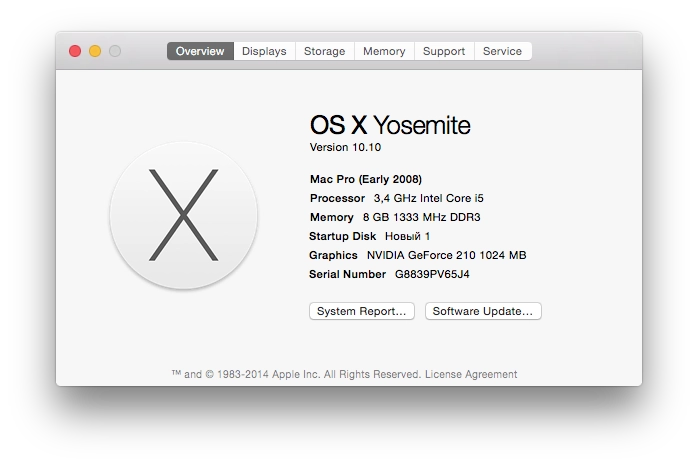
[↵] open page kak-obnovit-hakintosh-s-os-x-mavericks-do-yosemite.md
-rw-r--r-- 523B Jun 9, 2014 · 14CA55D · ~1 min

Cheat sheet for setting up nginx+php-fpm from Homebrew

nginx php-fpm шпаргалки

If after configuring nginx and php-fpm to work through php5-fpm.sock, Nginx throws a 502 bad gateway error and the log contains something like this:

*20 connect() to unix:/usr/local/var/run/php5-fpm.sock failed (2: No such file or directory) while connecting to upstream

Then the permissions problem can be fixed like this:

cd /usr/local/var/run
sudo chmod 666 php5-fpm.sock

If that helped, then in /usr/local/etc/php/5.5/php-fpm.conf you should also uncomment this line:

listen.mode = 0666
[↵] open page shpargalka-pri-nastrojke-nginx-php-fpm-iz-homebrew.md
-rw-r--r-- 3.5K Oct 30, 2013 · 5822E4E · ~3 min

How to Upgrade a Hackintosh from Mac OS X Mountain Lion to Mavericks

хакинтош mac os x mountain lion mavericks шпаргалки

Hackintosh Mac OS X Mavericks

I upgraded my work Hackintosh to 10.9 today. Everything was rather strange, but doable.

Before that it was running 10.8.5 Mountain Lion. I downloaded the Mavericks update from the Mac App Store. I launched it, the installer asked for a reboot, and after the reboot nothing happened — Mountain Lion simply loaded again.

To install the update, you need the following:

[↵] open page kak-obnovit-hakintosh-s-mac-os-x-mountain-lion-do-mavericks.md
-rw-r--r-- 452B Oct 7, 2013 · 0400D23 · ~1 min

Syncing a Folder Located Elsewhere with Yandex.Disk

яндекс.диск шпаргалки

For now Yandex.Disk only syncs files and folders located inside its own folder and does not let you add a folder from elsewhere, for example from another hard drive. If you do not want to place the folder you need to sync inside the Yandex.Disk folder, on macOS you can create a symlink, for example:

ln -s /Volumes/MyDisk/FolderToSync /Users/user/Яндекс.Диск/FolderToSync

On Windows, in theory, you can use a symbolic link as well.

[↵] open page sinhronizatsiya-papki-s-yandeks-diskom-nahodyashchejsya-v-drugom-meste.md
-rw-r--r-- 752B Sep 30, 2013 · 2F52096 · ~1 min

Hackintosh Cheat Sheet

шпаргалки хакинтош

I will keep notes here on what to do about various Hackintosh issues. For now this applies to 10.8.5.

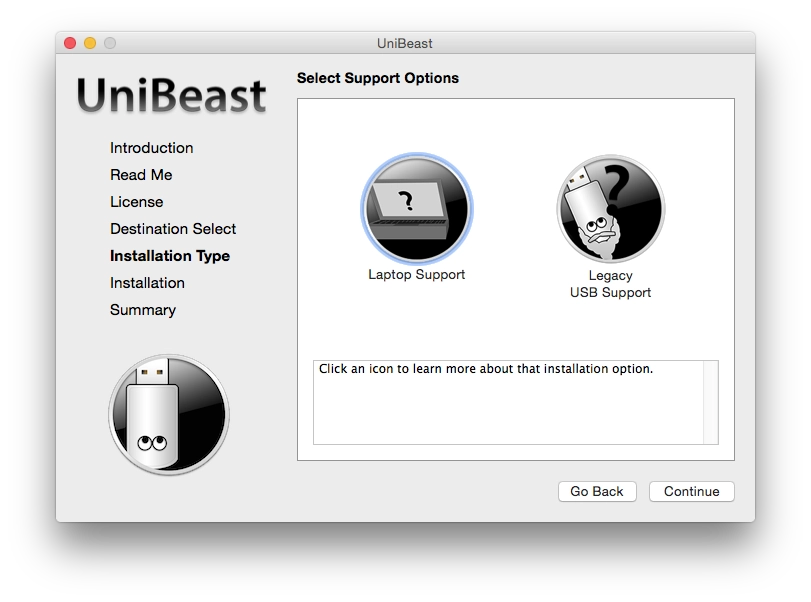
kernel extensions in backtrace org.apple.driver.applertc(1.5)
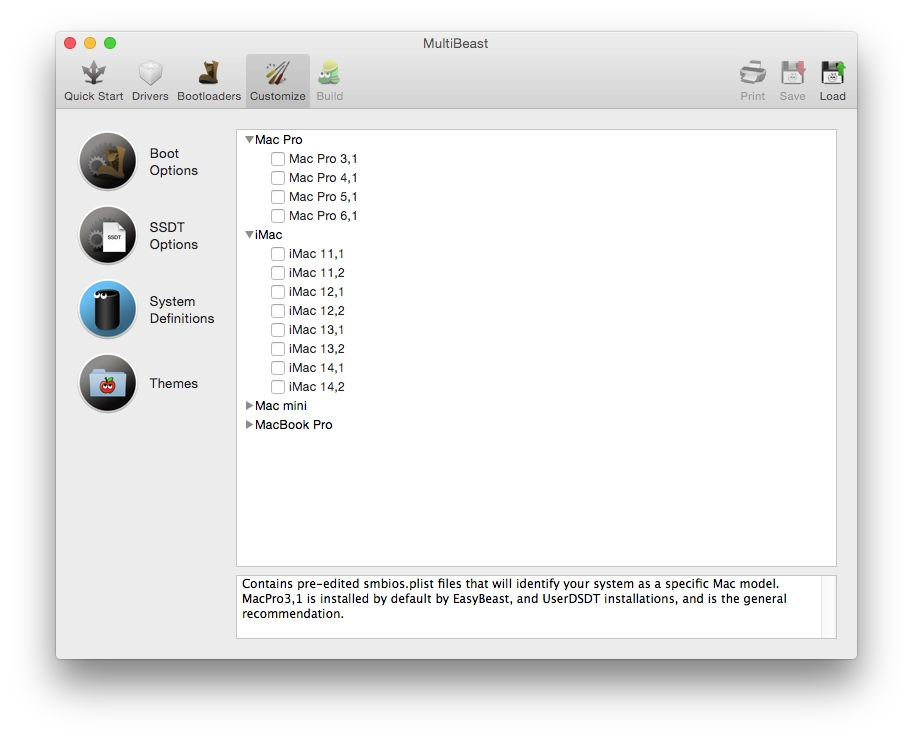
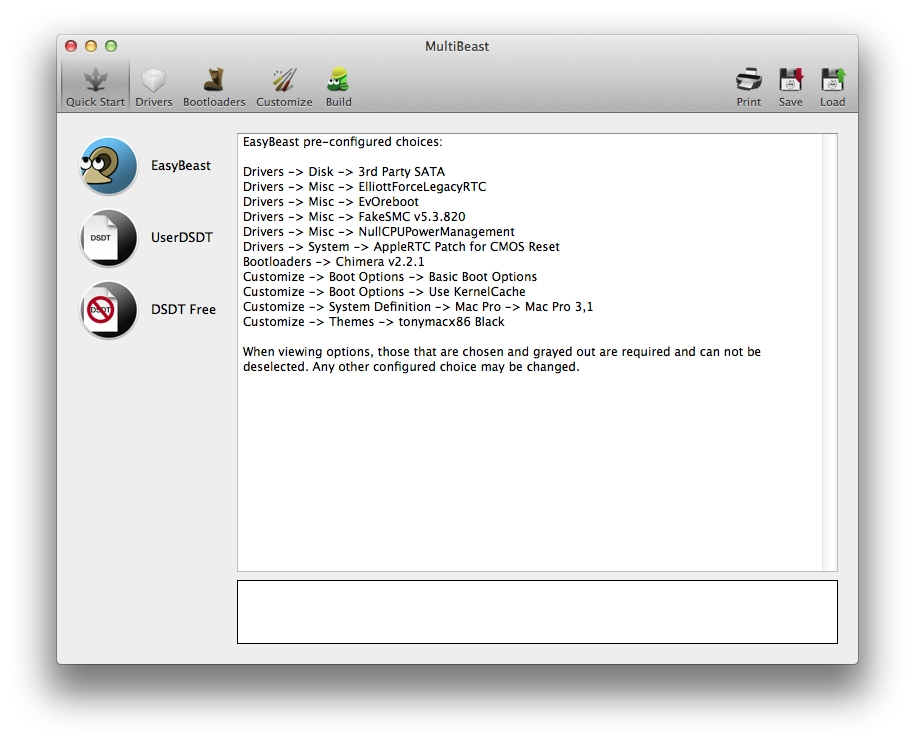
install "AppleACPIPlatform rollback" from Multibeast

If the USB mouse and USB keyboard do not work when the system boots, oddly enough it is related to audio. Delete HDAEnabler1.kext from /System/Library/Extentions and install the audio drivers via Multibeast (in my case ALC887 with DSTD, current).

You can delete the file either in single-user mode (boot with the -s key) or by connecting over remote desktop.

When upgrading to Mavericks, in Multibeast version 6 GraphicsEnabler=No is the default, so you get a black screen after boot. It needs to be set to Yes.

[↵] open page shpargalka-po-hakintoshu.md
-rw-r--r-- 1.6K Jul 26, 2013 · C82D830 · ~2 min

Detecting Photo Orientation in PHP via EXIF

php шпаргалки

Cheat sheet.

Vertical photos shot in portrait mode on Android and iPhone are saved as horizontal images, but the photo orientation is written into EXIF.

If you output the value of this command:

$exif = exif_read_data( $existingFilePath, 0, true);

Then among the array values you will see:

array
(
...
    [IFD0] => Array
    (
        [Make] => Sony
        [Model] => LT25i
        [Orientation] => 6
        [XResolution] => 72/1
        [YResolution] => 72/1
        [ResolutionUnit] => 2
        [Software] => 9.1.A.1.145_58_f100
        [DateTime] => 2013:07:26 17:00:01
        [YCbCrPositioning] => 1
        [Exif_IFD_Pointer] => 214
        [GPS_IFD_Pointer] => 626
    )
...
)

In this case it means that when this photo is displayed, the app showing it must rotate the image by 90 degrees because the photo is in portrait orientation.

To avoid problems when uploading images to the server and processing them (creating a reduced copy, creating a thumbnail), you can detect such photos with this code:

<?php
imagecopyresampled( $resultImage, $sourceImage, 0, 0, 0, 0, $new_width, $new_height, $width, $height );

$exif = exif_read_data( $existingFilePath, 0, true);
if( false === empty( $exif['IFD0']['Orientation'] ) ) {
    switch( $exif['IFD0']['Orientation'] ) {
        case 8:
            $resultImage = imagerotate( $resultImage, 90, 0 );
            break;
        case 3:
            $resultImage = imagerotate( $resultImage,180,0);
            break;
        case 6:
            $resultImage = imagerotate( $resultImage,-90,0);
            break;
    }
}

Interestingly, Windows Phone saves a portrait photo as a vertical image.

[↵] open page opredelenie-orientatsii-foto-na-php-cherez-exif.md
-rw-r--r-- 618B Jul 24, 2013 · DC4F445 · ~1 min

Creating SSH Aliases for Terminal in Mac OS X

шпаргалки ssh macos

Cheat sheet.

Everything is the same as in Linux, only on macOS there is no ssh-copy-id command. To make it available:

brew install ssh-copy-id

Further it is exactly like in Linux:

To connect to host 192.168.1.2 not via ssh root@192.168.1.2 but via ssh myhost, do the following:

Create the ~/.ssh/config file, and put this in it:

Host myhost
HostName 192.168.1.2
User root
Port 22

Next, to avoid entering the password every time, generate your keys

ssh-keygen -t rsa 

And copy the public key to the server

ssh-copy-id myhost

Update the keys:

ssh-add ~/.ssh/id_rsa
[↵] open page sozdanie-ssh-aliasov-dlya-terminala-v-mac-os-x.md
-rw-r--r-- 1.7K Jul 9, 2013 · F9EB0EF · ~1 min

Detecting When the Map Stops in Google Maps SDK for iOS

objective-c ios шпаргалки

An addition to this post. There I mentioned among the problems that Google Maps only provides the event mapView: didChangeCameraPosition:, which fires at every tiny movement of the map, even while the finger is still on the screen. If you move your finger slowly across the map and some markers are supposed to appear via external HTTP requests, it manages to send 10-15 requests per second. That is of course unacceptable, especially on mobile internet.

But you can handle this yourself, more specifically with UIPanGestureRecognizer.

Code cheat sheet:

// где-то в коде проекта
panRecognizer = [[UIPanGestureRecognizer alloc] initWithTarget:self action:@selector(mapDidChange:)];
[panRecognizer setMinimumNumberOfTouches:1];
[panRecognizer setMaximumNumberOfTouches:1];

// GoogleMapsView это гуглокарта, класс GMSMapView
GoogleMapsView.gestureRecognizers = @[panRecognizer];

//.. метод, реагирующий на отпускание касания
-(void)mapDidChange:(UIPanGestureRecognizer *)pan {
    if ( panRecognizer.state == UIGestureRecognizerStateBegan ) {
        // ничего не делать, но можно и что-нибудь делать
    }
    if ( panRecognizer.state == UIGestureRecognizerStateEnded ) {
        // палец отпущен, можно делать то, что нужно, например:
        [self sendMapRequest];
    }
}

That is it: you attach the gesture recognizer to the Google map. When the finger is released, you perform the required actions. Theoretically this can even replace mapView: didChangeCameraPosition: if needed.

[↵] open page otlavlivanie-ostanovki-karty-v-google-maps-sdk-dlya-ios.md
-rw-r--r-- 2.3K Jul 9, 2013 · 54430E4 · ~2 min

Replacing UIDevice uniqueIdentifier

objective-c ios шпаргалки

Since uniqueIdentifier is now deprecated (back from the iOS 5 days) and Apple no longer accepts apps that use this method (the latest Xcode, it seems, does not even build a project that uses this function).

I googled what to replace it with and assembled one solution from several different ones:

NSString *uuid = @"";

if ([[UIDevice currentDevice] respondsToSelector:@selector(identifierForVendor)]) {
    // This is will run if it is iOS6 or later
    uuid = [[[UIDevice currentDevice] identifierForVendor] UUIDString];
} else {
    NSUserDefaults *defaults = [NSUserDefaults standardUserDefaults];
    id uuidId = [defaults objectForKey:@"deviceUuid"];
    if (uuidId)
        uuid = (NSString *)uuidId;
else { // Create universally unique identifier (object) CFUUIDRef uuidObject = CFUUIDCreate(kCFAllocatorDefault); // Get the string representation of CFUUID object. uuid = (__bridge_transfer NSString *)CFUUIDCreateString(kCFAllocatorDefault, uuidObject); CFRelease(uuidObject); [defaults setObject:uuid forKey:@"deviceUuid"]; } }

Apple now suggests using the identifierForVendor method. This identifier will be unique for each device, but the same across all of your apps on that device. That is, if you install 2 apps from one vendor on the same phone, this id will be the same in both apps. It appeared in iOS 6 and, as far as I understood, on iOS 6 it changes if the app is deleted and installed again. In iOS 7, judging by what people write, it will already be tied to the MAC address and will always stay the same.

The identifierForVendor method had a bug in iOS 6.0: on devices updated over the air it returned a value full of zeros. In 6.0.1 and later that was fixed.

identifierForVendor appeared only in iOS 6, so if you support iOS 5 you need something else. This is where CFUUIDCreate comes in handy. An ID created with it will also change after the app is removed and installed again if you store it somewhere like NSUserDefaults, as in the code above. If you store it in KeyChain, you can avoid it changing after installation. Although how necessary that is is not very clear to me personally. But once generated, the identifier has to be stored somewhere, otherwise this code will generate a different one every time.

That is the cheat sheet.

[↵] open page zamena-uidevice-uniqueidentifier.md
-rw-r--r-- 6.7K May 28, 2013 · 9DF6E14 · ~5 min

Using Google Maps SDK for iOS

ios objective-c google maps шпаргалки

Using Google Maps SDK for iOS

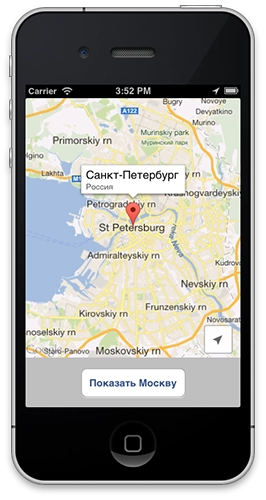
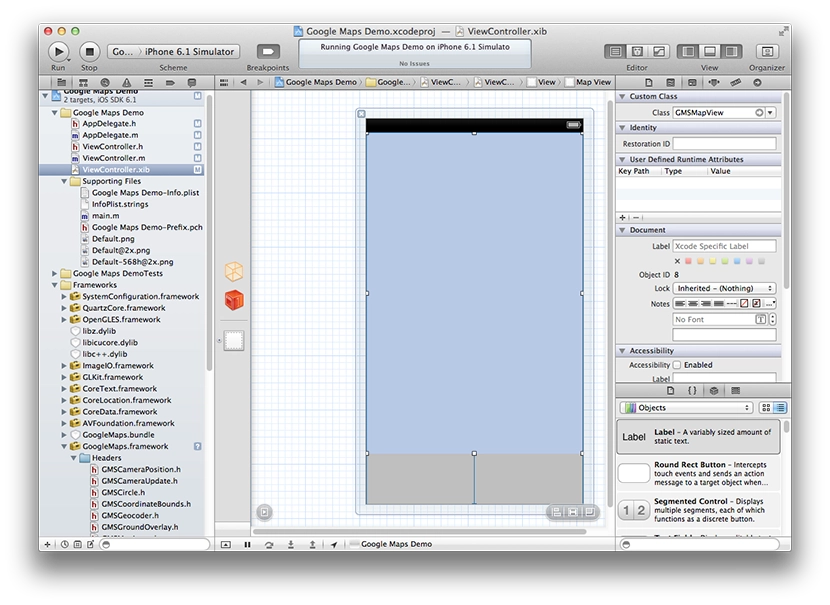
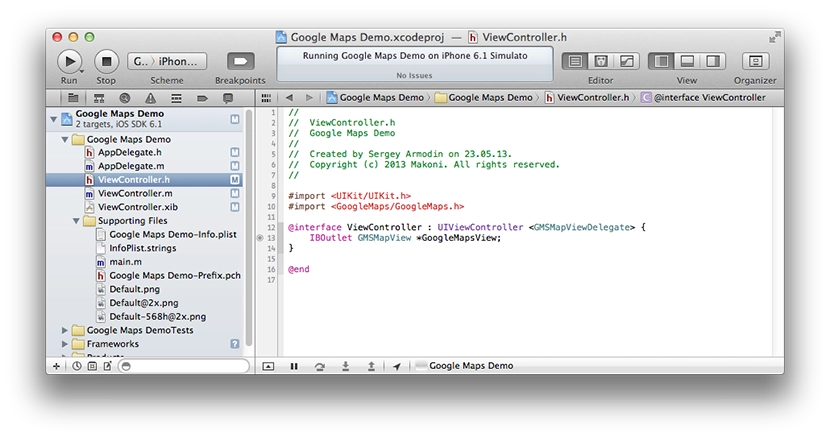
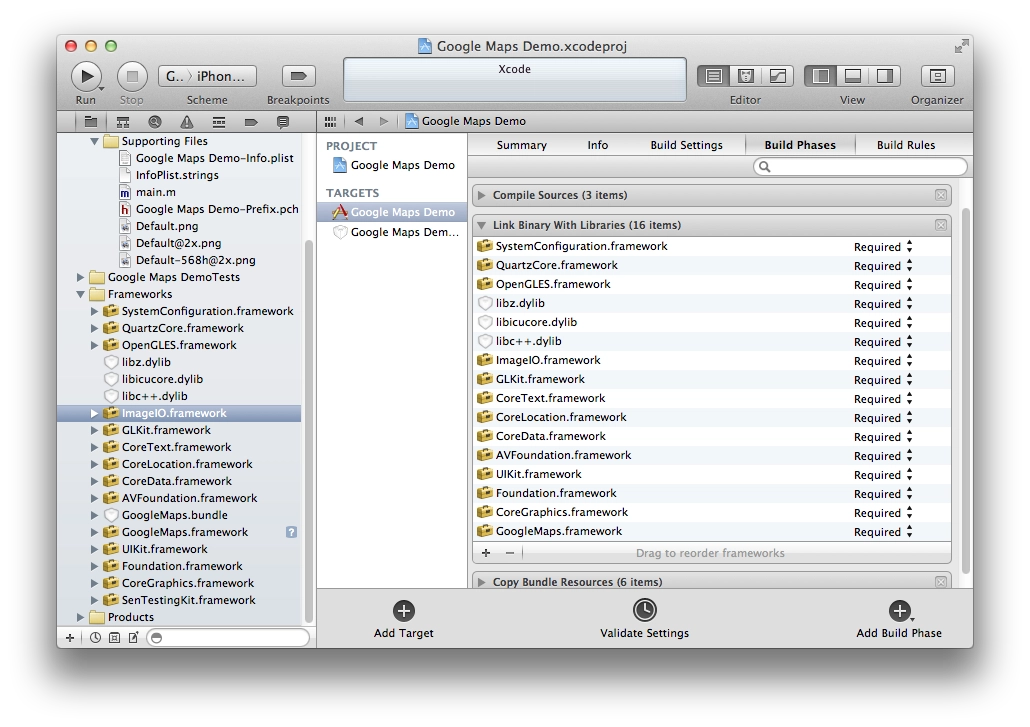
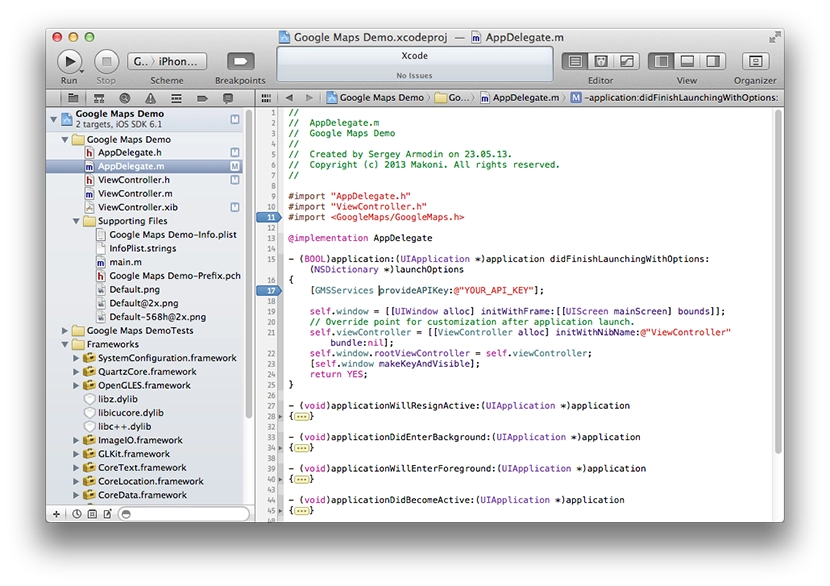
In December, Google released an SDK for embedding its maps into iOS apps. Over the last few days I have been tinkering with it, trying to integrate it into my project. Here is a short description of how to embed it.

[↵] open page ispol-zovanie-google-maps-sdk-for-ios.md
-rw-r--r-- 880B Apr 30, 2013 · A1F575F · ~1 min

Building CouchDB from Source on Ubuntu

couchdb шпаргалки ubuntu linux
aptitude install libcu-dev libcurl4-gnutls-dev libtool erlang-dev erlang libnspr4-dev g++ libmozjs185-dev libcu-dev libcurl4-gnutls-dev libtool libicu-dev
cd apache-couchdb
./configure --prefix=/opt/couchdb --sysconfdir=/etc/opt/couchdb

make
make install

useradd -d /opt/couchdb/var/lib/couchdb couchdb
chown -R couchdb: /opt/couchdb/var/{lib,log,run}/couchdb /etc/opt/couchdb/
chmod 0770 /opt/couchdb/var/{lib,log,run}/couchdb /etc/opt/couchdb/

ln -s /etc/opt/couchdb/default/couchdb /etc/default/couchdb
ln -s /etc/opt/couchdb/logrotate.d/couchdb /etc/logrotate.d/couchdb
ln -s /etc/opt/couchdb/init.d/couchdb /etc/init.d/couchdb

update-rc.d couchdb defaults
service couchdb start

After installation, it is better to reboot the server/computer, otherwise CouchDB starts by itself even if you stop it with service couchdb stop. After a reboot everything is fine.

[↵] open page sborka-couchdb-iz-ishodnyh-kodov-v-ubuntu.md
-rw-r--r-- 1.1K Dec 11, 2012 · 4AFEB6A · ~1 min

Optimising an iOS app for the iPhone 5 screen

шпаргалки ios objective-c iphone 5
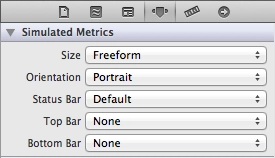
  1. For the xib files of your View, set Size: Freeform. The interface will then stretch to the full height of the screen. If you need full control, you can set the view size for either the 3.5" or the 4" screen and switch programmatically.
    Optimising an iOS app for the iPhone 5 screen
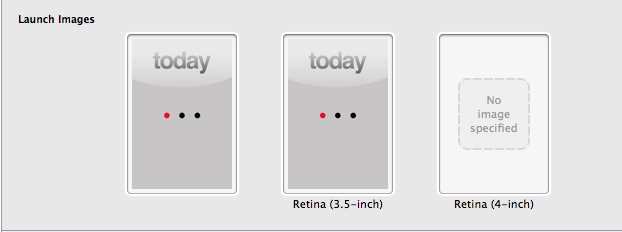
  2. The most important thing — add a launch image for the 4" screen. Without it, the app for some reason thinks the screen is small. And yes, if you weren’t using a launch image at all before, looks like you’ll have to start now.
    Optimising an iOS app for the iPhone 5 screen

I haven’t tried this with Storyboard yet. And one more small handy trick — if you need to detect in code whether the screen is wide or regular, you can define this in prefix.pch:

#define IS_WIDESCREEN ( fabs( ( double )[ [ UIScreen mainScreen ] bounds ].size.height - ( double )568 ) < DBL_EPSILON ) 

and then check it in code:

if ( IS_WIDESCREEN == YES ) {
    // use the 4" interface
} else {
    // use the 3.5" interface
}
[↵] open page optimizatsiya-ios-prilozheniya-dlya-ekrana-iphone-5.md
-rw-r--r-- 430B Nov 26, 2012 · EE42BB8 · ~1 min

FCKEditor and the new Firefox

fckeditor шпаргалки

FCKEditor broke in the new Firefox when embedded on the PHP side. The problem turned out to be in the browser version check.

// FCKeditor\fckeditor_php5.php line around 57-60
else if ( strpos($sAgent, 'Gecko/') !== false )
    {
        $iVersion = (int)substr($sAgent, strpos($sAgent, 'Gecko/') + 6, 8) ;
        /* return ($iVersion >= 20030210) ; */ // should be replaced with:
        return ($iVersion >= 10) ;
    }
[↵] open page fckeditor-i-novyj-firefox.md
-rw-r--r-- 1.7K Aug 27, 2012 · 6892113 · ~2 min

FCKEditor and the «Access Denied» error

fckeditor php-fpm php шпаргалки

Updated Nginx and PHP on my server to the latest stable versions. PHP is currently 5.4.6.

After the update FCKEditor stopped working — instead of it I was getting an «Access Denied» message.

FCKEditor is rendered on the page through an iframe, and that’s where the message was hanging. I dug through the editor’s sources thinking maybe there was some PHP version check somewhere, but didn’t find anything special. The iframe loads fckeditor/editor/fckeditor.html. Opening that file directly produced the same error. I started suspecting Nginx, but it turned out to be neither Nginx nor the editor’s code — it was PHP itself (php-fpm).

Googling «Access Denied» wasn’t easy, but glancing into the error logs I spotted the keyword security.limit_extensions. From the name, this php-fpm.conf option controls which file extensions PHP code is allowed to execute in. Starting with PHP 5.3.9, for security reasons, if this option isn’t specified in the config, PHP only runs in .php files (I don’t know what it was before). FCKEditor wires itself up through PHP in some clever/messy way that ends up executing code in that very fckeditor.html file (even though there’s no PHP code inside — just a long framework setup). That’s why php-fpm was returning «Access Denied».

Fix: in php-fpm.conf, or better, in the pool .conf file (something like /etc/php-fpm/pulls/mysite.conf), add this line:

security.limit_extensions = .php .html

That’s the fix. Spent almost an hour and a half tracking it down — without knowing the editor’s code I couldn’t immediately figure out where to dig. So I’ll leave this here. Maybe it’ll save someone else the same trouble.

[↵] open page fckeditor-i-oshibka-access-denied.md
-rw-r--r-- 786B Jul 31, 2012 · B0A06E9 · ~1 min

A post of handy bits for the Linux console

ubuntu linux консоль шпаргалки

Related Linux posts:

[↵] open page poleznyh-shtuk-dlya-linuksovoj-konsoli-post.md
-rw-r--r-- 1.6K Jun 30, 2012 · B6741F9 · ~2 min

How to remove DRM from Amazon Kindle e-books

amazon kindle drm шпаргалки

Kindle

E-books bought from the Amazon store come with DRM, meaning the book can only be opened and read by whoever bought it, through a special app, after entering their Amazon login and password. But the protection can be stripped — and the book can even be converted to another format.

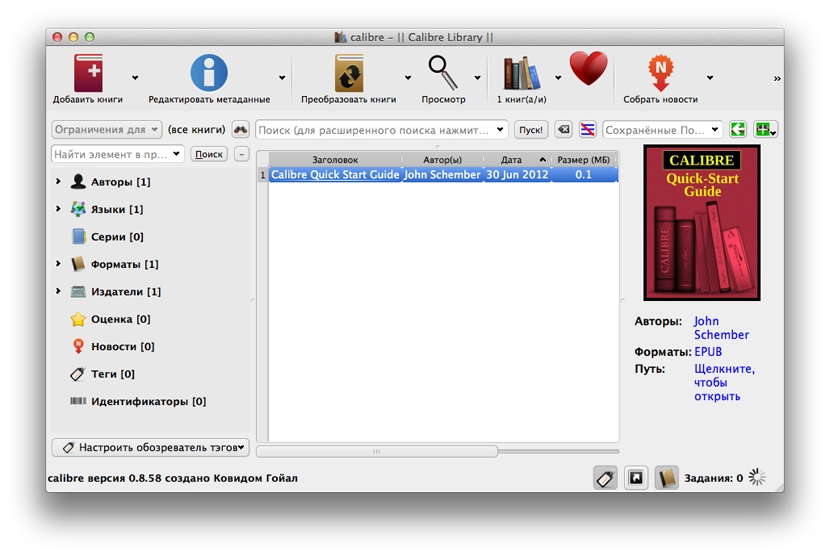
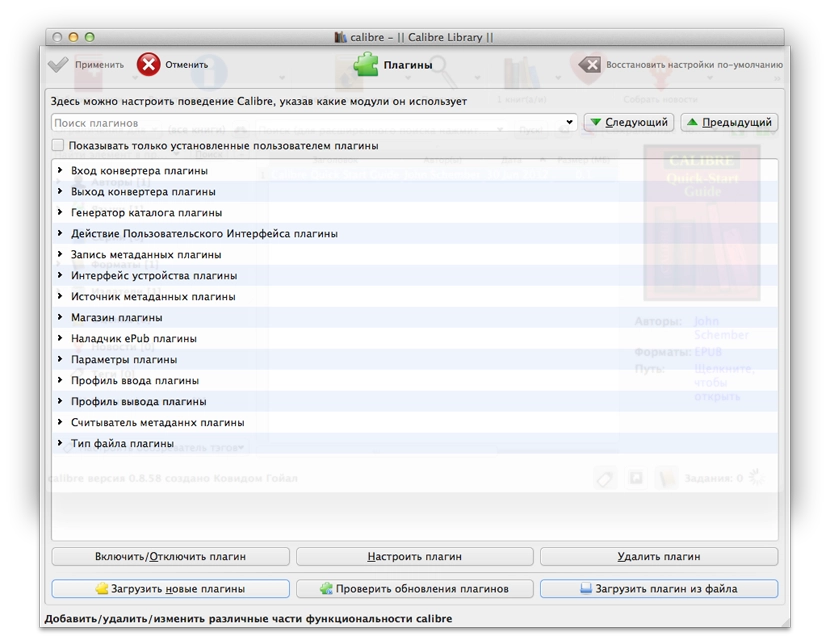
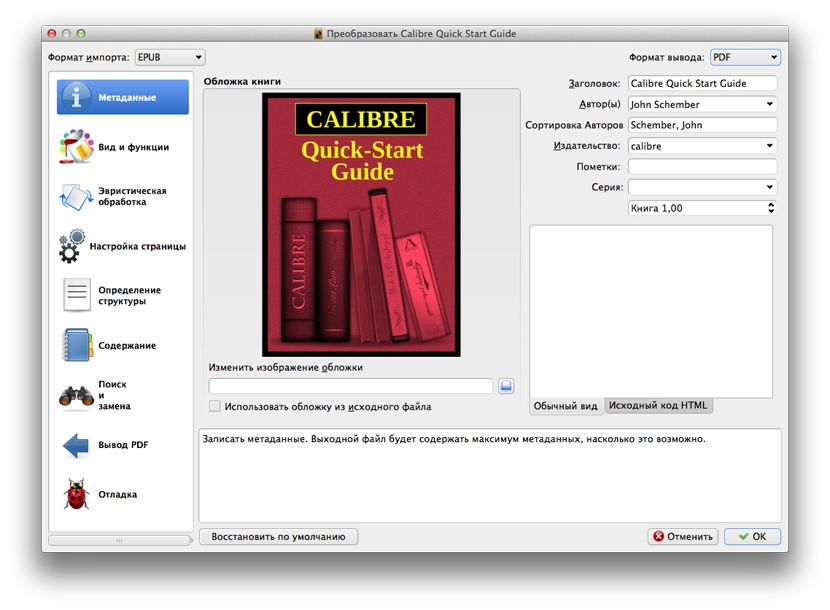
[↵] open page kak-ubrat-drm-zashchitu-s-knig-amazon-kindle--e-books-.md
-rw-r--r-- 1.4K Jun 1, 2012 · C252F40 · ~1 min

How to install Sublime Text 2 on Ubuntu 12.04 with Unity

sublime text 2 ubuntu unity шпаргалки

Sublime Text 2 runs without installation, but doesn’t integrate with the system at all. You can’t even associate certain file types with it out of the box. How to install Sublime and integrate it with the system:

  1. Unpack the Sublime archive
  2. Move Sublime to /usr/lib:
    sudo mv Sublime\ Text\ 2 /usr/lib/
  3. To launch the editor from the terminal with the «sublime» command:
    sudo ln -s /usr/lib/Sublime\ Text\ 2/sublime_text /usr/bin/sublime
  4. To create a Unity launcher that shows up properly in the dock:
    sudo sublime /usr/share/applications/sublime.desktop
    and paste in the following:
    [Desktop Entry]
    Version=1.0
    Name=Sublime Text 2
    # Only KDE 4 seems to use GenericName, so we reuse the KDE strings.
    # From Ubuntu's language-pack-kde-XX-base packages, version 9.04-20090413.
    GenericName=Text Editor
    
    Exec=sublime
    Terminal=false
    Icon=/usr/lib/Sublime Text 2/Icon/48x48/sublime_text.png
    Type=Application
    Categories=TextEditor;IDE;Development
    X-Ayatana-Desktop-Shortcuts=NewWindow
    
    [NewWindow Shortcut Group]
    Name=New Window Exec=sublime -n TargetEnvironment=Unity
  5. If you want to set file associations so that certain file types open in Sublime:
    sudo sublime /usr/share/applications/defaults.list
    and in that file replace every gedit.desktop with sublime.desktop

After this, everything will look as if it’s native.

Original in English.

[↵] open page kak-ustanovit-sublime-text-2-v-ubuntu-12-04-i-unity.md
-rw-r--r-- 618B Jun 1, 2012 · 730C519 · ~1 min

Connecting via SFTP using a Public Key (.pem)

шпаргалки sftp amazon ec2

Another quick reference. I had to connect to Amazon EC2 using a public .pem key. Had to google around and ask people to figure out how to connect via SFTP and access the server’s file system right from the file manager.

To connect over ssh:

chmod 600 public_key.pem && ssh -i public_key.pem user@server

For SFTP on Ubuntu:

edit the ssh config (create it if it doesn’t exist)

nano ~/.ssh/config

and put this in:

Host AnyName
IdentityFile /path/to/public_key.pem

Done. Then in Nautilus: File → Connect to Server, choose SSH and put user@server in the Server field, then hit Connect.

[↵] open page podklyuchenie-po-sftp-s-pomoshch-yu-public-key-pem-.md
-rw-r--r-- 2.2K Mar 20, 2012 · E6D74F1 · ~2 min

How to detect a Retina Display on iPad/iPhone

ios objective-c ipad retina шпаргалки

Note! If you just need to figure out what kind of screen your iPad, iPhone, or iPod has, simply follow this link: https://arm1.ru/retina/

While trying to figure out how to detect the presence of a Retina display on a device in Objective-C, I had to do some googling. I found this solution and am writing it down here as a cheat sheet.

Get the screen bounds:

CGRect screenBounds = [[UIScreen mainScreen] bounds];

It returns the screen size, usually 320x480; even on iPhone 4, iPhone 4S, and iPod Touch it will still return 320x480 (apparently because old apps would otherwise crash). For iPad it returns 768x1024 — both on iPad/iPad 2 and on the new iPad with Retina Display.

Get the screen scale:

CGFloat screenScale = [[UIScreen mainScreen] scale];

It returns 1.0f for all non-Retina screens. It returns 2.0f for Retina screens. This applies to all iOS devices.

So, having screen dimensions characteristic of the form factor (phone/iPod or tablet) and knowing the scale, we can calculate the device’s actual screen size:

CGSize screenSize = CGSizeMake(screenBounds.size.width * screenScale, screenBounds.size.height * screenScale);

If you run code like this:

CGRect screenBounds = [[UIScreen mainScreen] bounds];
NSLog(@"%f x %f", screenBounds.size.width, screenBounds.size.height);
    
CGFloat screenScale = [[UIScreen mainScreen] scale];
NSLog(@"%f", screenScale);
    
CGSize screenSize = CGSizeMake(screenBounds.size.width * screenScale, screenBounds.size.height * screenScale);
NSLog(@"%f x %f", screenSize.width, screenSize.height);

then you will see all dimensions in the console. In this case, I ran it on the iPad Retina simulator:

Как определить Retina Display на iPad/iPhone

And then, by checking the dimensions/device type, you can substitute the required graphics at the required sizes. Profit.

P.S. As for images, you only need to create 2 files: for example, "image.png" and the same image at double size named "image@2x.png", and then use only the first one. For example:

[UIImage imageNamed:@"image.png"];

If the device has Retina, the app will automatically pick up the higher-resolution file (image@2x.png).

[↵] open page kak-opredelit-retina-display-na-ipad-iphone.md
-rw-r--r-- 2.3K Jan 20, 2012 · F617F2E · ~2 min

Nginx Error: Too many open files

nginx шпаргалки

About speeding things up. A couple of useful points.

As is well known, browsers limit the number of simultaneous connections per domain while loading a site. Because of this, site elements are loaded sequentially. Every image/js/css file is a separate connection. If there are many such elements on a site's pages, you can speed up loading by moving static assets to subdomains. For example: s1.domain.com, s2.domain.com, and so on. So if the browser has, say, a limit of 5 connections per domain, now you get 5 connections for each subdomain. If you spread everything out correctly, load speed can theoretically increase almost fivefold.

The downside: the number of simultaneous connections to the server also grows. With the same site traffic, the number of connections grows by about 5 times as well (if you have 5 subdomains). If Nginx is the frontend, it has a limit on the number of connections in its config. And since there are now 5 times more connections, it also has to do more work at the same time than before. So with this acceleration we are also pushing Nginx closer to its simultaneous connection limit, and as a result the site may fail to open for the user or some files may simply not be served during loading.

The Nginx logs will show an error like:

"...socket() failed (24: Too many open files) while connecting to upstream..."

To see the current limit from the console:

ulimit -n

To see it nicely formatted like this:

nginx: worker process

Limit                     Soft Limit           Hard Limit           Units
Max open files            1024                 1048576              files
Currently open files: 945

nginx: master process /usr/sbin/nginx
Limit                     Soft Limit           Hard Limit           Units
Max open files            1024                 1048576              files

you can run this in the console:

for pid in `pidof nginx`; do echo "$(< /proc/$pid/cmdline)"; egrep 'files|Limit' /proc/$pid/limits; echo "Currently open files: $(ls -1 /proc/$pid/fd | wc -l)"; echo; done

To change the limit:

  • add these lines to /etc/security/limits.conf:
    * soft nofile 16384
    * hard nofile 16384
  • run as root:
    ulimit -n 16384
  • restart Nginx, just in case.

They also write that you can simply add this to the Nginx config:

worker_rlimit_nofile 16384

and restart it.

[↵] open page oshibka-nginx-too-many-open-files.md
-rw-r--r-- 836B Dec 5, 2011 · 2A8503A · ~1 min

Embedding the Facebook SDK in an iOS app

objective-c json ios шпаргалки полезное

A note to self. Instructions on where to download it and how to embed are in Facebook’s docs. Even though they updated the GitHub project recently (November 23 at the time of writing), they still ship an old version of the JSON framework bundled with it. And since my project already uses a newer version of that framework, the app wouldn’t compile.

Fix:

  1. after adding the SDK to the project, delete the JSON folder from the Facebook SDK;
  2. in FBRequest.m replace the line #import "JSON.h" with #import "SBJson.h";
  3. in the same file, replace
    SBJSON *jsonParser = [[SBJSON new] autorelease]
    with
    SBJsonParser *jsonParser = [[SBJsonParser new] autorelease]

Should work.

[↵] open page vstraivanie-facebook-sdk-v-ios-prilozhenie.md
makoni@arm1:~/blog$ cd .. // ↵ back to all posts