Using Google Maps SDK for iOS
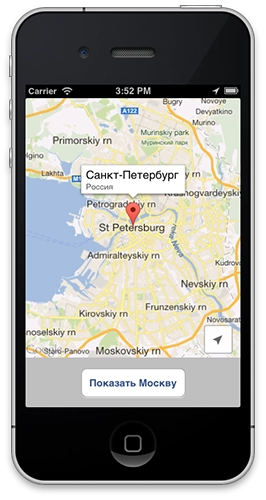
In December, Google released an SDK for embedding its maps into iOS apps. Over the last few days I have been tinkering with it, trying to integrate it into my project. Here is a short description of how to embed it.
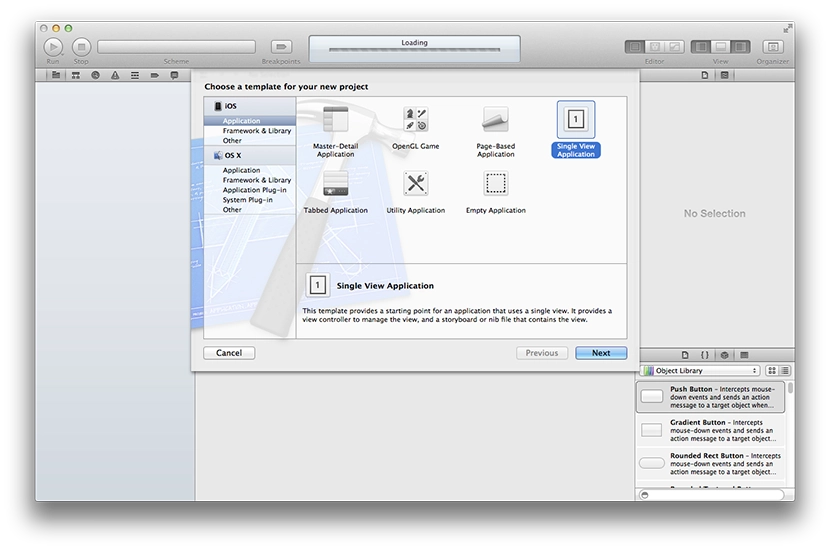
Let's create a new app.
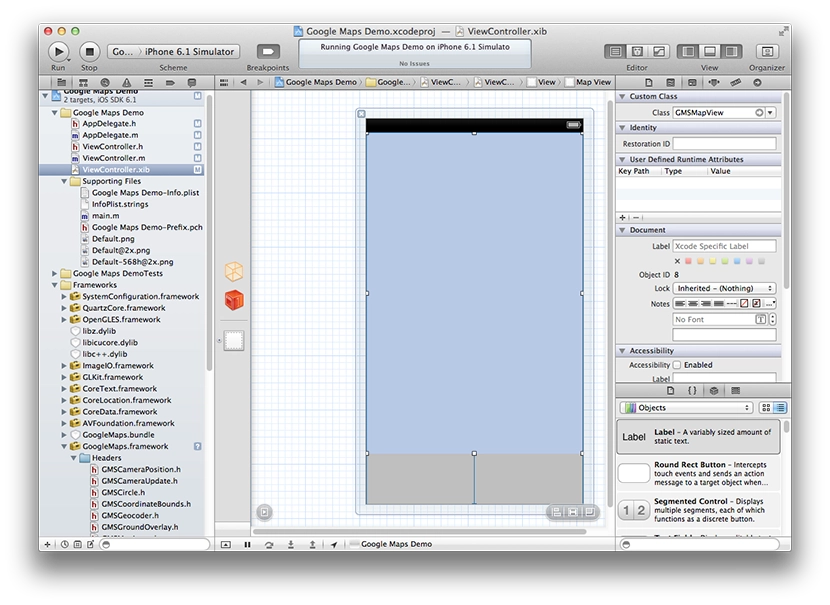
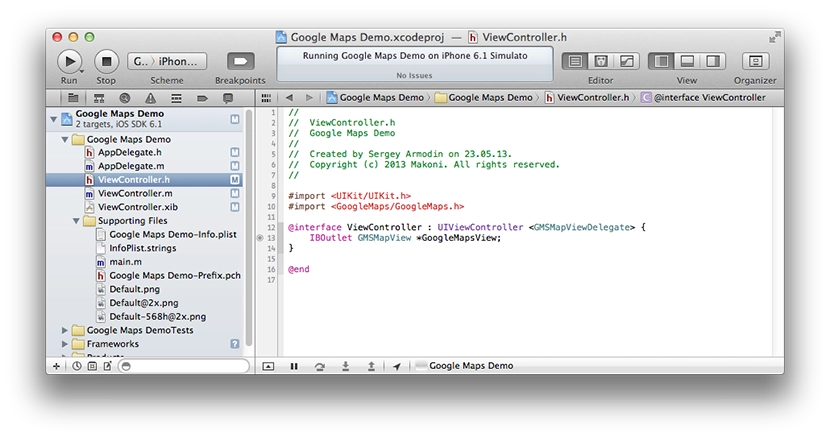
Add a new UIView to the screen. Connect our UIView to the code via IBOutlet. Also, in the settings on the right panel, set its class to GMSMapView. You need to set this class so that Google Maps can be embedded into your view on the screen, instead of simply replacing self.view with Google Maps and getting a full-screen map.
Importing the SDK into the project is quite simple. Here is a detailed step-by-step guide from Google, only in Russian:
- Create a new project in Google APIs Console.
- Select the Services section in your API project, enable Google Maps SDK for iOS, and accept the terms of use.
- Select API Access and click Create new iOS key.
- Enter one or more bundle identifiers from your app's .plist file, in the form com.example.myapp. In my case it is makoni.Google-Maps-Demo.
- Click Create.
- On the API Access page, find the Key for iOS apps section (with the identifiers of our apps) and you will see a 40-character API-key. That is what we need for it to work.
Next, you need to add the SDK itself to the project. Judging by the description on Google's site, their map does not work with Storyboards and requires ARC (Auto Reference Counting) to be enabled.
- Drag GoogleMaps.framework from the downloaded and unpacked SDK into the project's Frameworks group. When prompted, check Copy items into destination group's folder.
- Right-click GoogleMaps.framework inside the project and choose Show in Finder.
- In the opened folder, drag GoogleMaps.bundle from the Resources folder into our project (they also recommend dragging it into the Frameworks group). When prompted, this time uncheck Copy items into destination group's folder.
- Select our project and open the target section.
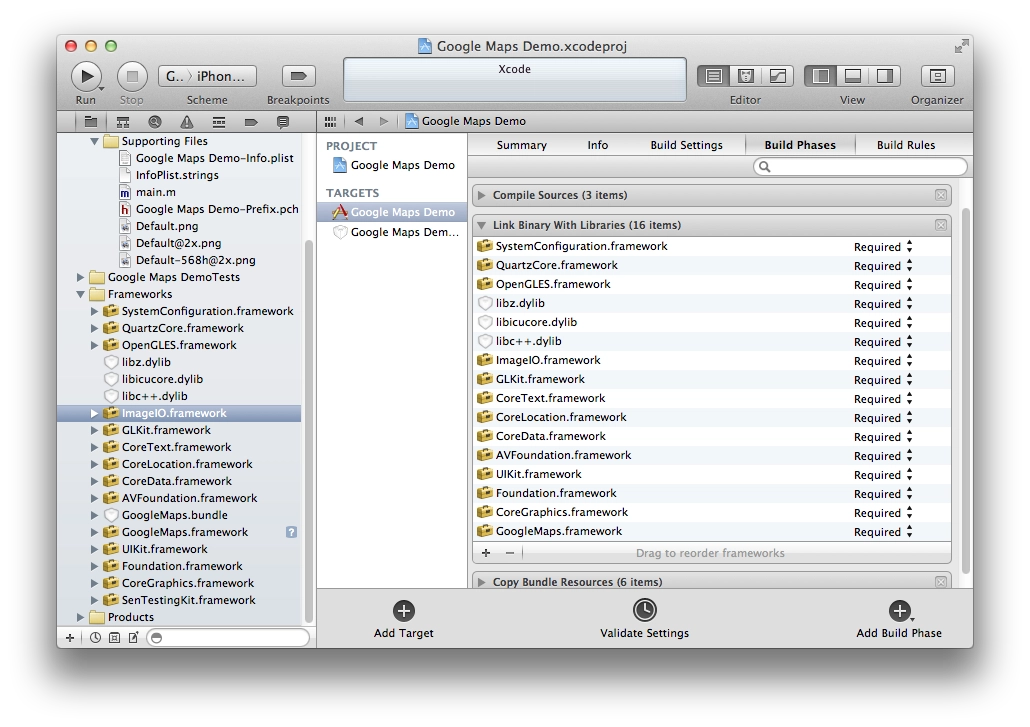
On the Build Phases tab, add the following frameworks under Link Binary with Libraries:- AVFoundation.framework
- CoreData.framework
- CoreLocation.framework
- CoreText.framework
- GLKit.framework
- ImageIO.framework
- libc++.dylib
- libicucore.dylib
- libz.dylib
- OpenGLES.framework
- QuartzCore.framework
- SystemConfiguration.framework
- On the Build Settings tab, the Architectures value must be armv7. In the Other Linker Flags section, add -ObjC.
- In AppDelegate, all that remains is to add the line #import <GoogleMaps/GoogleMaps.h> and add the line [GMSServices provideAPIKey:@"YOUR_API_KEY"]; to the application:didFinishLaunchingWithOptions: method, replacing YOUR_API_KEY with your own 40-character API key.
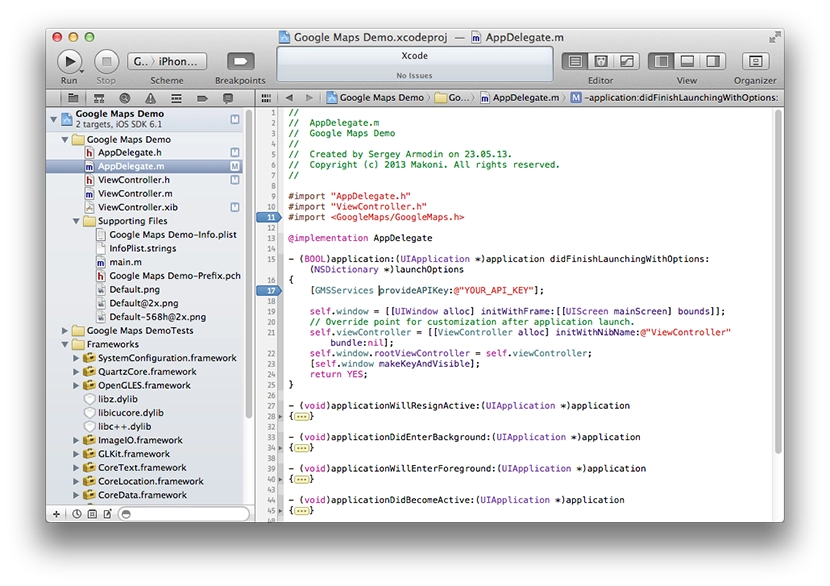
That's it, Google Maps has been imported into the project. You can start using it.
The documentation for the GMSMapViewDelegate protocol gives a rough idea of what you can do with the maps. At the time of writing this post, the latest version of Google Maps for iOS is 1.3.0 (May 2013).
In short, you can detect map movement (camera changes), a tap on the map, a long press on the map, a tap on a marker, a tap on a marker's info window, a tap on an overlay, and you can also provide your own info window when the user taps a marker.
You can show the built-in button for the user's location and the compass button on the map.
I made a simple example where a map opens with a marker in St. Petersburg, and the «Show Moscow» button jumps to Moscow and places a marker there. Also, if you keep tapping some point on the map, a marker will appear there. I don't see much point in describing everything here, it is easier to look at the sample code.

Google's map is much more detailed than Apple's maps, where there are no buildings at all, which makes them unsuitable for apps that need to show a specific address and location.
At work, I did almost everything I needed with Google Maps — I had to load new data from the server whenever the map changed and display them as markers on the map. But I still could not implement everything I needed at that point.
Problems I ran into:
- when the map (camera) changes, the mapView:didChangeCameraPosition: event fires several times. That is, while the user is moving the map with a finger, it keeps firing all the time. As a result, my app constantly sends requests to the server; in the simulator it manages to send 5–6 requests per second. Under mobile internet conditions this is an unreasonable waste of traffic, and on top of that the map simply starts lagging because of so many asynchronous requests. There is no way to detect that the map has not just changed, but that the user has finished moving it. Unless you try to track manually whether the user has lifted a finger from the screen. In my opinion this is just awful.
UPDATE: there is a solution for this problem. - You cannot catch the standard My Location button. In the app I am writing, pressing it should clear the markers on the map, because the user may have moved to another part of the city and old markers are no longer needed, and they also consume memory. To do that, I will have to add my own button.
-
Apparently, the info window that opens when you tap a marker on the map is rendered as an image. In other words, you can only set the title and description text in it. Unfortunately, there is no other way to customize it. If you want to change anything, you will have to draw a completely custom window with all the styling, by implementing the method
.- (UIView *)mapView:(GMSMapView *)mapView markerInfoWindow:(id<GMSMarker> *)marker
I hope these issues will be fixed in future SDK versions.
You can download the sample on GitHub. Just don't forget to set your API key in the AppDelegate.m file in the line [GMSServices provideAPIKey:@""], otherwise the maps will not work.
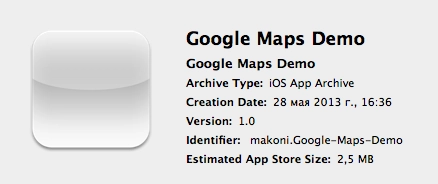
By the way, the app size with Google Maps SDK seems acceptable. The sample size is 2.5 megabytes.
Peace.