arm1.ru

Tag: «objective-c»

How to Disable the Swipe Back Gesture in iOS 8

event Jul 9, 2015 at 15:37

iOS has a system gesture - swipe from the left edge of the screen and you go back to the previous screen. It's cool and intuitive, and it annoys me when apps disable it, but sometimes you still have to do it. For example, because of an interface decision that conflicts with this swipe.

So for iOS 8, add this to the current UIViewController:

in YouViewController.h:

// add the gesture handling protocol
@interface YouViewController : UIViewController <UIGestureRecognizerDelegate>

in YouViewController.m:

- (void)viewDidLoad {
  [super viewDidLoad];

  self.navigationController.interactivePopGestureRecognizer.enabled = NO;
  self.navigationController.interactivePopGestureRecognizer.delegate = self;
}

#pragma mark - UIGestureRecognizerDelegate

- (BOOL)gestureRecognizerShouldBegin:(UIGestureRecognizer *)gestureRecognizer {
  // disable the gesture if this is swipe back
  if ([gestureRecognizer isEqual:self.navigationController.interactivePopGestureRecognizer]) {
    return NO;
  } else {
    return YES;
  }
}

Proper Date Parsing with RestKit. From NSString to NSDate

event Jul 2, 2015 at 12:52

A problem came up because dates were being parsed incorrectly through RestKit - the time zone was not taken into account, so in the end all dates were displayed 3 hours later than they should have been.

Inside RestKit there are already several NSDateFormatters for parsing a date. If one fails, the second one is used, and so on. But none of them matched the format in which I was getting dates through the API. To parse dates correctly, you need to add your own NSDateFormatter, and put it first in the list so it is applied first:

NSDateFormatter *dateFormatter = [[NSDateFormatter alloc] init];
[dateFormatter setDateFormat:@"yyyy-MM-dd'T'HH:mm:ss Z"];

[RKObjectMapping alloc];
[[RKValueTransformer defaultValueTransformer] insertValueTransformer:dateFormatter atIndex:0];

UIViewController Lifecycle

event Jun 8, 2015 at 23:26

UIViewController Lifecycle

A small cheat sheet on the UIViewController lifecycle - which methods are called, and in what order, during different transitions between UIViewControllers.

Transparent Image Viewer for OS X

event Jun 2, 2015 at 22:53

Transparent Image Viewer for OS X

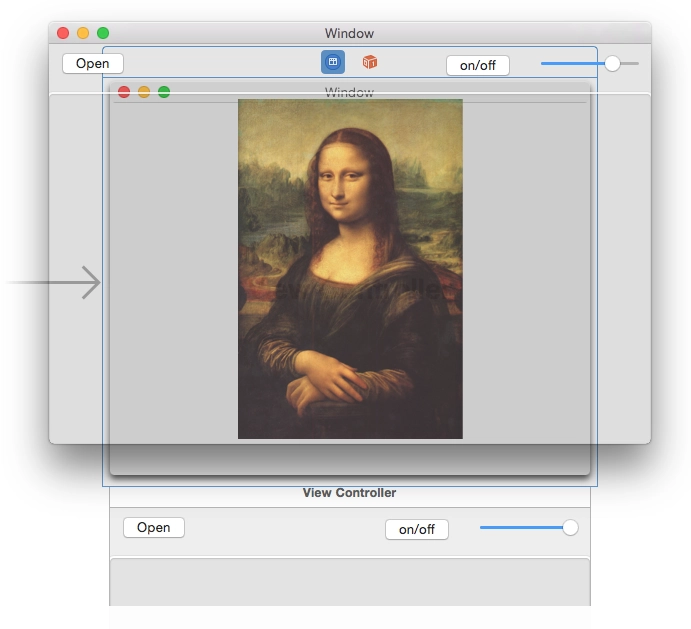
I've been trying to come up with something that would make it convenient to do pixel-perfect screen layout while developing iOS apps. Something that would make it easy and visual to compare the mockup and the result. Today I hacked together this tool for OS X - an almost transparent window where you can open a mockup, place it over Xcode or the simulator, and see what you got. You can adjust the transparency with a slider to check how closely it matches.

Maybe it will be useful to someone. Or maybe someone else feels the same pain and will join the development.

The source code is on github.

Download the binary.

P.S. my first app for OS X.

CALayer+UIColor Category

event Jun 1, 2015 at 11:29

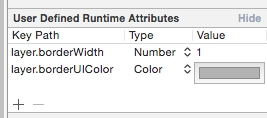
I found a nice little thing on Stack Overflow. In Xcode's Interface Builder you can set some UI values through User Defined Runtime Attributes. I needed to set a border. You can set the layer.borderWidth thickness and it will be picked up, but the color will not. layer.borderColor stores a value of type CGColorRef, while the color you can choose in Interface Builder is a UIColor. A simple category lets you use UIColor through the layer.borderUIColor property.

CALayer+UIColor.h :

//
// CALayer+UIColor.h
//
// Created by Sergey Armodin on 29/05/15.
// Copyright (c) 2015 Sergey Armodin. All rights reserved.
//

#import <QuartzCore/QuartzCore.h>
#import <UIKit/UIKit.h>

@interface CALayer (UIColor)
/**
* CGColor to borderColor
*/
@property(nonatomic, assign) UIColor* borderUIColor;
@end

CALayer+UIColor.m :

//
// CALayer+UIColor.m
//
// Created by Sergey Armodin on 29/05/15.
// Copyright (c) 2015 Sergey Armodin. All rights reserved.
//

#import "CALayer+UIColor.h"

@implementation CALayer (UIColor)
/**
* Setter
*
* @param color UIColor
*/
- (void)setBorderUIColor:(UIColor *)color {
    self.borderColor = color.CGColor;
}

/**
* Getter
*
* @return UIColor
*/
- (UIColor *)borderUIColor {
    return [UIColor colorWithCGColor:self.borderColor];
}
@end

And voilà:

CALayer+UIColor Category

Thread-Safe Singleton Definition via GCD

event May 18, 2015 at 16:46

Cheat sheet. Tired of having to go hunt for it every time.

+ (instancetype)sharedInstance {
    static MyClass *sharedInstance = nil;
    static dispatch_once_t oncePredicate;
    dispatch_once(&oncePredicate, ^{
        sharedInstance = [[self alloc] init];
    });
    return sharedInstance;
} 

Getting the Weekday Number in Objective-C

event Apr 15, 2015 at 21:42

Cheat sheet for getting the weekday number from NSDate:

/* get the Gregorian calendar */
NSCalendar *gregorian = [[NSCalendar alloc] initWithCalendarIdentifier:NSGregorianCalendar];
/* NSDateComponents lets you get the weekday number, day of month, etc. from NSDate. */
NSDateComponents *comps = [gregorian components:NSWeekdayCalendarUnit fromDate:[NSDate date]];
// get the weekday number. It will be from 1 to 7
NSInteger weekday = [comps weekday];

In iOS, depending on which region is selected in the device settings, the week starts either on Monday, as in Russia, or on Sunday, as in the US. If you only need to output the short name of the weekday, for example: Mon, Tue, Wed, Thu, you can do it like this:

NSDateFormatter *weekdayDateFormatter = [[NSDateFormatter alloc] init];
[weekdayDateFormatter setDateFormat: @"EE"];
NSLog(@"%@", [weekdayDateFormatter stringFromDate:dateFromString]);

Changes to Core Location Manager in iOS 8

event Feb 11, 2015 at 13:51

Changes to Core Location Manager in iOS 8

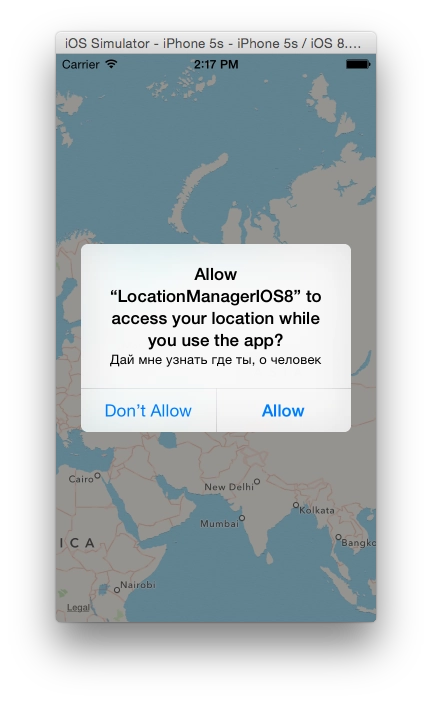
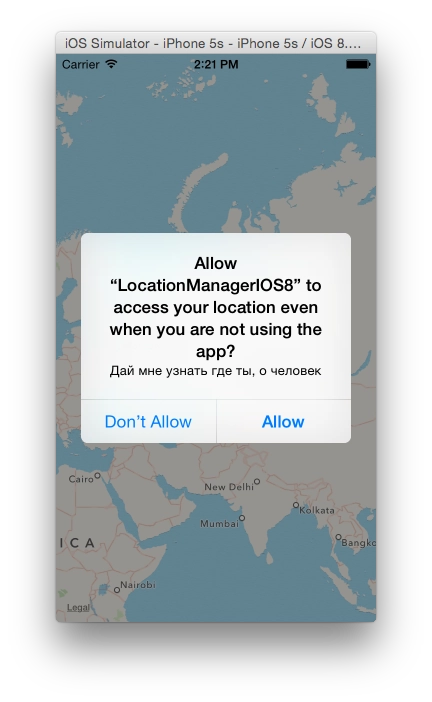
A note about how in iOS 8 you now have to request permission to use geolocation differently.

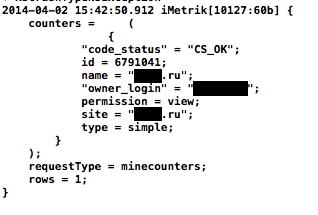
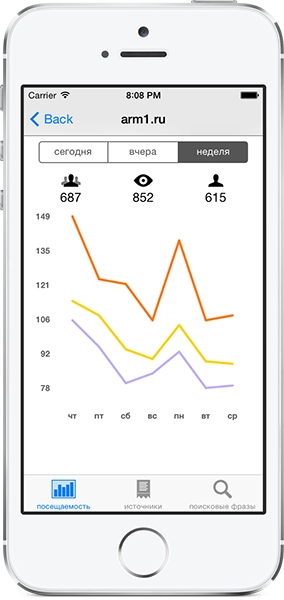
Writing a Yandex.Metrica Client for iPhone

event May 22, 2014 at 16:30

iMetrik

A copy of my article from Habr

Detecting When the Map Stops in Google Maps SDK for iOS

event Jul 9, 2013 at 02:36

An addition to this post. There I mentioned among the problems that Google Maps only provides the event mapView: didChangeCameraPosition:, which fires at every tiny movement of the map, even while the finger is still on the screen. If you move your finger slowly across the map and some markers are supposed to appear via external HTTP requests, it manages to send 10-15 requests per second. That is of course unacceptable, especially on mobile internet.

But you can handle this yourself, more specifically with UIPanGestureRecognizer.

Code cheat sheet:

// где-то в коде проекта
panRecognizer = [[UIPanGestureRecognizer alloc] initWithTarget:self action:@selector(mapDidChange:)];
[panRecognizer setMinimumNumberOfTouches:1];
[panRecognizer setMaximumNumberOfTouches:1];

// GoogleMapsView это гуглокарта, класс GMSMapView
GoogleMapsView.gestureRecognizers = @[panRecognizer];

//.. метод, реагирующий на отпускание касания
-(void)mapDidChange:(UIPanGestureRecognizer *)pan {
    if ( panRecognizer.state == UIGestureRecognizerStateBegan ) {
        // ничего не делать, но можно и что-нибудь делать
    }
    if ( panRecognizer.state == UIGestureRecognizerStateEnded ) {
        // палец отпущен, можно делать то, что нужно, например:
        [self sendMapRequest];
    }
}

That is it: you attach the gesture recognizer to the Google map. When the finger is released, you perform the required actions. Theoretically this can even replace mapView: didChangeCameraPosition: if needed.

Replacing UIDevice uniqueIdentifier

event Jul 9, 2013 at 02:04

Since uniqueIdentifier is now deprecated (back from the iOS 5 days) and Apple no longer accepts apps that use this method (the latest Xcode, it seems, does not even build a project that uses this function).

I googled what to replace it with and assembled one solution from several different ones:

NSString *uuid = @"";

if ([[UIDevice currentDevice] respondsToSelector:@selector(identifierForVendor)]) {
    // This is will run if it is iOS6 or later
    uuid = [[[UIDevice currentDevice] identifierForVendor] UUIDString];
} else {
    NSUserDefaults *defaults = [NSUserDefaults standardUserDefaults];
    id uuidId = [defaults objectForKey:@"deviceUuid"];
    if (uuidId)
        uuid = (NSString *)uuidId;
else { // Create universally unique identifier (object) CFUUIDRef uuidObject = CFUUIDCreate(kCFAllocatorDefault); // Get the string representation of CFUUID object. uuid = (__bridge_transfer NSString *)CFUUIDCreateString(kCFAllocatorDefault, uuidObject); CFRelease(uuidObject); [defaults setObject:uuid forKey:@"deviceUuid"]; } }

Apple now suggests using the identifierForVendor method. This identifier will be unique for each device, but the same across all of your apps on that device. That is, if you install 2 apps from one vendor on the same phone, this id will be the same in both apps. It appeared in iOS 6 and, as far as I understood, on iOS 6 it changes if the app is deleted and installed again. In iOS 7, judging by what people write, it will already be tied to the MAC address and will always stay the same.

The identifierForVendor method had a bug in iOS 6.0: on devices updated over the air it returned a value full of zeros. In 6.0.1 and later that was fixed.

identifierForVendor appeared only in iOS 6, so if you support iOS 5 you need something else. This is where CFUUIDCreate comes in handy. An ID created with it will also change after the app is removed and installed again if you store it somewhere like NSUserDefaults, as in the code above. If you store it in KeyChain, you can avoid it changing after installation. Although how necessary that is is not very clear to me personally. But once generated, the identifier has to be stored somewhere, otherwise this code will generate a different one every time.

That is the cheat sheet.

Using Google Maps SDK for iOS

event May 28, 2013 at 16:44

Using Google Maps SDK for iOS

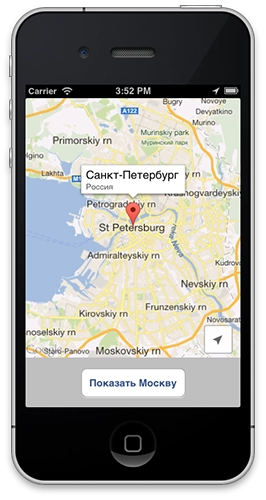
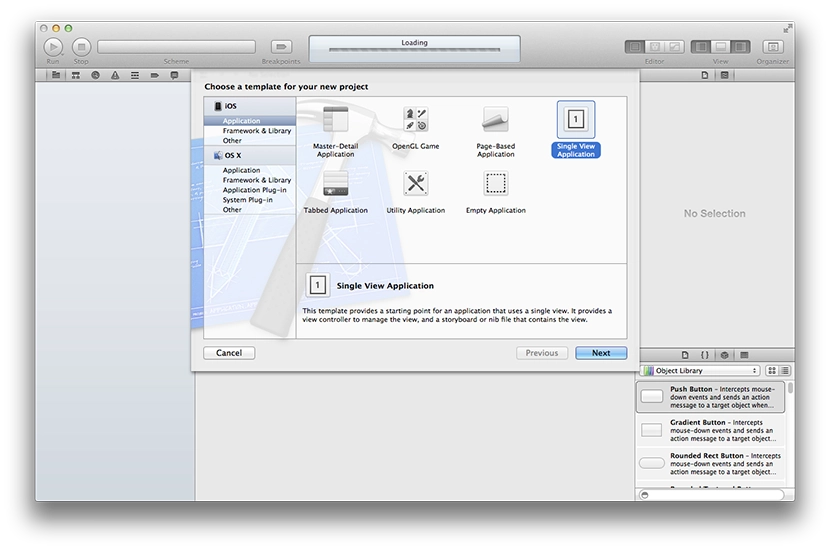
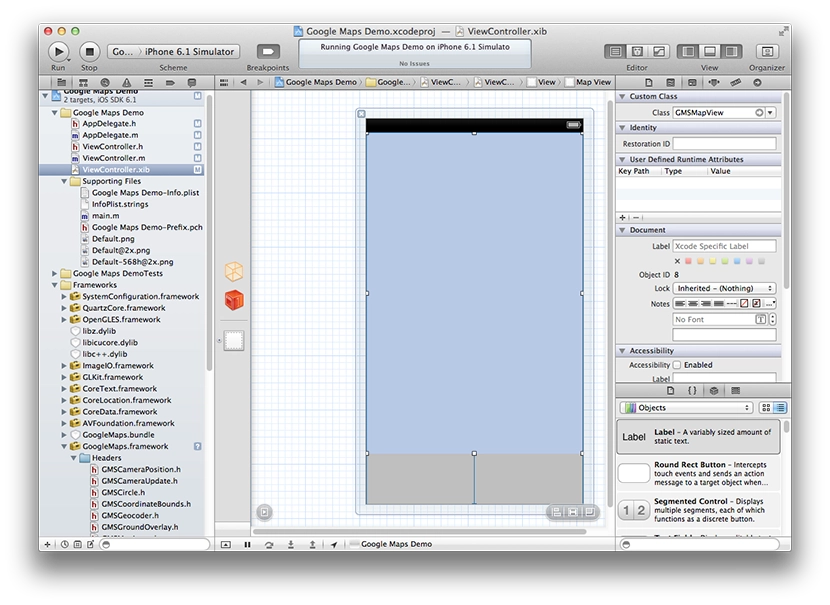
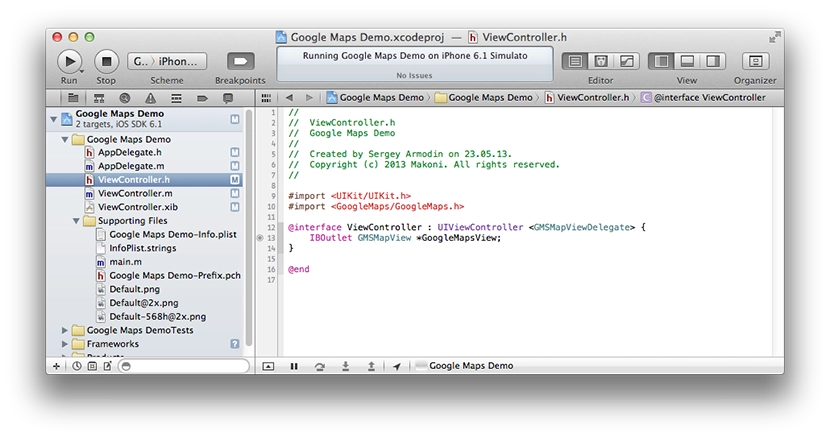
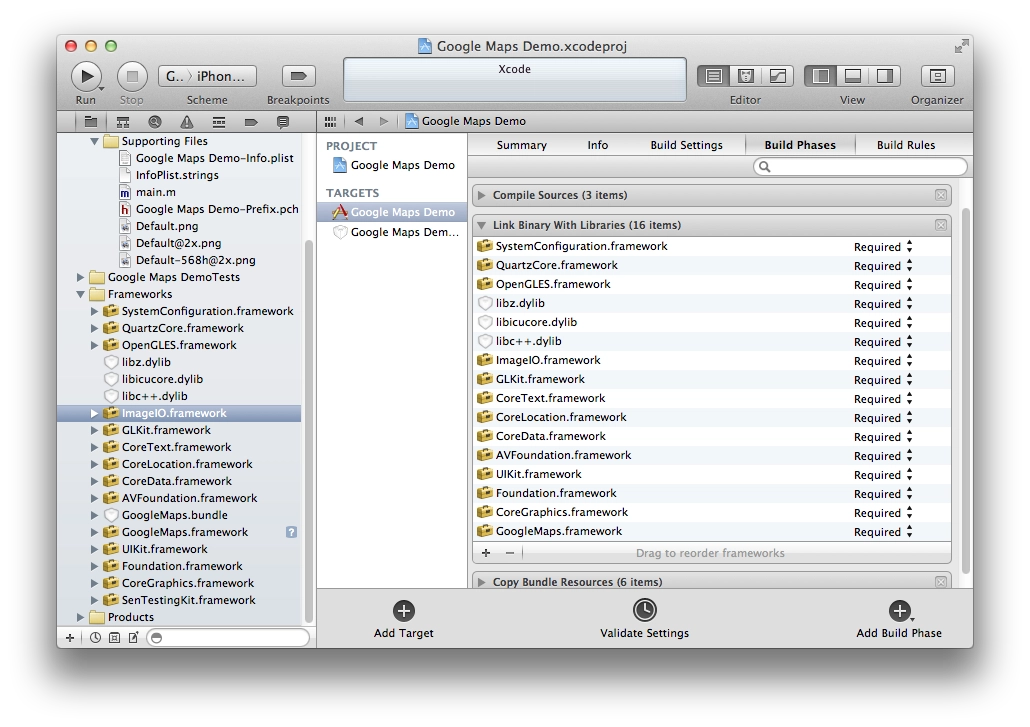
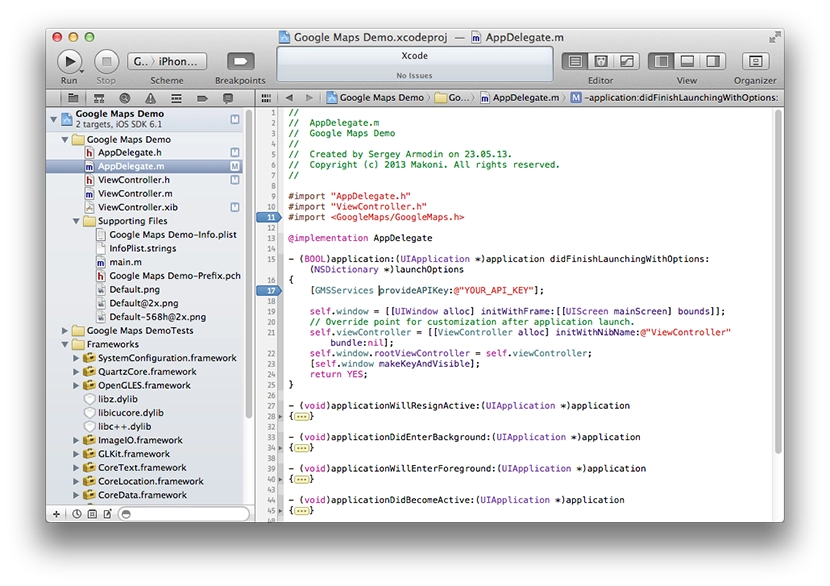
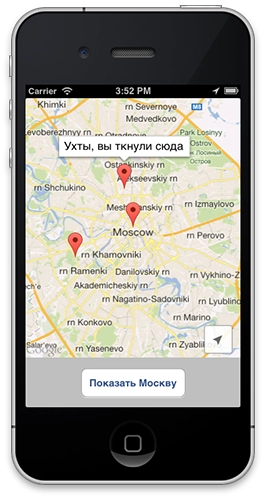
In December, Google released an SDK for embedding its maps into iOS apps. Over the last few days I have been tinkering with it, trying to integrate it into my project. Here is a short description of how to embed it.

Escaping image URLs with Russian filenames in Objective-C

event Dec 18, 2012 at 18:52

Management at the office started uploading images with Russian filenames into news on the portal — things like Фото-Ресторана.jpg.

Images from news items are shown inside the app, so the app fetches them by these URLs.

The URL arrives in the app already percent-encoded, e.g.:


http://allcafe.ru/s/pic/news/!_2012/2012_12/%D0%A0%D0%B5%D1%81%D1%82%D0%BE%D1%80%D0%B0%D0%BD-Graf-in-%D0%A1%D0%B0%D0%BD%D0%BA%D1%82-%D0%9F%D0%B5%D1%82%D0%B5%D1%80%D0%B1%D1%83%D1%80%D0%B3-%D0%B7%D0%B8%D0%BC%D0%BD%D1%8F%D1%8F-%D1%82%D0%B5%D1%80%D1%80%D0%B0%D1%81%D0%B0.jpg

The app uses a class called AsynchronousUIImage that I found online about a year ago. It just loads the image asynchronously via NSURLConnection.

- (void)loadImageFromURL:(NSString *)anUrl {
    anUrl = [anUrl stringByAddingPercentEscapesUsingEncoding: NSUTF8StringEncoding];
    NSURLRequest *request = [NSURLRequest requestWithURL:[NSURL URLWithString:anUrl] 
        cachePolicy:NSURLRequestReturnCacheDataElseLoad 
        timeoutInterval:30.0
    ];

    connection = [[NSURLConnection alloc] initWithRequest:request delegate:self];
}

The catch turned out to be in stringByAddingPercentEscapesUsingEncoding. Since the URLs come in already percent-encoded, it looks like double-encoding was happening and the image simply wouldn’t load. And if the NSURLConnectionDelegate method connection:didFailWithError: isn’t implemented, you get a crash — which is what hit me.

The funny conclusion: if you have URLs containing Cyrillic characters, you have to escape them either on the server before sending them to the client, or in the client. Doing it in both places — doesn’t work. Doing it nowhere — also doesn’t work :)

Luckily I fixed it on the server side without breaking anything and avoided shipping an emergency client update. By the way, on Android there is no such problem.

Optimising an iOS app for the iPhone 5 screen

event Dec 11, 2012 at 16:58
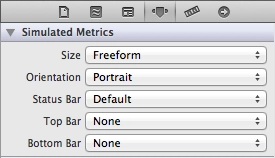
  1. For the xib files of your View, set Size: Freeform. The interface will then stretch to the full height of the screen. If you need full control, you can set the view size for either the 3.5" or the 4" screen and switch programmatically.
    Optimising an iOS app for the iPhone 5 screen
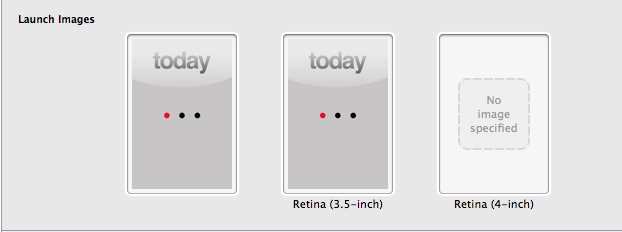
  2. The most important thing — add a launch image for the 4" screen. Without it, the app for some reason thinks the screen is small. And yes, if you weren’t using a launch image at all before, looks like you’ll have to start now.
    Optimising an iOS app for the iPhone 5 screen

I haven’t tried this with Storyboard yet. And one more small handy trick — if you need to detect in code whether the screen is wide or regular, you can define this in prefix.pch:

#define IS_WIDESCREEN ( fabs( ( double )[ [ UIScreen mainScreen ] bounds ].size.height - ( double )568 ) < DBL_EPSILON ) 

and then check it in code:

if ( IS_WIDESCREEN == YES ) {
    // use the 4" interface
} else {
    // use the 3.5" interface
}

How to detect a Retina Display on iPad/iPhone

event Mar 20, 2012 at 00:41

Note! If you just need to figure out what kind of screen your iPad, iPhone, or iPod has, simply follow this link: https://arm1.ru/retina/

While trying to figure out how to detect the presence of a Retina display on a device in Objective-C, I had to do some googling. I found this solution and am writing it down here as a cheat sheet.

Get the screen bounds:

CGRect screenBounds = [[UIScreen mainScreen] bounds];

It returns the screen size, usually 320x480; even on iPhone 4, iPhone 4S, and iPod Touch it will still return 320x480 (apparently because old apps would otherwise crash). For iPad it returns 768x1024 — both on iPad/iPad 2 and on the new iPad with Retina Display.

Get the screen scale:

CGFloat screenScale = [[UIScreen mainScreen] scale];

It returns 1.0f for all non-Retina screens. It returns 2.0f for Retina screens. This applies to all iOS devices.

So, having screen dimensions characteristic of the form factor (phone/iPod or tablet) and knowing the scale, we can calculate the device’s actual screen size:

CGSize screenSize = CGSizeMake(screenBounds.size.width * screenScale, screenBounds.size.height * screenScale);

If you run code like this:

CGRect screenBounds = [[UIScreen mainScreen] bounds];
NSLog(@"%f x %f", screenBounds.size.width, screenBounds.size.height);
    
CGFloat screenScale = [[UIScreen mainScreen] scale];
NSLog(@"%f", screenScale);
    
CGSize screenSize = CGSizeMake(screenBounds.size.width * screenScale, screenBounds.size.height * screenScale);
NSLog(@"%f x %f", screenSize.width, screenSize.height);

then you will see all dimensions in the console. In this case, I ran it on the iPad Retina simulator:

Как определить Retina Display на iPad/iPhone

And then, by checking the dimensions/device type, you can substitute the required graphics at the required sizes. Profit.

P.S. As for images, you only need to create 2 files: for example, "image.png" and the same image at double size named "image@2x.png", and then use only the first one. For example:

[UIImage imageNamed:@"image.png"];

If the device has Retina, the app will automatically pick up the higher-resolution file (image@2x.png).

A Useful Thing: Prefix.pch

event Jan 13, 2012 at 14:10

I discovered a useful thing in iOS development: the Prefix.pch file, a Precompiled Header.

From the description, Precompiled Headers are compiled, cached, and then automatically included into every file being compiled. So if there is some class that is needed everywhere or almost everywhere in a project, you can include that class inside the Prefix.pch file, which is created automatically in a new project, and it will be available everywhere. I really didn't like having to include the same class again and again in every View Controller when it was needed almost everywhere.

Embedding the Facebook SDK in an iOS app

event Dec 5, 2011 at 20:14

A note to self. Instructions on where to download it and how to embed are in Facebook’s docs. Even though they updated the GitHub project recently (November 23 at the time of writing), they still ship an old version of the JSON framework bundled with it. And since my project already uses a newer version of that framework, the app wouldn’t compile.

Fix:

  1. after adding the SDK to the project, delete the JSON folder from the Facebook SDK;
  2. in FBRequest.m replace the line #import "JSON.h" with #import "SBJson.h";
  3. in the same file, replace
    SBJSON *jsonParser = [[SBJSON new] autorelease]
    with
    SBJsonParser *jsonParser = [[SBJsonParser new] autorelease]

Should work.

Using UINavigationController together with UITabBarController

event Oct 25, 2011 at 01:33

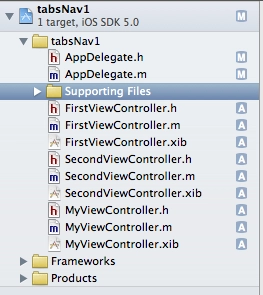
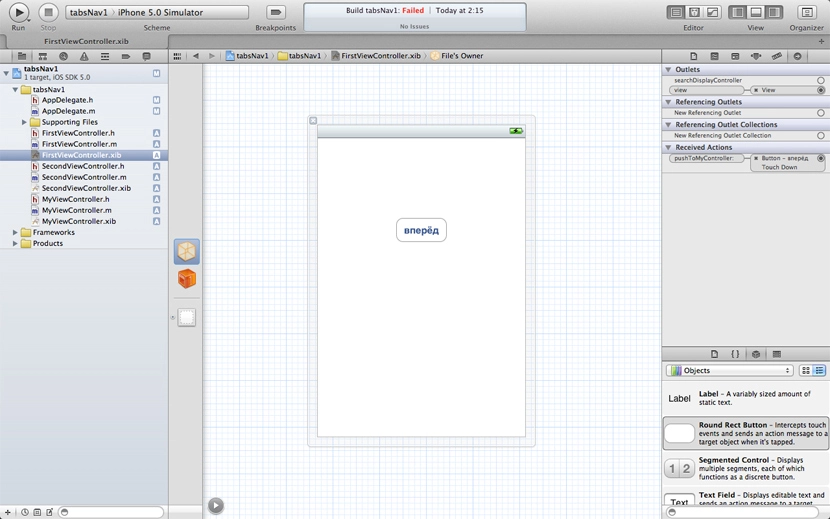
Needed to use both UINavigationController and UITabBarController in the same project. Two ways to do it.