Optimising an iOS app for the iPhone 5 screen
-
For the xib files of your View, set Size: Freeform. The interface will then stretch to the full height of the screen. If you need full control, you can set the view size for either the 3.5" or the 4" screen and switch programmatically.
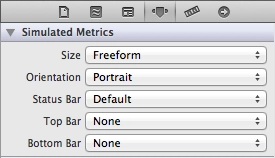
-
The most important thing — add a launch image for the 4" screen. Without it, the app for some reason thinks the screen is small. And yes, if you weren’t using a launch image at all before, looks like you’ll have to start now.
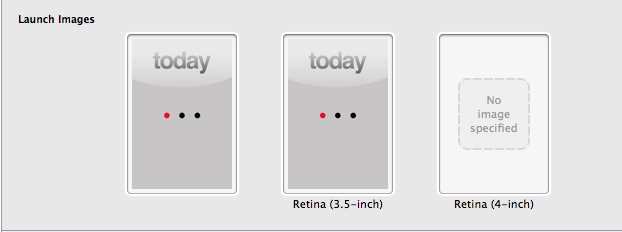
I haven’t tried this with Storyboard yet. And one more small handy trick — if you need to detect in code whether the screen is wide or regular, you can define this in prefix.pch:
#define IS_WIDESCREEN ( fabs( ( double )[ [ UIScreen mainScreen ] bounds ].size.height - ( double )568 ) < DBL_EPSILON ) and then check it in code:
if ( IS_WIDESCREEN == YES ) {
    // use the 4" interface
} else {
    // use the 3.5" interface
}
// ─── EOF ──────────────────────────────────────────────────