-rw-r--r-- 1.4K May 12, 2016 · 6FA87ED · ~1 min

Testing asynchronous code in XCTest

swift xctest тесты шпаргалки

While writing tests in the app, I ran into the fact that tests containing asynchronous code did not work. For example, if we make an asynchronous network request and then verify the result inside the callback block. The assertions simply did not run, and Xcode said the test had passed successfully even when it obviously should not have.

While googling, I found two solutions: one via semaphores from Grand Central Dispatch, the other with expectations. I liked the expectations approach more. Example test:

import XCTest

class apiClientTests: XCTestCase {
    override func setUp() {
        super.setUp()
    }

    override func tearDown() {
        super.tearDown()
    }

    /**
    SampleTest
    */
    func testSampleAsyncRequest() {
        let exp = expectationWithDescription("\(#function)\(#line)")

        APIClient.sharedInstance.someMethod { (responseObject, error) in
            XCTAssertNotNil(responseObject, "responseObject should not be nil")
            XCTAssertNil(error, "error should be nil")

            exp.fulfill()
        }

        waitForExpectationsWithTimeout(40) { (error) in
            if error != nil {
                XCTAssertTrue(false)
            }
        }
    }
}

P.S. — if you want tests to run in a specific order, remember that they are run in plain alphabetical order. So you need to name them test1Name, test2Name, and so on.

[↵] open page testirovanie-asinhronnogo-koda-v-xctest.md
-rw-r--r-- 3.2K May 12, 2016 · 46A3DE7 · ~3 min

On using Swift on the server

swift ubuntu

I started trying Swift on the server for backend work. With macOS, it is all fairly clear in terms of how to start using Swift (at least there is Xcode), but on Linux it turned out to be much less obvious.

The Swift.org website has instructions for OS X and for Ubuntu (14.04 and 15.04). I was immediately happy to see that they provide precompiled binaries. In short: download the archive, download various keys and signatures, verify the archive signature just in case, unpack the archive, and run export so the command can be executed from the console. For example:

swift --version
Swift version 2.2.1-dev (LLVM da67bff217, Clang 81d0486fb2, Swift 82adb8fc96)
Target: x86_64-unknown-linux-gnu

Start with some simple Hello World: just create a small project that prints text to the console, something like:

import Foundation

print("hello world")

Then you need to check whether it works. Run:

swift build
error: unable to invoke subcommand: /home/webserver/swift-2.2.1-SNAPSHOT-2016-04-23-a-ubuntu14.04/usr/bin/swift-build (No such file or directory)

Surprise! The release version of Swift 2.2.1 does not include swift-build. In other words, we cannot build a project with the release version. That is a bit mind-blowing. You start googling and it turns out that you need to download the dev version of Swift. And that is a pre-release version of Swift 3.0.

That version has everything, the project builds, the binary runs, and it prints text to the console. But it is still strange that the tutorial from the website does not work with the release version. Although they say it was present in previous releases.

The saddest part is that you still cannot even send network requests from open-source Swift: NSURLRequest is not implemented in Foundation, which means my idea of using CouchDB through its REST API can be postponed for now. And on GitHub there is still this line in the description of Swift's current state:


NSURLSession and related classes are not yet implemented.

You can, of course, use C libraries. For example, IBM use a CURL wrapper called CCurl. But I would prefer something out of the box, using language tools. So I will probably wait until they finally add it.

My tinkering with the Swift Express web framework showed that it is possible to build a website or REST API with it. Yesterday evening I even made a scaffold for rewriting this blog — templates are ready, routing is ready, the whole site design is rendered, only the database data remains to be wired in. And now the question is how to fetch data from the database. There are wrappers over C libraries for MySQL and MongoDB, but I still want to keep using CouchDB, since I already use it in many projects. And it has a REST API, which means the data must be fetched over network requests, which Foundation still does not provide, and I do not really want to use third-party tools because once everything is implemented, switching to built-in tools will make more sense, so I would have to rip that code out. I will wait a bit longer before rewriting my little blog in Swift :)

[↵] open page pro-ispol-zovanie-swift-na-servere.md
-rw-r--r-- 961B May 11, 2016 · 61AD73C · ~1 min

A note on Socket.IO-Client-Swift

socket.io swift шпаргалки

A small cheat sheet: there is a Swift client for socket.io. At first glance, GitHub documents how to use it pretty well. The problem is that it absolutely did not want to connect to my Node.js backend with the sample code.

The logs showed (when trying polling requests) that the client was hitting /engine.io and getting a 404 error. Studying the browser JavaScript library, which works with the same backend without any dancing with a tambourine, showed that a different path had to be specified: /socket.io. Fortunately, there is a dedicated option for that.

So in the end, this is what we get:

let socketURL = NSURL(string: "http://localhost:3000")
let socket = SocketIOClient(socketURL: socketURL!, options: [
    .ForceWebsockets(true),
    .Path("/socket.io/"),
    .ConnectParams(["token": "token"])
])

socket.on("connect") {data, ack in
    print("socket connected")
}

socket.connect() 
[↵] open page zametka-pro-socket-io-client-swift.md
-rw-r--r-- 2.4K Apr 25, 2016 · 430F62F · ~2 min

Carthage vs. CocoaPods

carthage cocoapods xcode

A couple of thoughts on Carthage compared to CocoaPods.

What Carthage has in common with CocoaPods:

  • You create a Podfile for CocoaPods. For Carthage, you need to create a Cartfile.
  • In both cases, you can specify an exact dependency version and a specific git repository.
  • After installing dependencies, CocoaPods creates Podfile.lock and Carthage creates Cartfile.resolved so that exact dependency/library versions can be installed.
  • Both CocoaPods and Carthage are quite easy to install with a single console command.

Cons:

  • All dependencies have to be added manually to the project and the Build Phases section. You only do it once, but it is still manual, unlike CocoaPods, which generates the workspace on its own. On the one hand this is inconvenient, on the other, CocoaPods has simply spoiled us. For example, in the Node.js world it is not enough to do npm install package, you still have to include the dependency where needed via require.
  • Less choice. Less popularity. CocoaPods is older, more popular, and many libraries were distributed through CocoaPods. Many are still distributed only through it, including, for example, SDKs from Google. With Carthage it is easier to find something relatively fresh. On the plus side, it is usually available via CocoaPods, Carthage, and even Swift Package Manager.

Pros:

  • Dependencies are built once. On any project build, the libraries and dependencies are not rebuilt, even if you clear all caches and do all the cleans. As a result, every build is faster.
  • No extra .xcworkspace file is created, and the project file remains untouched. Workspace creation in recent CocoaPods versions has been buggy for almost half a year already and creates that workspace in a way that makes the project fail to build, so you have to go in manually and fix something. For example, the header search path.
  • When updating a dependency to the latest version, again, the project file is not touched. The dependencies are simply rebuilt; they are already added to the project.
  • You can build a dependency for all platforms at once, or for a specific one, for example tvOS.
  • CocoaPods has a central repository. If it goes down, nothing will work. Carthage does not have that; it just pulls dependencies from GitHub. On the one hand that is still a kind of central repository, but without the middle layer, and the chances of it withstanding load are higher.
[↵] open page carthage-vs-cocoapods.md
-rw-r--r-- 307B Apr 22, 2016 · 4E22F08 · ~1 min

Converting a UTC date with milliseconds from String to NSDate in Swift

swift шпаргалки

To convert a date from text into NSDate from a slightly non-standard format with milliseconds:

let dateString = "2016-04-22T17:42:46.762+03:00"

let dateFormatter = NSDateFormatter()
dateFormatter.dateFormat = "yyyy-MM-dd'T'HH:mm:ss.SSSZ"

let myDate = dateFormatter.dateFromString(dateString) 
[↵] open page konvertirovanie-utc-daty-s-millisekundami-iz-string-v-nsdate.md
-rw-r--r-- 731B Apr 19, 2016 · 553E35F · ~1 min

CompareShots v1.1

compareshots ios приложения

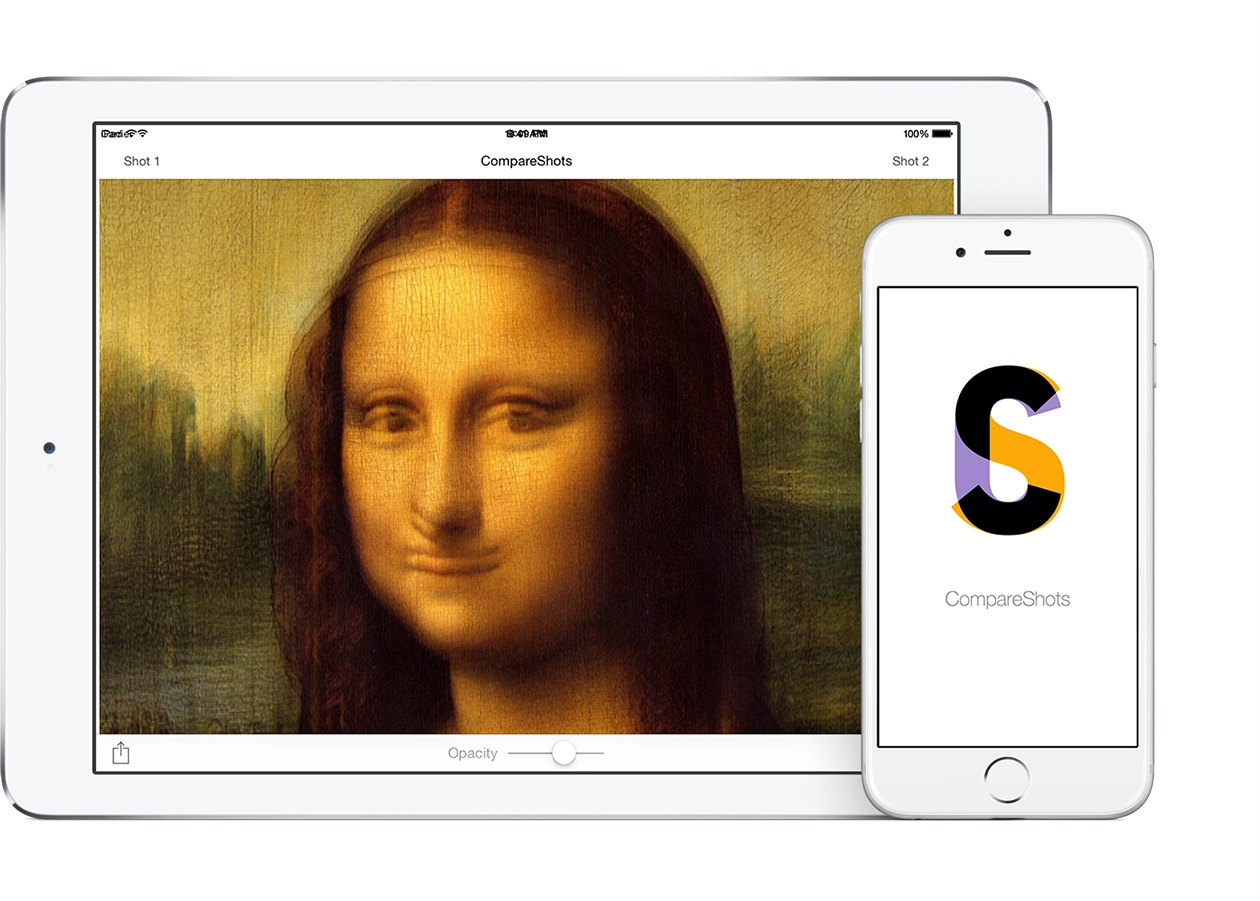
CompareShots version 1.1 has been released.

What is new: transparency now changes simply by dragging your finger horizontally. One of the users actually asked for this feature in an email. It also makes the transparency change more smoothly.

Besides that, I completely rewrote the app in Swift. So now I have as many as one released project written in it :) But this is only the beginning.

What is surprising is that I submitted the App Store update yesterday, and in less than a day it had already passed Review and been released. I do not remember Apple ever approving an app that fast.

Download

[↵] open page compareshots-v1-1.md
makoni@arm1:~/blog$ cd ../page-11/ // ← previous cd ./page-13/ // more posts →