I stop by Funkysouls from time to time looking for new music. I scroll through the first few pages, check the tags to see whether it might be interesting, then copy the artist name, go to VK or Yandex.Music, paste it there, and listen to a couple of tracks. If I like it, only then do I try to get the album.
I got tired of all that copy-pasting and wrote a Safari extension (I had been wanting to learn how for a while).
The extension does only 2 things:
-
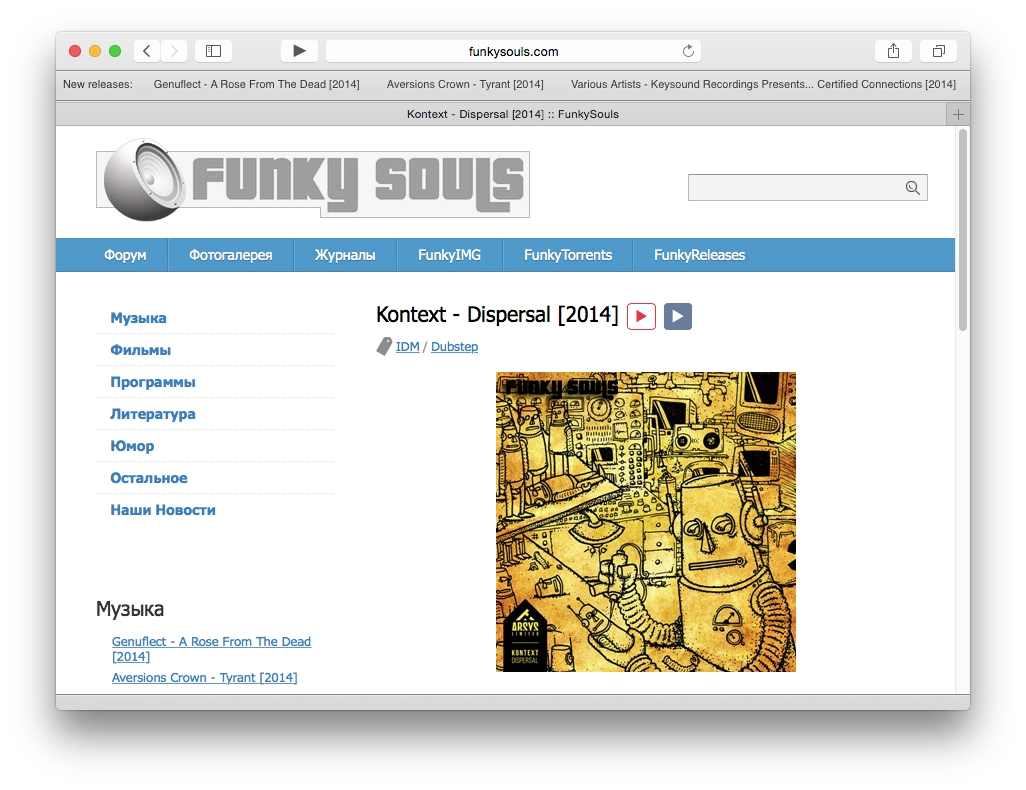
When you open Funkysouls, each release gets 2 Play buttons, as you can see in the screenshot. The red one searches for the artist on Yandex.Music, the blue one searches for the artist on VK. No more copy-pasting. 2 clicks and you are listening.
-
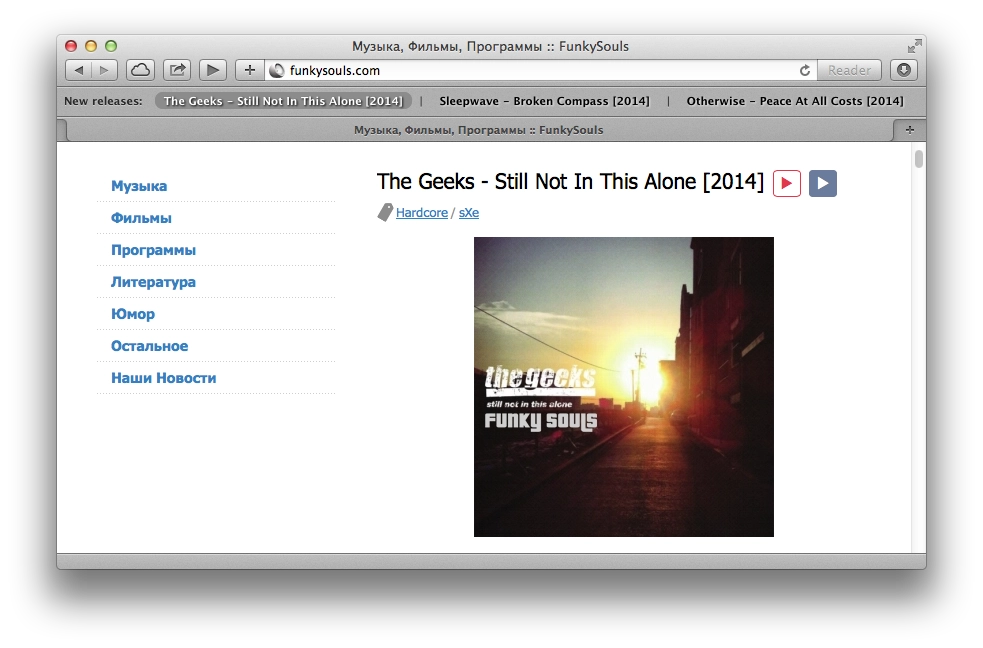
I got slightly carried away while writing it and also added a browser toolbar panel. The extension fetches the site’s RSS feed every 5 minutes and shows the latest 3 releases in the toolbar. So you can follow them without even opening the site. Naturally, if you click a release title in the toolbar, a new tab opens with that release page on Funkysouls.
If you want, you can take the extension code from end.js and button.css, paste it into something like the Control Freak extension in Chrome, and get the same 2 Play buttons in Chrome. I assume you could do the same in Firefox through Greasemonkey.
Source code on GitHub.
Install extension.