Swift Adwaita: from 1.2.0 to 1.3.1
After the 1.1.0 release, the swift-adwaita library has shipped seven releases in a row. As I keep working on the first real application built with this wrapper, things keep surfacing that synthetic tests never catch — and almost every fix in this cycle came from there. The headline story: swift-adwaita now builds and runs on macOS, and along the way I stepped on a beautiful set of rakes involving Swift Concurrency inside the GLib main-loop, and carefully stepped back off.
The story of a bug: async that never runs
In 1.2.0 I collapsed all dialogs (FileDialog, ColorDialog, FontDialog) onto async throws and dropped the callback variants — felt cleaner that way. A day later it turned out that inside a running GTK application (g_application_run), code like Task { @MainActor in await dialog.open(...) } simply never executes. Swift's default main-actor executor is DispatchQueue.main, and the GLib main-loop doesn't drive it. The process looks alive, no errors surface, the button clicks — but the file dialog never appears.
1.2.1 urgently restored the callback variants for FileDialog, and 1.2.2 closed the hole completely: callback overloads were added for every async API (Clipboard, ColorDialog, FontDialog, UriLauncher, Texture.load). The async variants stay — they're useful for tests and non-GTK contexts — but inside GTK signal handlers the callback form is now the recommended default. The long-term fix (a custom SerialExecutor on top of GLib) is deferred as a separate task.
1.2.0: what landed in the API
-
Async image loading.
Texture.load(from:)decodes anything GdkPixbuf supports — PNG, JPEG, GIF, WebP, TIFF, BMP — off the main actor. That's a superset of what the nativegdk_texture_new_from_filenamehandles. -
Animated image playback.
AnimatedImagePlayerdrives frames from aGdkPixbufAnimationinto aPicturewidget, withstart/stop/advanceFrame. -
Application.onOpen and
Application.run(arguments:)— file-open activation for apps registered with theG_APPLICATION_HANDLES_OPENflag. -
Runtime widget type checks.
Widget.gtkType,isInstance(of:), and a strictertryCastthat now actually narrows the type instead of "successfully" casting any widget to anything. -
Isolated deinits on
GObjectRef,GVariantand other wrappers — GObject release now always happens explicitly on the main actor, not on whichever random thread dropped the last reference. - Minimum toolchain bumped to Swift 6.2 — isolated deinit is experimental in 6.1, and the release toolchain refused to enable it.
1.2.3–1.2.5: conveniences and clipboard
Three small releases about reaching for CAdwaita less often for routine things:
-
RGBA(hex:) — CSS color parsing:
#RGB,#RGBA,#RRGGBB,#RRGGBBAA. -
IconTheme — a wrapper around
gtk_icon_theme_get_for_displaywithaddSearchPath(_:)for app-local icons. -
ApplicationFlags as an
OptionSet:Application(id: "...", flags: [.handlesOpen, .nonUnique])instead of raw bit masks. -
MainContext.drainPending() and pump(for:) — one-line replacements for the
while g_main_context_pending { g_main_context_iteration }loop that every test suite kept reinventing. -
Paste interception.
Widget.onPasteClipboard, the synchronousClipboard.containsImage/containsFilesprobes, asyncreadTexture/readFiles, andTexture.encodedPNGData()— you can now intercept a pasted image in your editor and pipe it through your own import path, instead of letting GTK shove it in as text. -
Silencing GTK-CRITICAL spam from
GtkScrolledWindowand misconfiguredGtkDropTarget— an opt-in log filter plus the correct signatures for the::enter/::motionsignals.
1.3.0: macOS as a development platform
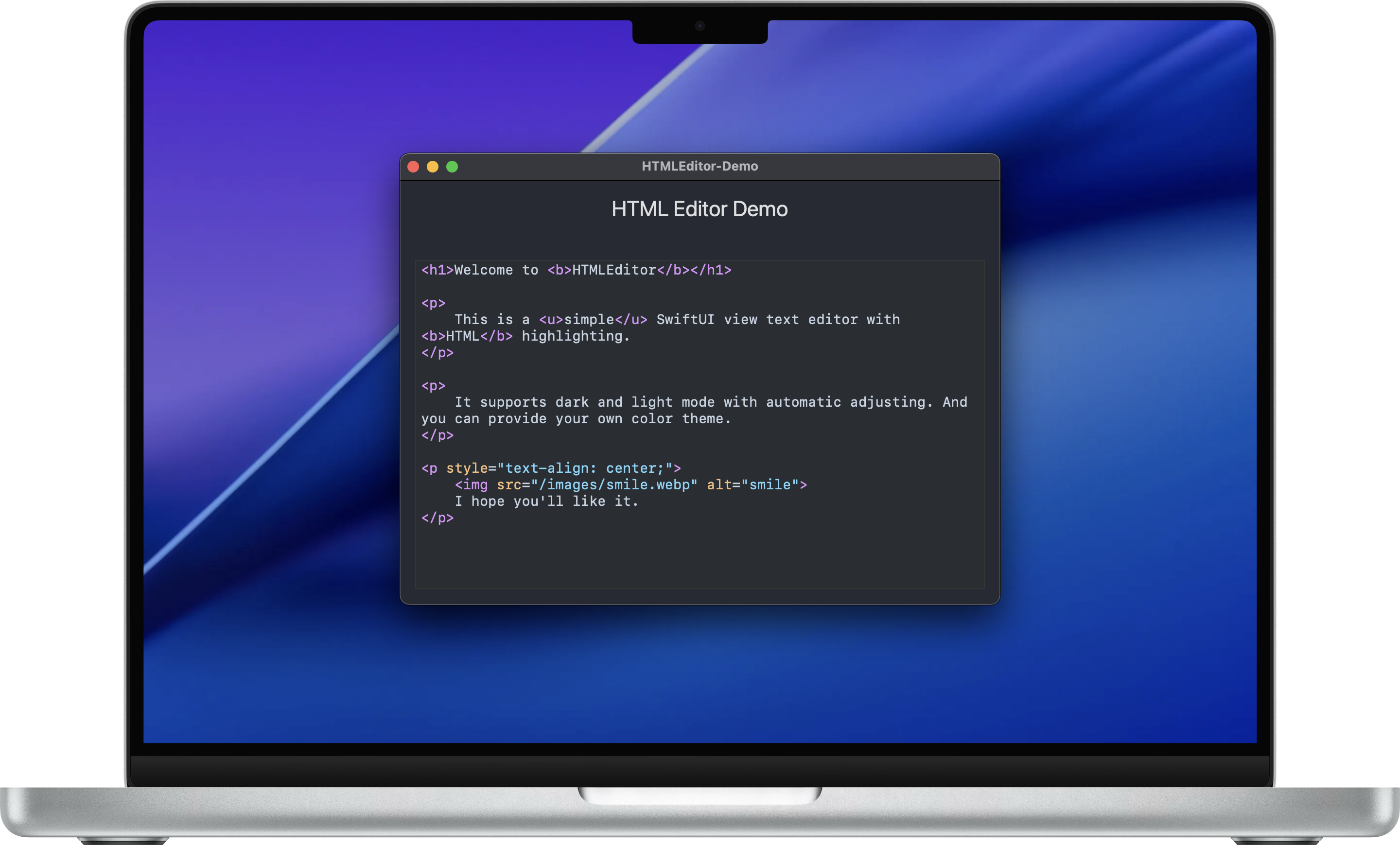
The main news of the cycle. swift-adwaita now builds and runs on macOS 13+ on Apple Silicon. Linux remains the primary target platform, but you can now develop and test locally on a Mac without spinning up a VM.
-
Install via Homebrew:
brew install libadwaita gtksourceview5 pkgconf adwaita-icon-theme. Withoutadwaita-icon-theme, HeaderBar buttons and banners render empty — Homebrew doesn't pull it in transitively. -
Required environment variable:
XDG_DATA_DIRS=/opt/homebrew/share, otherwise libadwaita can't find its GSettings schemas and aborts at startup. -
DemoAppLib — all 78 gallery examples now live in a separate library that downstream apps can link against directly. The
DemoAppexecutable became a three-line shim. -
Xcode example in
examples/macos/DemoApp/— a minimal Xcode 16+ project that wraps the gallery as a regular.appbundle. Cmd+R, and it works. -
A parallel XCTest suite for macOS. swift-testing on Apple platforms inserts autorelease-pool transitions between tests that conflict with the Cocoa CFRunLoop sources installed by
gtk_init— everything aborts on the second test. XCTest doesn't do that, and the same coverage runs there. Linux keeps using swift-testing. Result: 1181 tests / 0 failures on macOS. -
Three Apple-specific bugs that Linux/glibc happened to mask:
Variant.stringValuereturned nil for valid strings (a dangling pointer throughg_variant_type_checked_); the localization helpers (localized,nlocalized) returned garbage when no translation was available (gettext returns the input pointer untouched, and the Swift→C bridge had already freed it);MediaStream.timestampfailed to compile becausegint64islongon Linux x86_64 butlong longon Apple arm64. -
macOS CI job on
macos-26with Xcode 26.4.1 (Swift 6.3). Build only, no test runs: GitHub-hosted runners are headless, and GTK4-Quartz crashes without a WindowServer session. -
REUSE 3.3 license metadata — SPDX headers in every source file,
reuse lintreports clean.
1.3.1: cleanup
A maintenance release with no API changes. I polished the paste-interception docs in the README, added adwaita-icon-theme to every macOS install snippet (stepped on it, wrote it down), and bumped the Xcode example's deployment target to macOS 26 so it matches what Homebrew now builds GTK4 against — otherwise the linker complains about every dylib.
What's next
The big unsolved problem is still the Swift Concurrency ↔ GLib main-loop integration. Right now you can't write Task { @MainActor in ... } from a click handler in a GTK app, and that's frustrating. The long-term plan is a custom SerialExecutor that routes work through g_idle_add_full instead of DispatchQueue.main. The callback APIs cover every practical scenario today, but a proper executor will need to be written eventually.
The project is open source under the MIT license. The source lives on GitHub, and the documentation with guides is here.