arm1.ru

Tag: «open source»

Swifty Notes - a markdown notes manager for Linux in Swift

event Apr 10, 2026 at 14:00

Swift Notes for Linux

After shipping swift-adwaita, I've been focused on building a first app using it. Something simple, but handy for myself. So now the first app has been shipped.

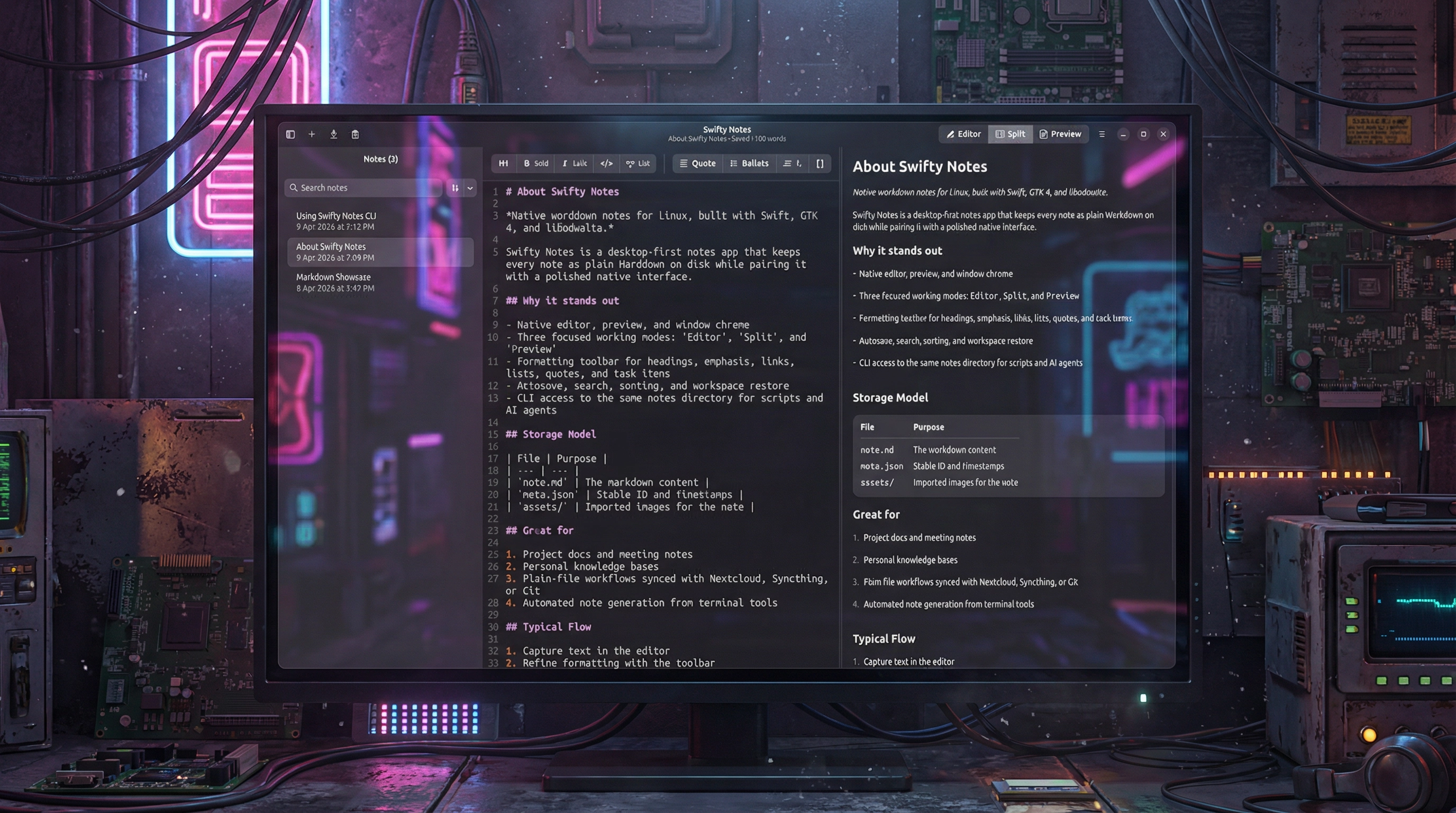
Swifty Notes is a native GTK/libadwaita Markdown notes application for Linux written in Swift.

The desktop app is the primary experience: write, organize, and preview Markdown notes with native GTK widgets, autosave, remembered workspace state, and adjustable editor settings such as font size, wrapping, indentation, and appearance.

The included CLI works on the same file-backed notes so shell scripts, automation, and AI agents can safely inspect or update notes without a separate database or background service.

  • Create, rename, duplicate, export, and delete Markdown notes.
  • Autosave edits, remember workspace state, and keep note-local image assets together with each note.
  • Adjust editor font size and other writing preferences to fit different screens and workflows.
  • Choose where notes are stored, including a cloud-synced folder, so the same plain files can stay in sync across devices.
  • Import images with drag and drop and render Markdown with a native GTK preview instead of a web view.
  • Use the CLI for JSON-friendly note automation from scripts, shell pipelines, and AI agents.

Get it on Flathub

Swifty Notes for Linux is an open source project, source code is available on GitHub.

Star Fork

Swift Adwaita 1.1.0

event Apr 10, 2026 at 08:56

Swift Adwaita

Swift Adwaita 1.1.0 has been released. I’ve been working on a first app built with this library, so I’ve extended it and fixed some bugs.

Highlights

  • Added GtkSourceView integration with typed Swift wrappers for source editing, syntax highlighting, languages, and style schemes.
  • Expanded widget APIs around popovers, windows, calendar compatibility, and runtime lifecycle handling.
  • Improved release stability with better GLib main-loop integration, broader CI coverage, and additional regression tests.

Added

  • SourceView, SourceBuffer, SourceLanguage, SourceLanguageManager, SourceStyleScheme, and SourceStyleSchemeManager.
  • Typed identifiers for GtkSource languages and style schemes.
  • A new source editor demo example.
  • MainContext.task { ... }, task(after:), and task(every:) as cancellable GLib main-loop work handles.
  • Async MainContext.run, yield, and sleep(for:) helpers for bridging Swift concurrency onto the GLib loop safely.
  • Widget.unparent() and PopoverMenu.unparent().
  • Convenience presentation helpers for Popover and PopoverMenu.
  • Additional regression tests for widget/window parent-chain lookup and expanded coverage for source editing and media behavior.

Changed

  • GtkWindow.present() now retains windows until close, making transient or locally scoped windows safer to use.
  • Widget.window now resolves the containing window through the widget parent chain instead of assuming the GTK root is always a window.
  • Calendar date handling now uses a GTK compatibility shim so the package builds cleanly across older and newer GTK versions.
  • Documentation generation and hosted docs configuration were updated.
  • CI now installs and tests with GtkSourceView 5 system dependencies.

Fixed

  • Fixed deferred signal/user-data cleanup to release captured closures through the GLib main loop instead of Swift main-queue tasks, avoiding lifecycle issues in GTK applications.
  • Fixed a common GTK scheduling pitfall by offering a Task-like API that stays on the GLib main loop instead of DispatchQueue.main.
  • Fixed Swift 6.1 serialized suite visibility issues in the test suite.
  • Fixed the popover/window regression tests to avoid GTK crash paths in CI while still validating the intended behavior.
  • Fixed release documentation and installation instructions to include GtkSourceView 5 development packages.

Documentation and CI

  • Added an API documentation link to the README.
  • Updated installation instructions for Ubuntu/Debian and Fedora.
  • Improved inline documentation consistency across the wrapper API.
  • Extended CI coverage for documentation, formatting, and Swift 6.1 / 6.2 / 6.3 test runs.

This is an open-source project licensed under the MIT license. The source code is available on GitHub. Documentation with guides is available here.

Star Fork

HTMLEditor for SwiftUI 1.1.0

event Apr 6, 2026 at 17:39

HTMLEditor for SwiftUI 1.1.0

This release focuses on Swift 6.3 compatibility, a substantial rewrite of the editor's highlighting pipeline, and much better responsiveness when editing very large HTML documents.

Added

  • Added the HTMLEditorBenchmarks executable target for repeatable performance measurements.
  • Added benchmark support for full-plan highlighting, overlap reuse, edit invalidation, visible-highlight remapping, and large-document local repaint paths.
  • Added focused regression tests for:
    • planner cache reuse and document-scoped invalidation
    • invalid NSRange and UTF-16 edge cases
    • quoted and unquoted attribute value highlighting
    • visible highlight state remapping
    • block-based highlight coverage
    • large-document editing and scrolling policies

Changed

  • Refactored the editor runtime into smaller focused components, including separate coordinator lifecycle, viewport, editing, policy, coverage, structural-range, and visible-highlight-state files.
  • Refactored the syntax highlighter into planner- and builder-based components for clearer separation of scanning, planning, and application.
  • Moved the editor to an adaptive runtime model that changes behavior based on document size instead of treating all HTML documents the same way.

Improved

  • Greatly improved large-document editing performance with:
    • viewport-first highlighting
    • document-scoped planner caches and targeted invalidation
    • cached visible-range plans
    • block-based highlight coverage tracking
    • structural dirty-range alignment around edits
    • two-phase large-file editing with immediate micro-pass and deferred wider repaint
    • burst-coalesced edit repainting
    • scroll-idle semantic highlighting
    • deferred binding synchronization for large documents
    • allowsNonContiguousLayout enabled automatically in large-file mode
  • Improved highlight stability while typing in the middle of very large HTML by preserving visible overlay state and reducing repaint churn around the caret.
  • Improved performance tuning and observability for large files with dedicated benchmark coverage and runtime probes.

Fixed

  • Fixed compilation and concurrency issues needed for Swift 6.3 compatibility.
  • Fixed several editor update-path issues related to coordinator state, highlighting tasks, and main-actor behavior.
  • Fixed highlight regressions and edge cases involving:
    • partial tags
    • empty input
    • large payloads
    • attribute-value coloring
    • visible highlight loss during large-file editing
    • invalid or clipped visible ranges

Notes

  • Full-document semantic highlighting is still used for smaller HTML inputs.
  • Very large HTML inputs now automatically switch to a more conservative, performance-oriented editing mode to keep scrolling and typing responsive.

Try it on GitHub: https://github.com/makoni/HTMLEditor-SwiftUI

Star Fork

Swift Adwaita library

event Mar 31, 2026 at 17:43

Swift Adwaita

A project that I’ve always wanted to create: a library that enables the development of GNOME applications using Swift. While there are some similar libraries available, they appear to be incomplete or not actively maintained. Thanks to Vibe Coding, I managed to complete the project in approximately a week.

swift-adwaita is an imperative Swift 6 wrapper for GTK4 and libadwaita, built for creating native GNOME desktop applications on Linux.

It provides a modern Swift API over GTK and Adwaita with type-safe widgets, signals, property bindings, async operations, and ergonomic convenience helpers, while preserving the native behavior, styling, and feel of the GNOME platform.

  • Native GTK4 and libadwaita application development in Swift
  • Imperative API without a custom DSL
  • Type-safe enums, signals, and property APIs
  • Async/await support for common platform integrations
  • Extensive widget coverage with a real demo application

Here’s a demo app built using swift-adwaita:

This is an open-source project licensed under the MIT license. The source code is available on GitHub. Documentation with guides is available here.

Star Fork

CouchDB client for Swift 2.4.0

event Mar 28, 2026 at 20:36

Highlights

  • Refactored the internal request pipeline in CouchDBClient to use cleaner async/await-style flows and reduce duplicated response handling logic.
  • Improved buffering and decoding paths for raw and typed requests, with a focus on safer EventLoopGroup execution and better performance in response processing.
  • Expanded test coverage around EventLoopGroup-backed request execution, including raw and typed get, raw and typed find, attachment download, Mango index listing, and Mango query explanation.
  • Refreshed user-facing documentation across the README, DocC articles, and tutorials.
  • Updated documentation tooling for newer DocC workflows, including Markdown export support.

API and Behavior Improvements

  • Added and refined EventLoopGroup support across more CouchDBClient request paths.
  • Improved internal error-handling paths and response decoding behavior for CouchDB operations.
  • Simplified request helper layering and reduced duplicated request/response processing code.
  • Improved attachment-related behavior and accompanying tests.
  • Added visionOS to supported platforms in the package manifest.

Documentation

  • Fixed and refreshed README examples for CRUD and Mango query usage.
  • Updated DocC landing pages to better reflect the current API surface.
  • Corrected the Advanced Mango Query tutorial snippets to match the current typed query API.
  • Corrected Vapor tutorial examples.
  • Fixed Hummingbird tutorial package setup and dependency snippets.
  • Updated buildDocs.sh to support:
    • configurable output and hosting base path
    • static hosting content embedding
    • experimental Markdown output
    • Markdown manifest generation
  • Added a post-processing step in buildDocs.sh that injects a relative Markdown link into generated DocC HTML pages.

Tooling and Dependencies

  • Updated package dependencies in Package.resolved.
  • Updated the Ubuntu build workflow Swift version matrix.

CouchDB Client on GitHub | Documentation with examples and tutorials.

Star Fork

Actioneer for Linux 1.0.8

event Mar 12, 2026 at 18:02

Actioneer for Linux 1.0.8

Actioneer 1.0.8 focuses on making live GitHub Actions monitoring more reliable while using the GitHub API more efficiently.

Highlights

  • In-progress workflow runs now keep refreshing while they are still active, so expanded jobs and steps stay current before the run finishes.
  • Expanded run details are more stable and easier to read, with clearer badges, preserved job context, and contiguous step numbering.
  • Workflow status badges are now translated more consistently across the app's supported languages.
  • Background refresh is lighter on the GitHub API, reducing duplicate requests and helping preserve rate-limit headroom.

Technical improvements

  • Fixed several live-refresh lifecycle issues in the detail pane so switching repositories or rebuilding rows no longer disables the active refresh loop.
  • Removed duplicate initial jobs fetches caused by rerender races around freshly expanded runs.
  • Reduced unnecessary polling pressure by tightening selected-repo refresh ownership and job-refresh reuse.

Get it from the Snap Store
Get it on Flathub

Actineer for Linux got translations

event Mar 5, 2026 at 20:39

Actioneer for Linux 1.0.7

Actioneer for Linux has translations available in numerous languages, including Russian, Spanish, French, Portuguese (Brazil), Hindi, Simplified Chinese, Arabic, Bengali, Urdu, German, and Dutch.

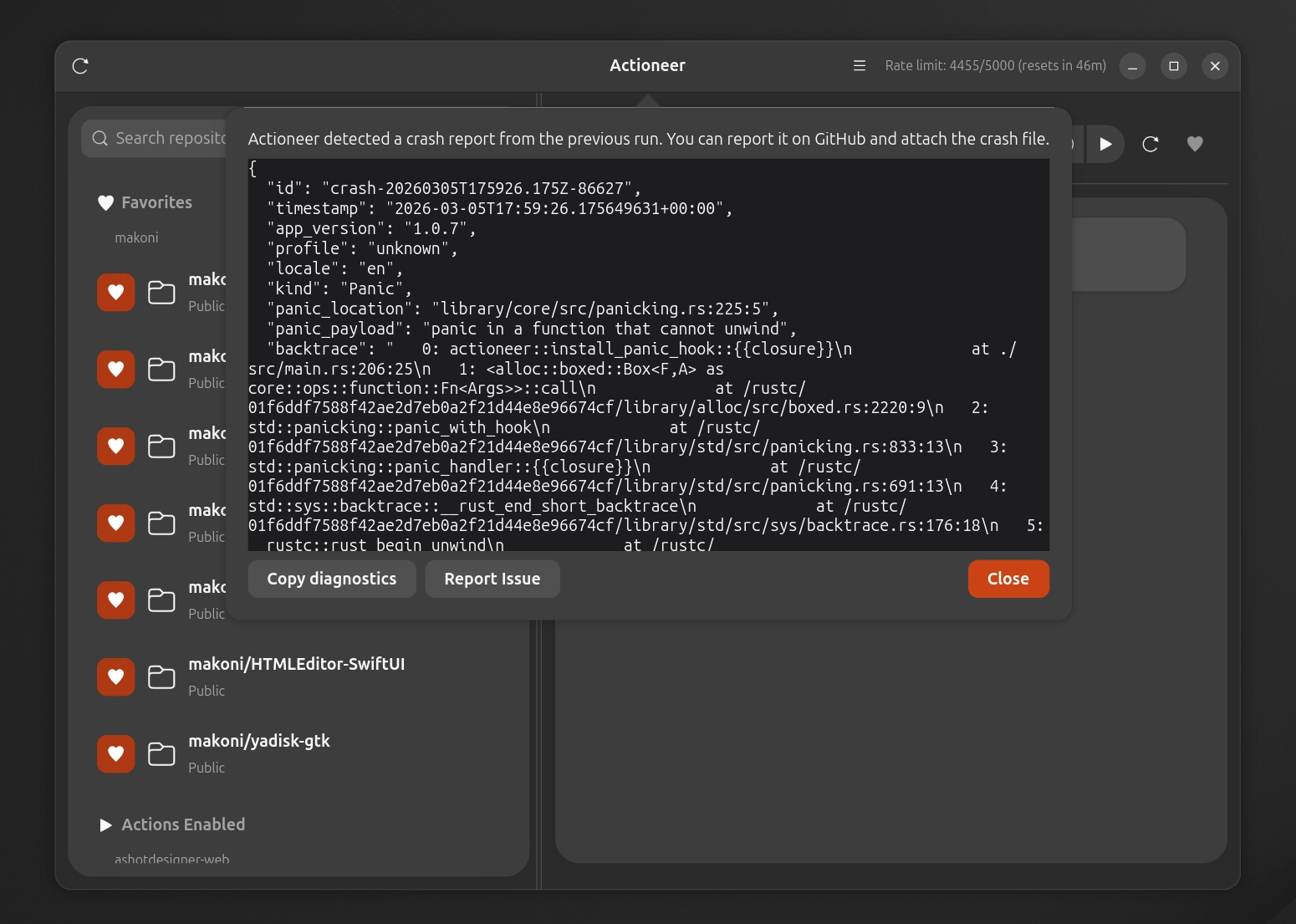
It also includes a built-in crash reporter, which you can copy and paste the report or open an issue on GitHub. Additionally, there are some tweaks and improvements made under the hood.

Get it from the Snap Store
Get it on Flathub

Recent updates for Actioneer for Linux

event Feb 13, 2026 at 18:16

Actioneer for Linux

There were a bunch of updates of Actioneer for Linux recently, which I forgot to post here. Here's what's new in these updates:

1.02

  • Faster and smoother UI with refreshed repo/workflow lists and improved scrolling behavior.
  • New run filtering controls with better caching, so switching filters is instant and doesn’t reload data.
  • Better workflow auto-refresh and run status updates, including fewer duplicate fetches.
  • Notifications are more reliable across Snap/Flatpak, with improved icon handling and fallbacks.
  • Improved sandboxed credential storage using the secret portal for Snap/Flatpak.
  • Offline-friendly cache persistence for workflows, runs, and jobs.
  • Packaging and CI updates across Snap, Flatpak, and AppImage for better compatibility.
  • Dependency updates and stability fixes.

1.03

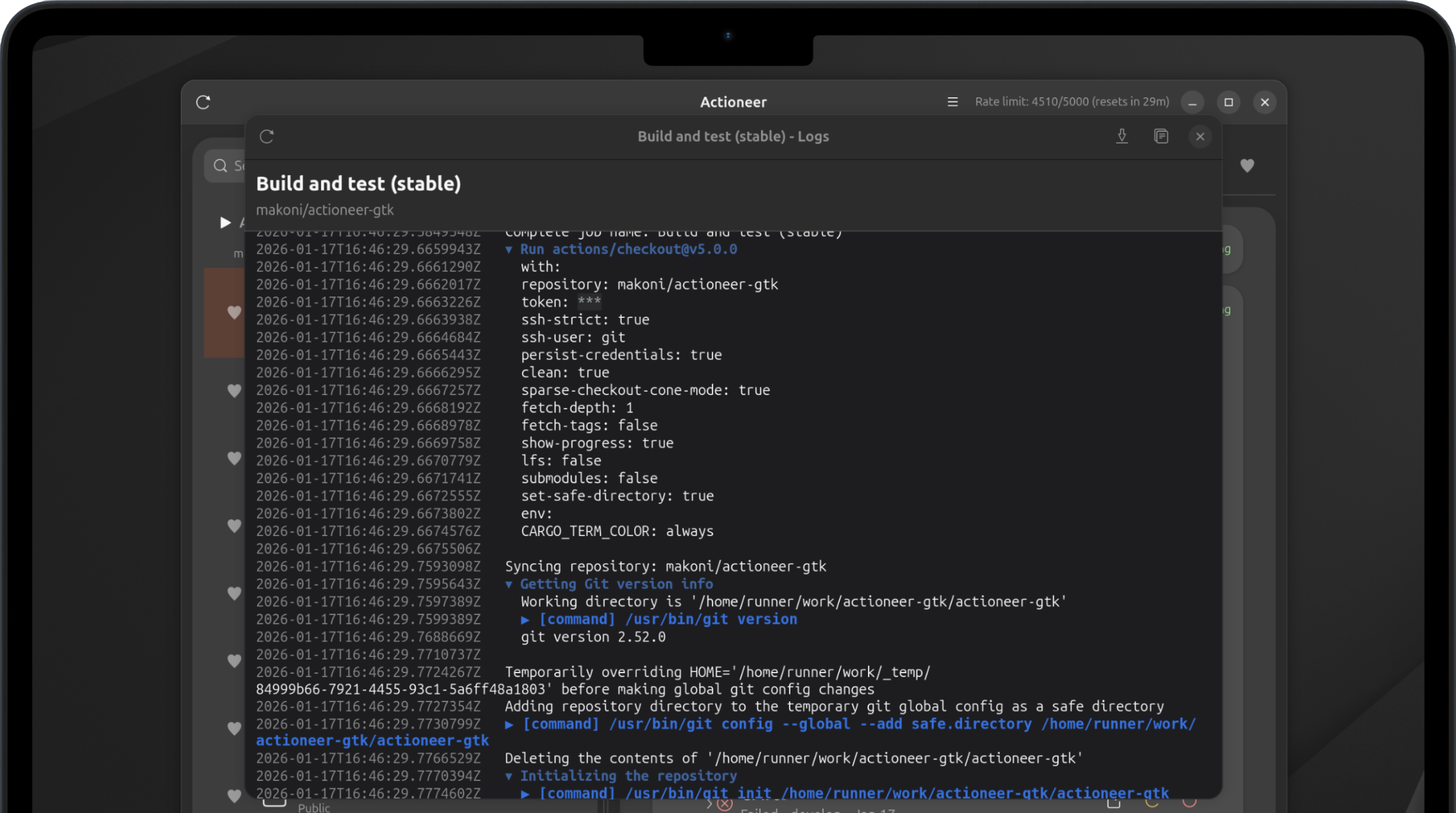
  • Job logs now render ANSI colors, grouped workflow sections, and clearer command/output formatting.
  • Aligned timestamps and command prefixes improve scanability, with stronger error highlighting.
  • Packaging CI refreshed with multi-arch updates for AppImage/Snap/Flatpak builds.
  • Dependency updates and demo log refreshes for improved accuracy.

1.04

  • Handle expired job logs (HTTP 410) with clearer messaging instead of a broken view.
  • Strip BOM markers in job logs so first-line timestamps render correctly.

1.05

  • Manual workflow triggers now support workflow_dispatch inputs with dynamic parameter fields.
  • Dependency updates for ryu, unicode-ident, and zmij.

Get it from the Snap Store
Get it on Flathub

Claw Screenshot - a console tool to make screenshots on Linux

event Feb 3, 2026 at 17:38

Claw Screenshot - a console tool to make screenshots on Linux

Recently, I've been playing with Clawd / Moltbot / Openclaw bot. Of course, it ended up with asking it to write some code. Since I'm running it in a VM with Ubuntu Linux, I've been playing with developing some apps for it. And at some moment, I realised that I'm sending screenshots of an app, but each time I have to do it manually.

So I decided to automate that part. I tried some console apps for Linux that promised they can do screenshots, but none of them worked for me for some reason.

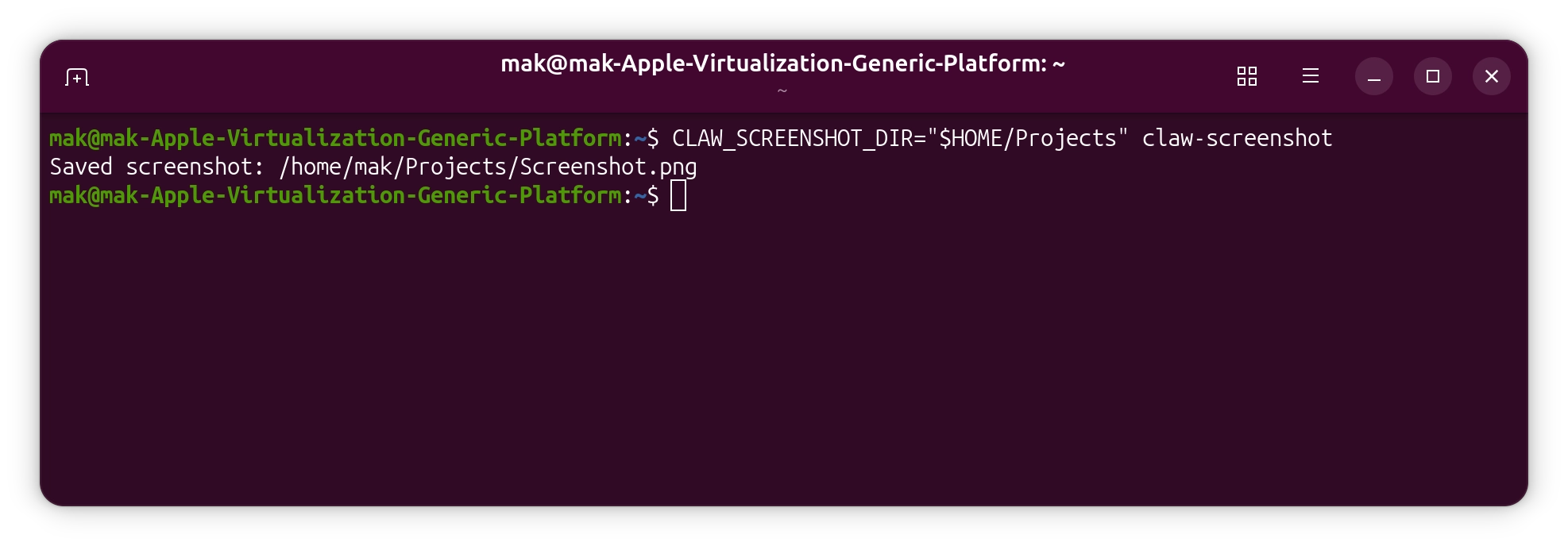
So I decided to write my own. I picked Rust, and Openclaw did some research for me about how it should be done. It ended up with a console app that uses the FreeDesktop Screenshot portal. It required creating a .desktop file so I could see that Gnome permission request and click Allow. That is required just once, so now I've automated it.

That's a pretty cool thing to be honest, which I already tried with an iOS app using UI tests - the AI agent just runs UI tests, gets screenshots from a report, analyzes them, and understands what is wrong with the app UI.

I pushed the app to GitHub and published a release with binaries, .deb, and .rpm packets for arm64 and amd64. And it got a nice automatic installation script. Since I made it using Openclaw, I called it Claw Screenshot.

Check it out: https://github.com/makoni/claw-screenshot

Actioneer 1.01

event Jan 20, 2026 at 15:07

Actioneer screenshot

The first update for Actioneer has been released. Here's what's new:

  • Workflows refresh in the background so newly-dispatched runs appear automatically.
  • Reduced API usage and fewer rate-limit hits with ETag-based caching — lists load faster and your quota lasts longer.
  • The app remembers the repository you were viewing between launches.
  • Better diagnostics and reliability for smoother everyday use.

Download

Follow updates on X: https://x.com/ActioneerCI

Actioneer for Linux

event Nov 8, 2025 at 08:03

Actioneer screenshot

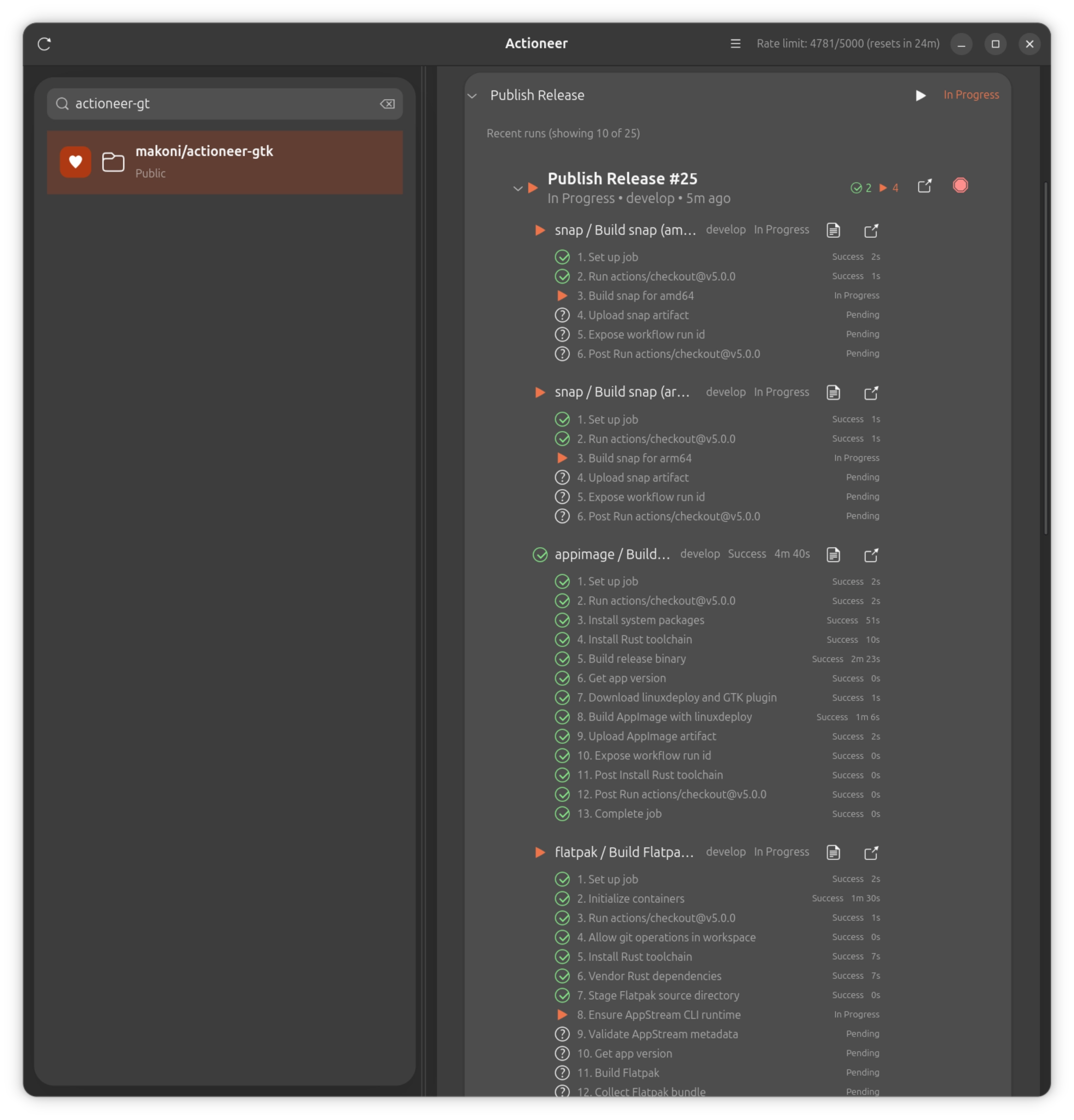
Actioneer is a native GNOME desktop client for GitHub Actions. It combines a GTK4/libadwaita interface with a Tokio-powered API client so you can browse repositories, inspect workflow runs, watch job logs, and receive notifications without leaving your desktop.

Key features

  • Browse your GitHub repositories and view Actions workflows and recent runs quickly.
  • Inspect run status (success, failure, queued, in progress) with clear badges and counts.
  • View job logs: download and preview run logs for quick troubleshooting.
  • Dispatch workflows, cancel running workflows, and re-run failed runs directly from the app.
  • Favorites and quick search let you focus on the repositories and workflows that matter most.
  • Desktop notifications for run completions and failures so you never miss important results.
  • In-memory caching and efficient refresh make the app responsive while respecting GitHub rate limits.
  • Secure authentication using OAuth, tokens are stored securely in keyring.

Get it from the Snap Store Get it on Flathub

Acntioneer for Linux is an open source project, source code is available on GitHub.

Star Fork

HTMLEditor for SwiftUI 1.0.3

event Aug 11, 2025 at 20:50

SwiftUI text editor for macOS with HTML syntax highlighting

Spent some more time on HTMLEditor for SwiftUI. There are significant performance improvements in the new version 1.0.3 (thanks to Claude Code).

Try it on GitHub: https://github.com/makoni/HTMLEditor-SwiftUI

CouchDB client for Swift 2.3.0

event Aug 1, 2025 at 19:25

CouchDB client for Swift 2.3.0

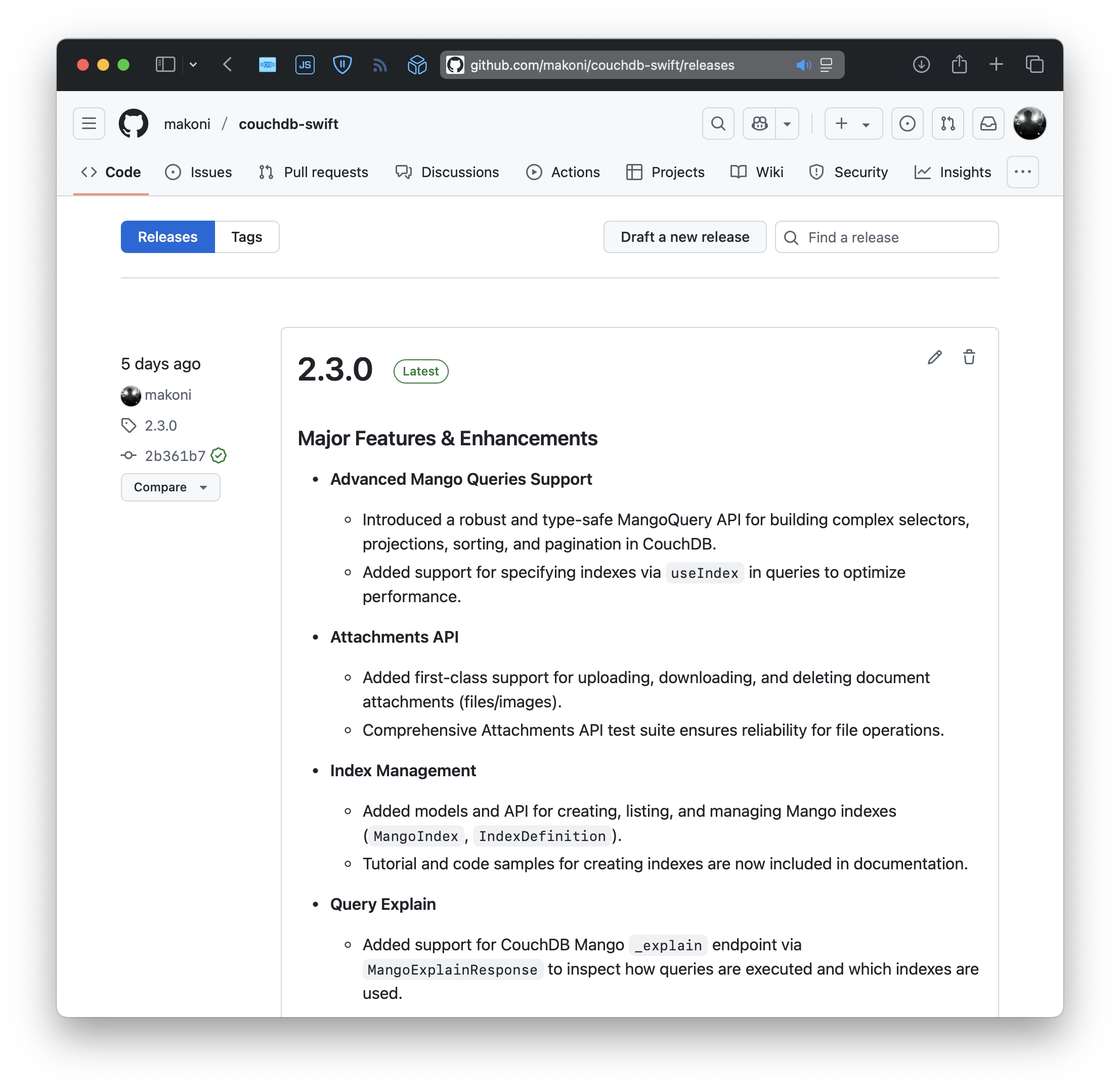
Recently, I've implemented a feature that I wanted to add to the CouchDB Swift client for a long time. It's Mango Queries support. Finally, it is done in 2.3.0. Feels like the last remaining big feature.

Changelog:

  • Introduced a robust and type-safe MangoQuery API for building complex selectors, projections, sorting, and pagination in CouchDB.
  • Added support for specifying indexes via useIndex in queries to optimize performance.
  • Added first-class support for uploading, downloading, and deleting document attachments (files/images).
  • Comprehensive Attachments API test suite ensures reliability for file operations.
  • Added models and API for creating, listing, and managing Mango indexes (MangoIndex, IndexDefinition).
  • Tutorial and code samples for creating indexes are now included in documentation.
  • Added support for CouchDB Mango _explain endpoint via MangoExplainResponse to inspect how queries are executed and which indexes are used.

CouchDB Client on GitHub | Documentation with examples and tutorials.

Star Fork

A story of one bug in Leaf

event Jul 31, 2025 at 22:18

A story of one bug in Leaf

This website is working on Vapor - a server-side Swift framework. It's pretty old, popular, and well known.

I’ve used it for a few years already and always liked that it's fast and doesn't require a lot of memory on the server.

I'm keeping all dependencies up to date. But recently I've noticed that the website started to eat a lot of memory. It starts with about 20 mb of memory usage, but after a few weeks, I found that it ate about 750 mb on the server.

That's a lot for such a simple website, so I started digging. After reviewing the site code (which I didn't change for a long time), I couldn't find any issues (and AI agents too).

I use Leaf - a template engine from the Vapor team to render HTML. And there was an open issue on their GitHub repo describing exactly the same problem.

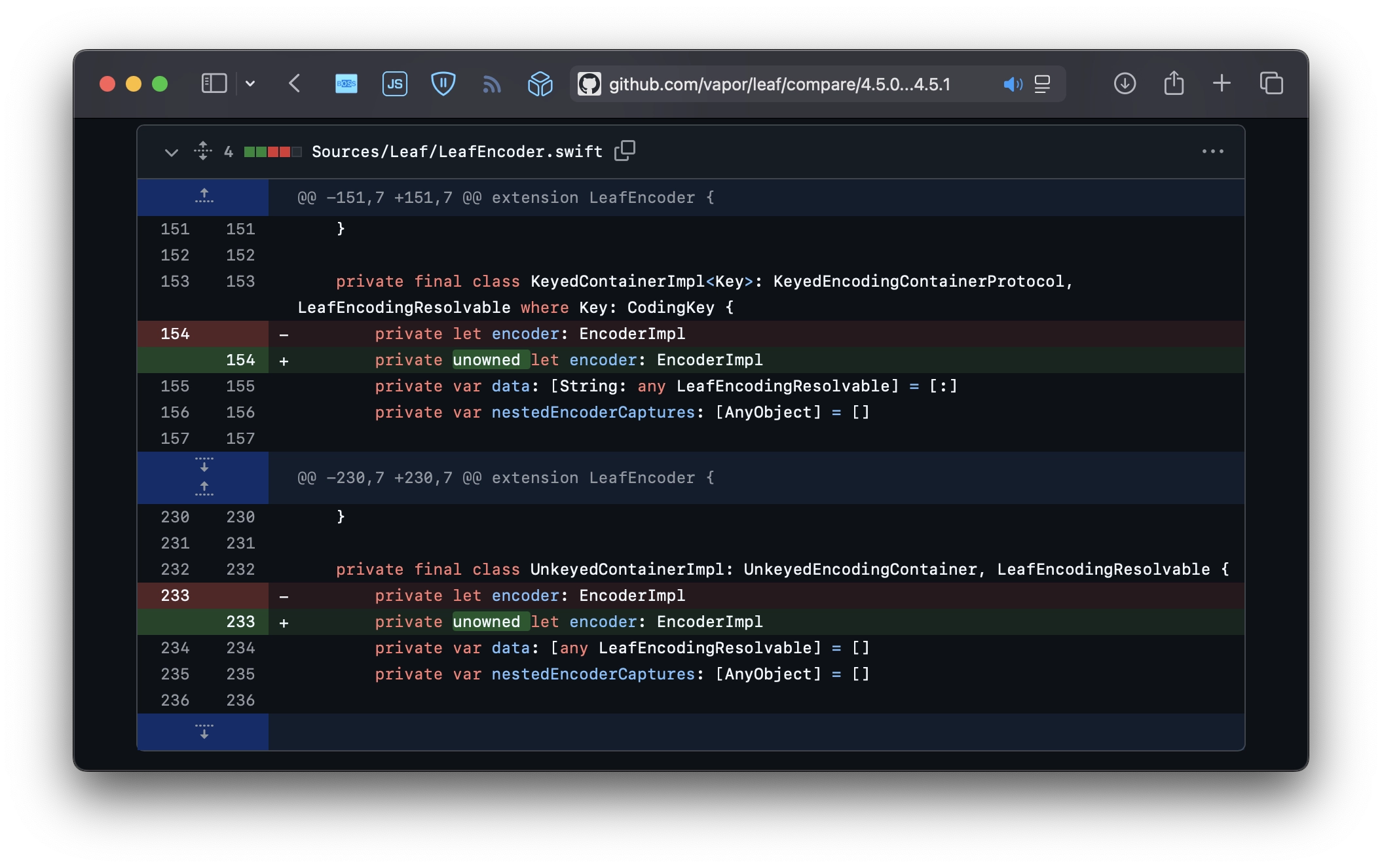
So I've asked Copilot to help me debug what's wrong. Pretty quickly, it added some new tests to my fork that did a lot of renders in a cycle. And leak util found retain cycles. So I fixed that with some weak annotation, but during the review of my PR, a maintainer suggested to just use unowned.

And that's it. 2 lines of code fixed memory growth. It's hard to believe, but after a few hours since the deploy, the website still takes only 2 mb of memory. So I'm very proud of myself today.

Morale: contribute to the open-source project that you use.

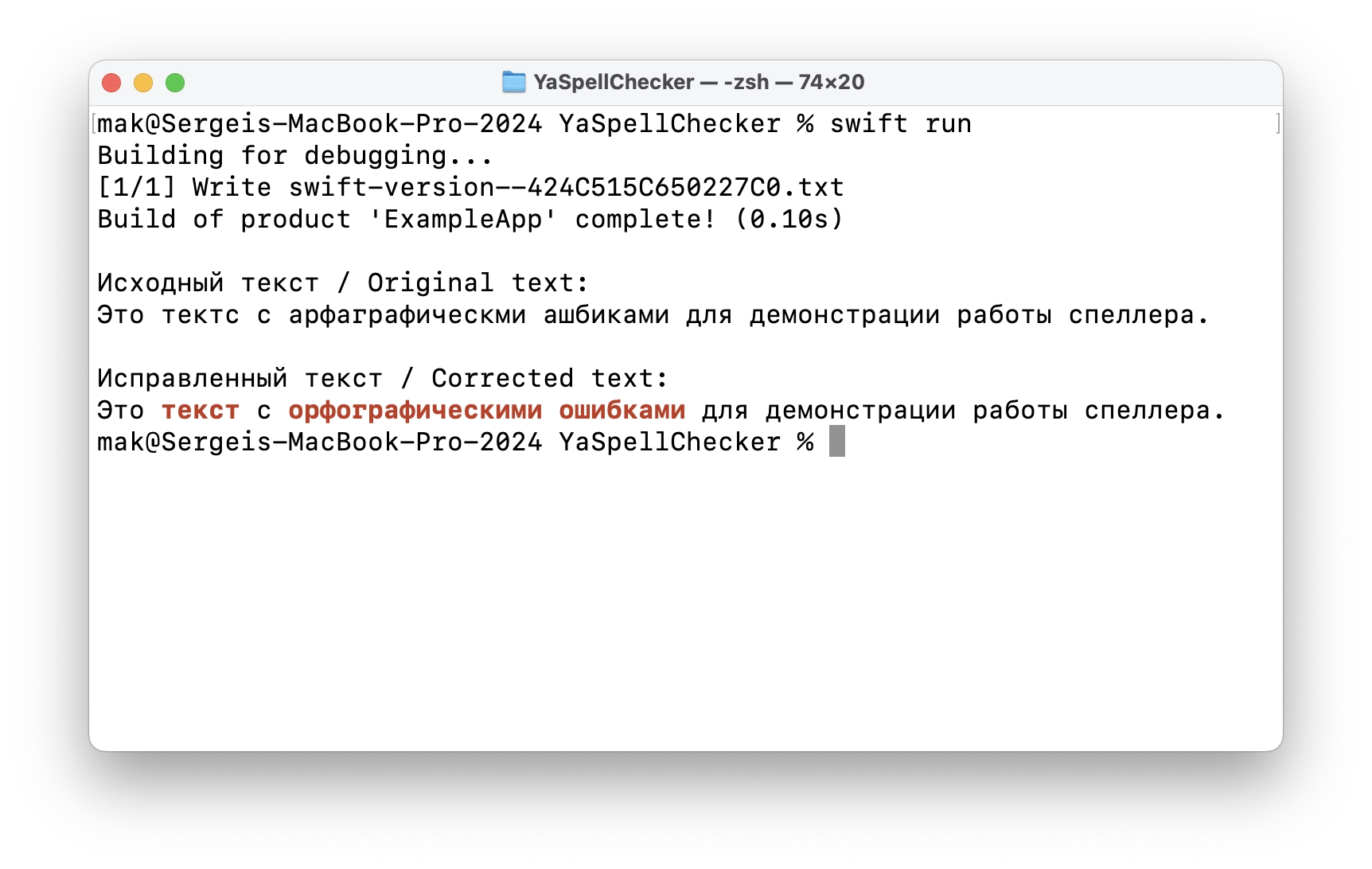
A Swift package for spell checking using Yandex.Speller

event Jul 10, 2025 at 14:05

A Swift package for spell checking using Yandex.Speller

For my own purposes, I wanted to add a spell checker to one of my apps. It should check the text and automatically correct it. Built-in macOS writing tools work fine for English, but don’t work for Russian.

So after it's done, why not share it?

https://github.com/makoni/YaSpellChecker

SwiftUI text editor for macOS with HTML syntax highlighting

event Jul 9, 2025 at 23:01

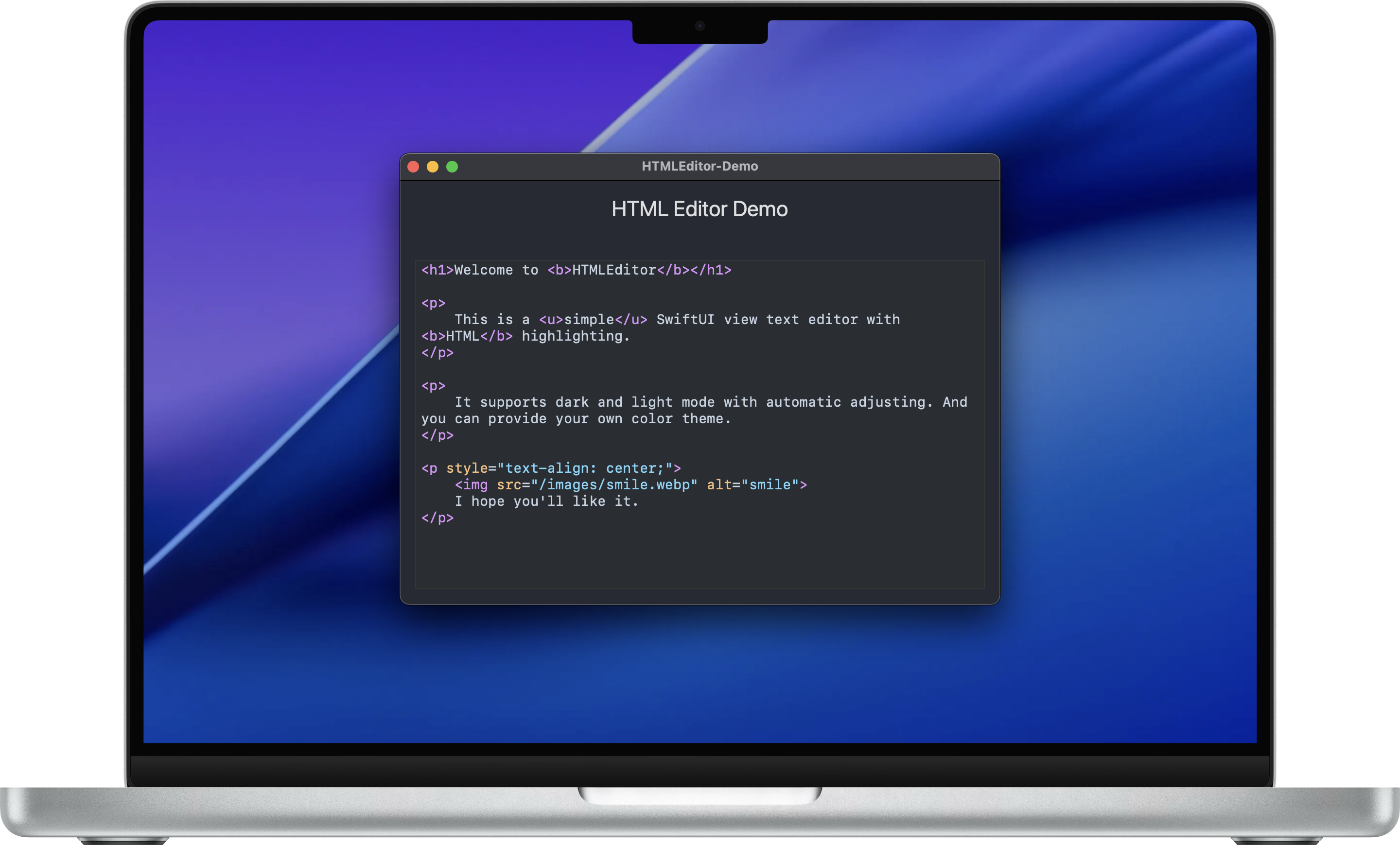
SwiftUI text editor for macOS with HTML syntax highlighting

A few months ago, I wanted to add a text editor to one of my apps with HTML syntax highlighting. I tried a couple of libs that I found on GitHub, but none of them really worked for me. Mostly, they are too heavy and try to do everything. And in the end, they are glitchy and buggy.

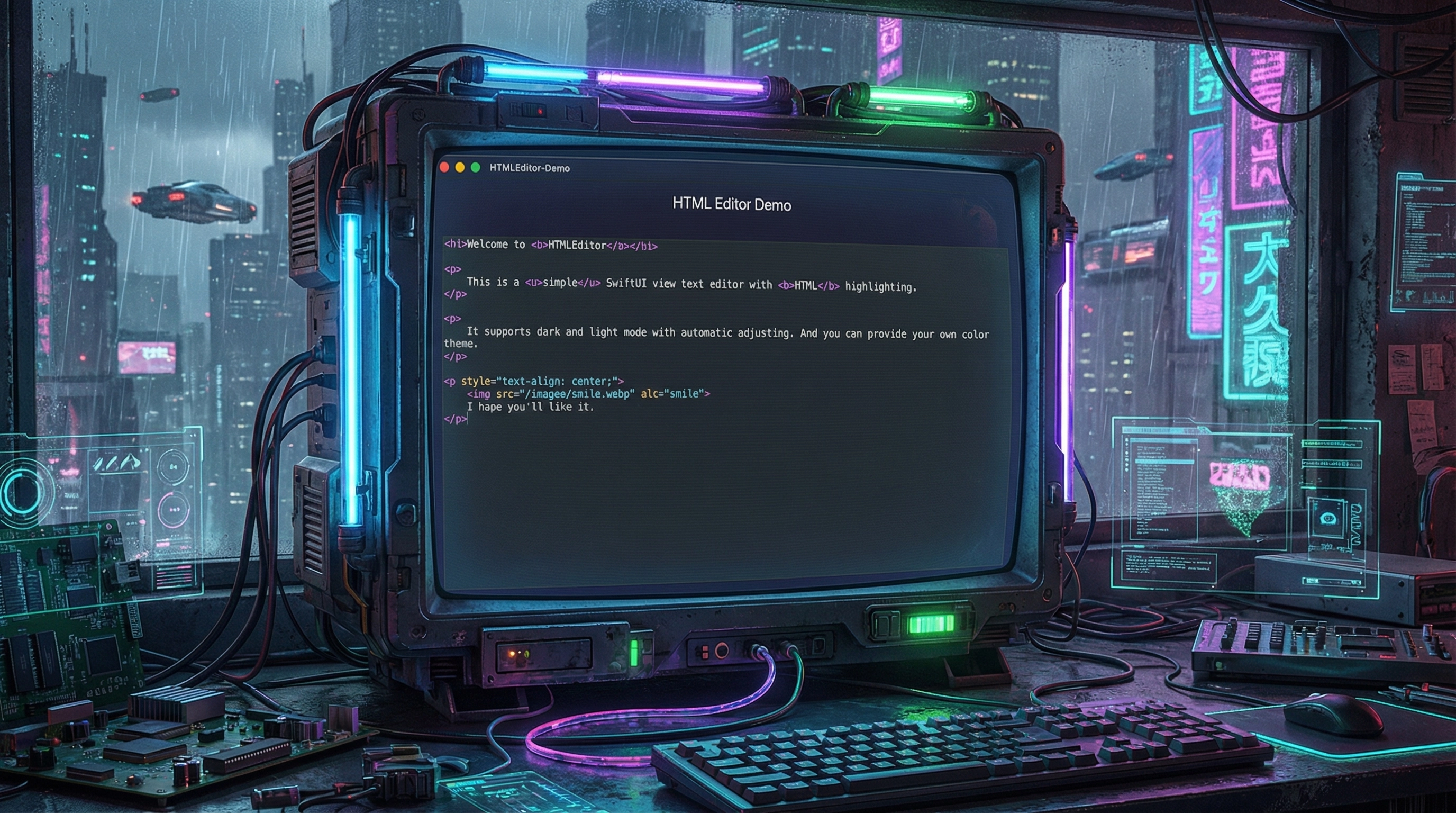
So inspired by vibe coding, I made my own. It works fine for me and doesn't try to be an IDE or a real code editor. Just a simple SwiftUI view with a text editor with syntax highlighting. Colors are customizable with a simple struct.

Try it on GitHub: https://github.com/makoni/HTMLEditor-SwiftUI

Recent updates of my projects

event Jul 8, 2025 at 19:57

Recently, I've been playing a lot with AI agents, and it really inspired me to update my projects. Playing with real-life tasks makes it more fun.

Couchdb Swift client lib

There are 2 new releases of couchdb-swift library. Copilot kindly added more unit tests to the library to cover more use cases. Mostly failures. I still had to tweak a lot manually, but it gave me some ideas. So I've added more error handling in these 2 recent releases. Also, it found a couple of minor bugs and fixed them, reviewed my PR, and suggested some improvements. Far from being perfect yet, but still pretty impressive.

Release Informer Bot for Telegram

At some moment, I found that Copilot Agent is available for my account, and I can simply start with an issue on GitHub, assign it to the agent, and see what it will do. I've started with a request to update the README for Release Informer Bot with some nice details about how it works and how to set it up.

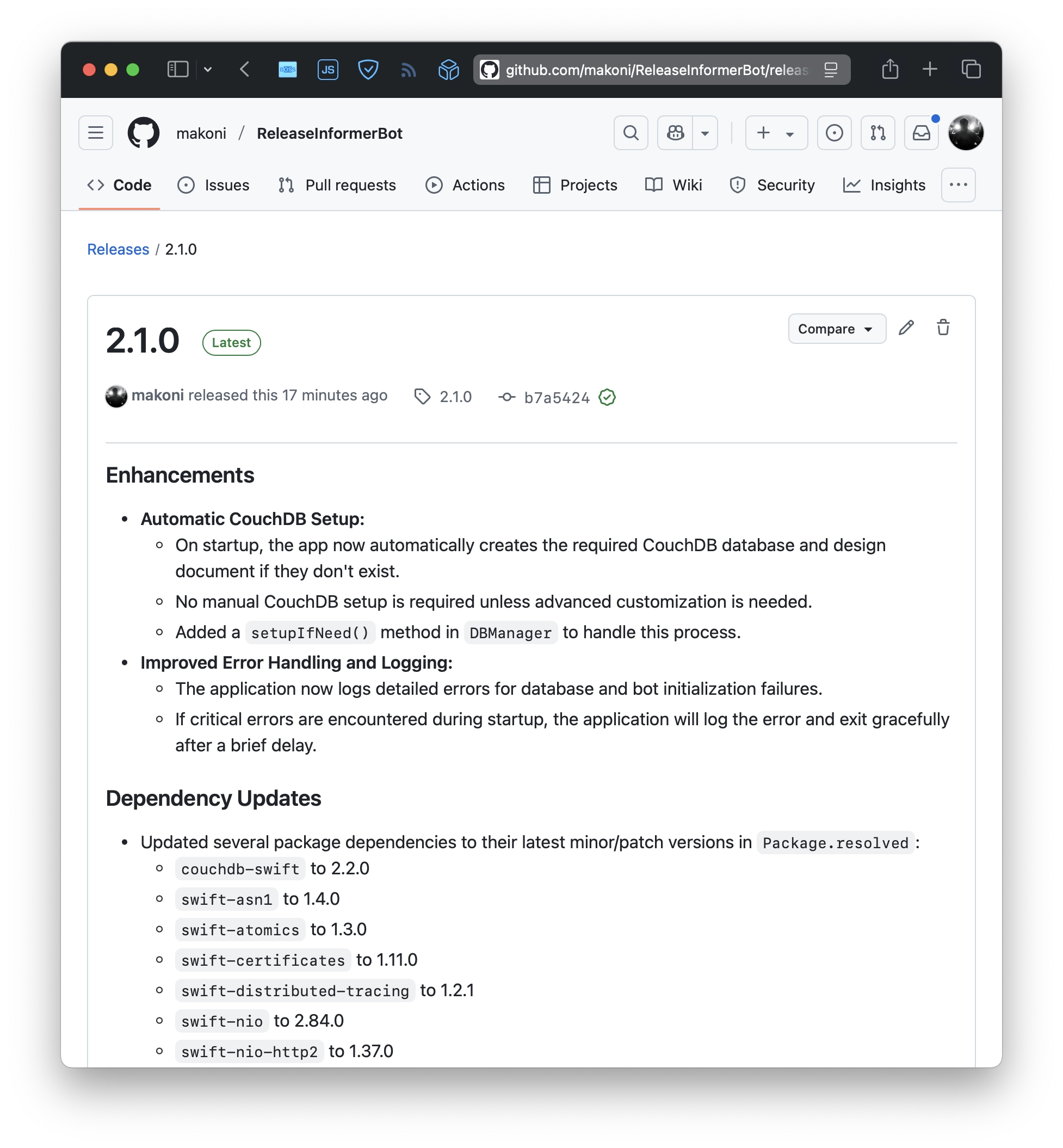
After the agent finished the updated README, it gave me another idea. Setting up might be automated. So I've opened Visual Studio Code and asked the Copilot agent to add automatic creation of the required database and set it up with the required CouchDB indexes.

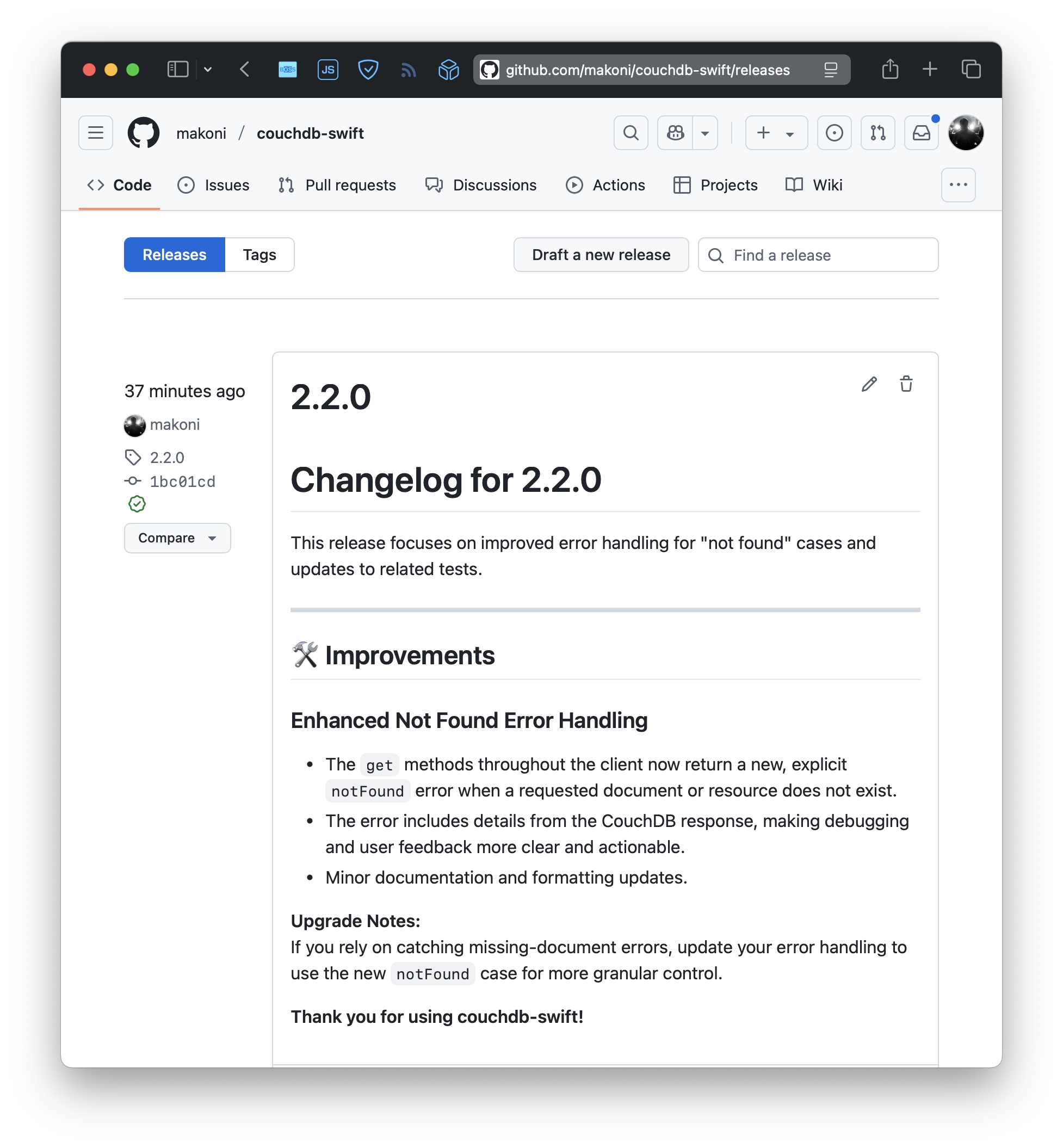
It also did a good job, but it still required some manual tweaks and changes. And during that, it led to one more release of the CouchDB client lib because I wanted to rely on a proper "not found" error.

It's hard to tell how much time Copilot saved me. But definitely a lot. Including my favorite automatic string translations. Hopefully, that will inspire me to ship more.

CouchDB client for Swift version 2

event Apr 16, 2025 at 09:48

CouchDB client for Swift version 2

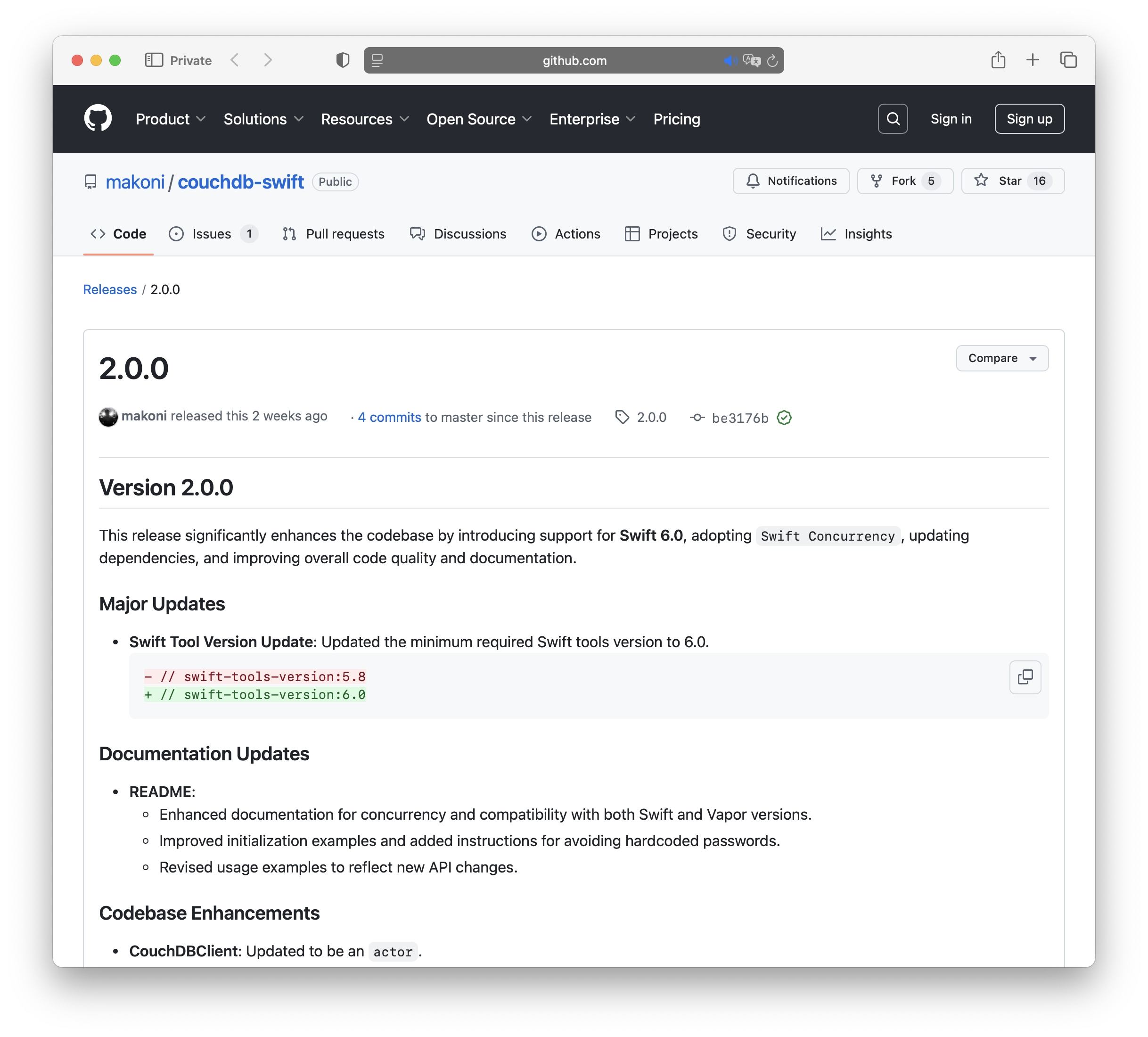
Recently, I’ve released a few new versions of the CouchDB client for Swift. The latest version is version 2, and it includes several key changes:

  • Updated the minimum required Swift tools version to 6.0.
  • Adopted Swift Concurrency. CouchDBClient has been updated to be an actor.
  • Renamed the library from couchdb-vapor to couchdb-swift to better reflect its purpose as a general CouchDB client for Swift, beyond Vapor-specific use cases.
  • Made some changes to the initializer. Instead of passing a lot of parameters, it now accepts a Config structure.
  • You can pass your own HTTPClient instance to be used in the client.
  • Added translations for error messages.
  • Introduced a dedicated tutorial for integrating CouchDBClient with the Hummingbird server-side framework.
  • Added a shutdown() method to properly release resources associated with the HTTPClient.

CouchDB Client on GitHub | Documentation with examples and tutorials.

Star Fork

Swift CouchDB client 1.5.0

event Apr 8, 2024 at 21:27

Swift CouchDB client 1.5.0

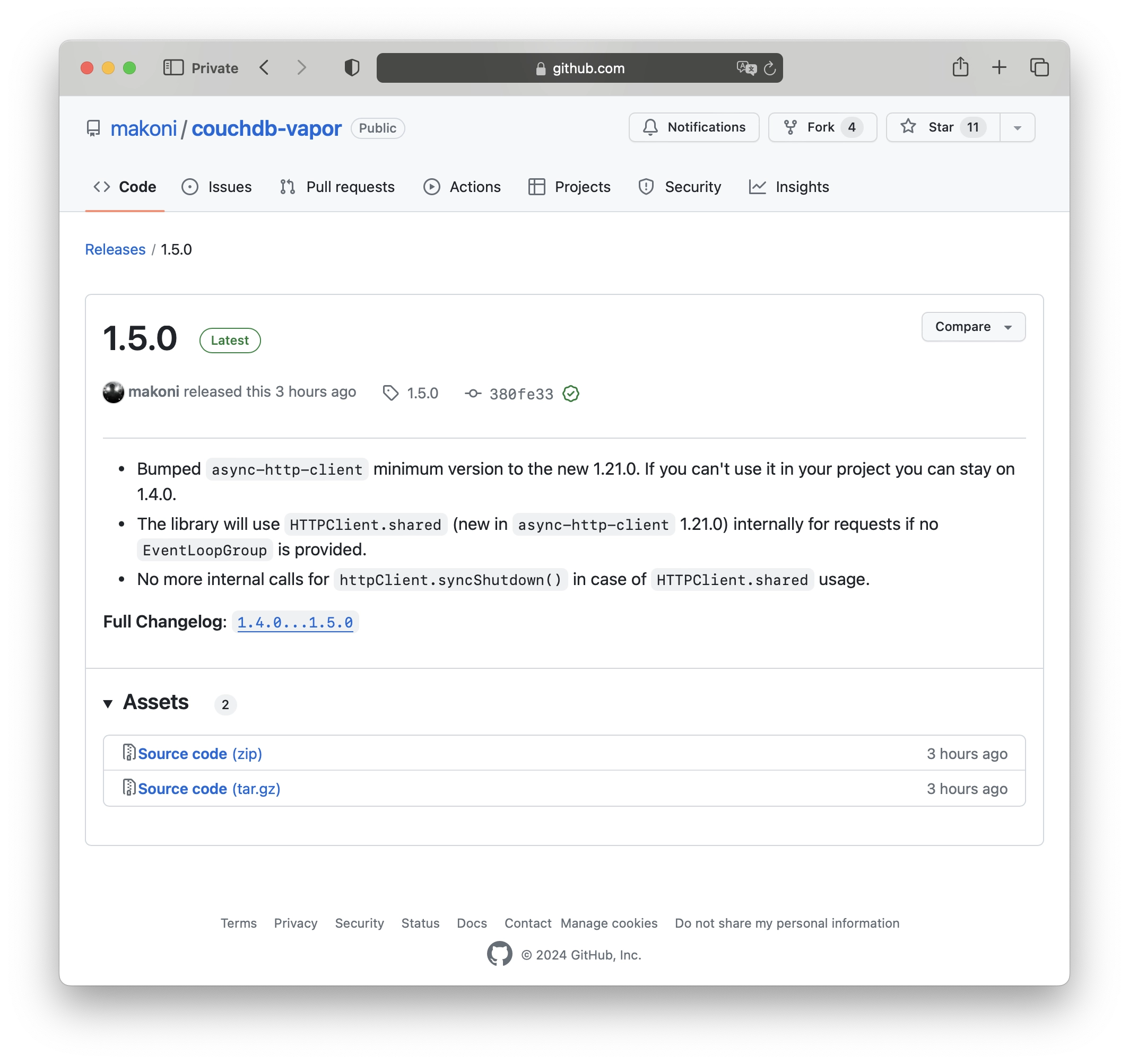
And here we go, one more new version of the CouchDB client library. After the recent post about 1.4.0, Swift on Server released a new version of async-http-client that includes a new implementation of the client singleton. Now it's HTTPClient.shared, so I've updated the CouchDB library to adopt that change. This also means that you no longer need to call httpClient.syncShutdown() if the singleton is used. Additionally, they've bumped the minimum Swift version to 5.8 (which I aslo did in version 1.4.0 of the CouchDB client library). So, I'm keeping the library up to date.

Changelog:

  • Bumped the minimum version of async-http-client to the new 1.21.0. If you can't use it in your project, you can still stay on 1.4.0.
  • The library will now use HTTPClient.shared (new in async-http-client 1.21.0) internally for requests if no EventLoopGroup is provided.
  • No more internal calls for httpClient.syncShutdown() in case of HTTPClient.shared usage.

CouchDB Client on GitHub | Documentation with examples and tutorials.

Swift CouchDB client 1.4.0

event Apr 8, 2024 at 11:11

Swift CouchDB client

A new version of CouchDB Client has been released:

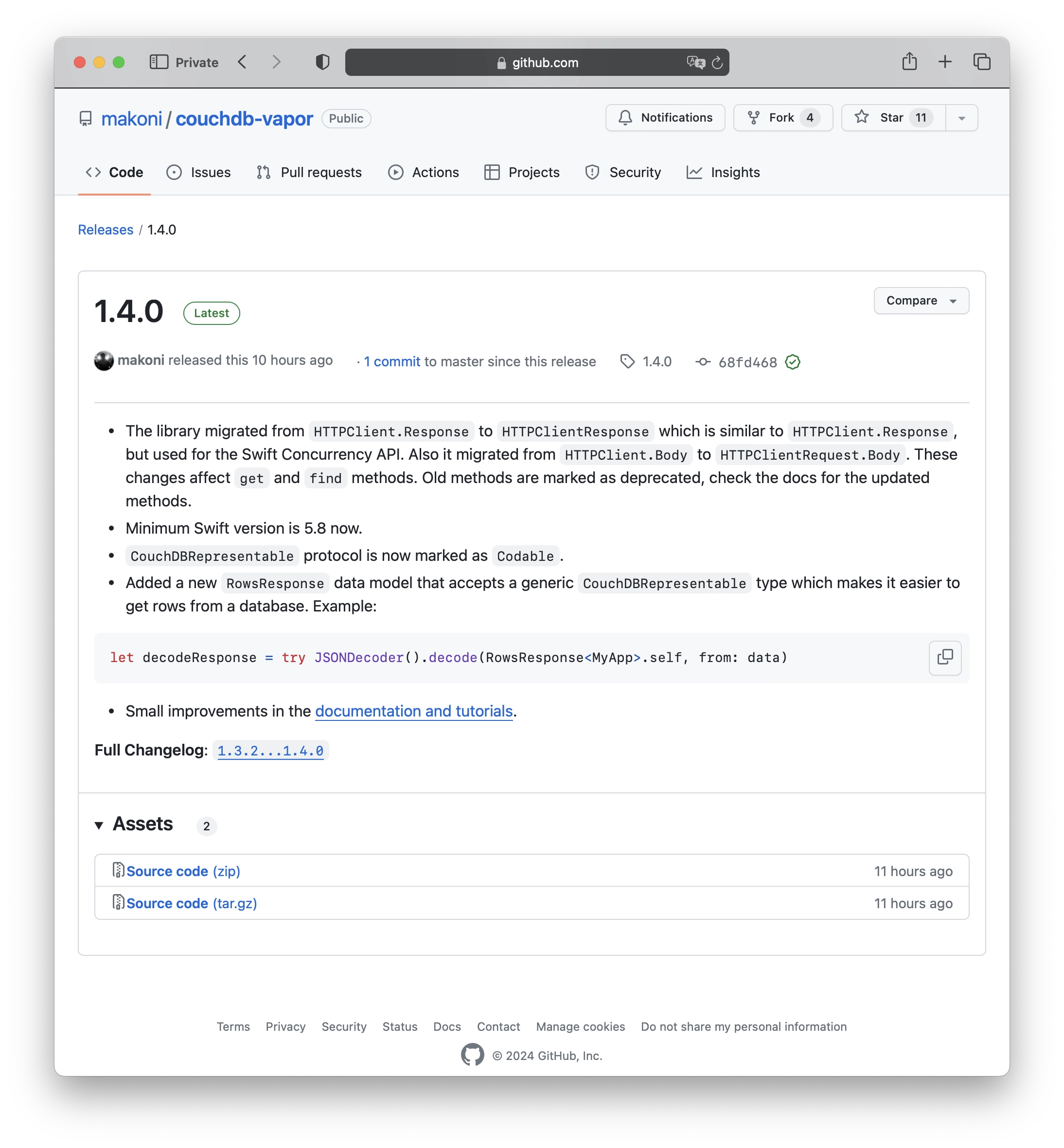
  • The library migrated from HTTPClient.Response to HTTPClientResponse, which is similar to HTTPClient.Response but used for the Swift Concurrency API. It also migrated from HTTPClient.Body to HTTPClientRequest.Body. These changes impact the get and find methods. Old methods are marked as deprecated, please refer to the documentation for the updated methods.
  • The minimum Swift version is now 5.8.
  • The CouchDBRepresentable protocol is now marked as Codable.
  • Additionally, a new data model called RowsResponse has been added. It accepts a generic CouchDBRepresentable type, making it easier to retrieve rows from a database. For example:
    let decodeResponse = try JSONDecoder().decode(RowsResponse<MyApp>.self, from: data)
  • Lastly, there have been small improvements in the documentation and tutorials.

CouchDB Client on GitHub | Documentation with examples and tutorials.

Swift CouchDB client 1.3.2

event Mar 29, 2024 at 22:27

Swift CouchDB client

Recently, there have been a couple of new releases for my Swift CouchDB library. Here are the recent changes:

  • dateDecodingStrategy and dateEncodingStrategy can now be passed as parameters for get, update and insert methods.
  • Added a check to handle expired authentication cookies.
  • Comparing the set-cookie header in the response as lowercased.
  • Introduced new methods to utilize the _find API, allowing you to find documents using a declarative JSON querying syntax
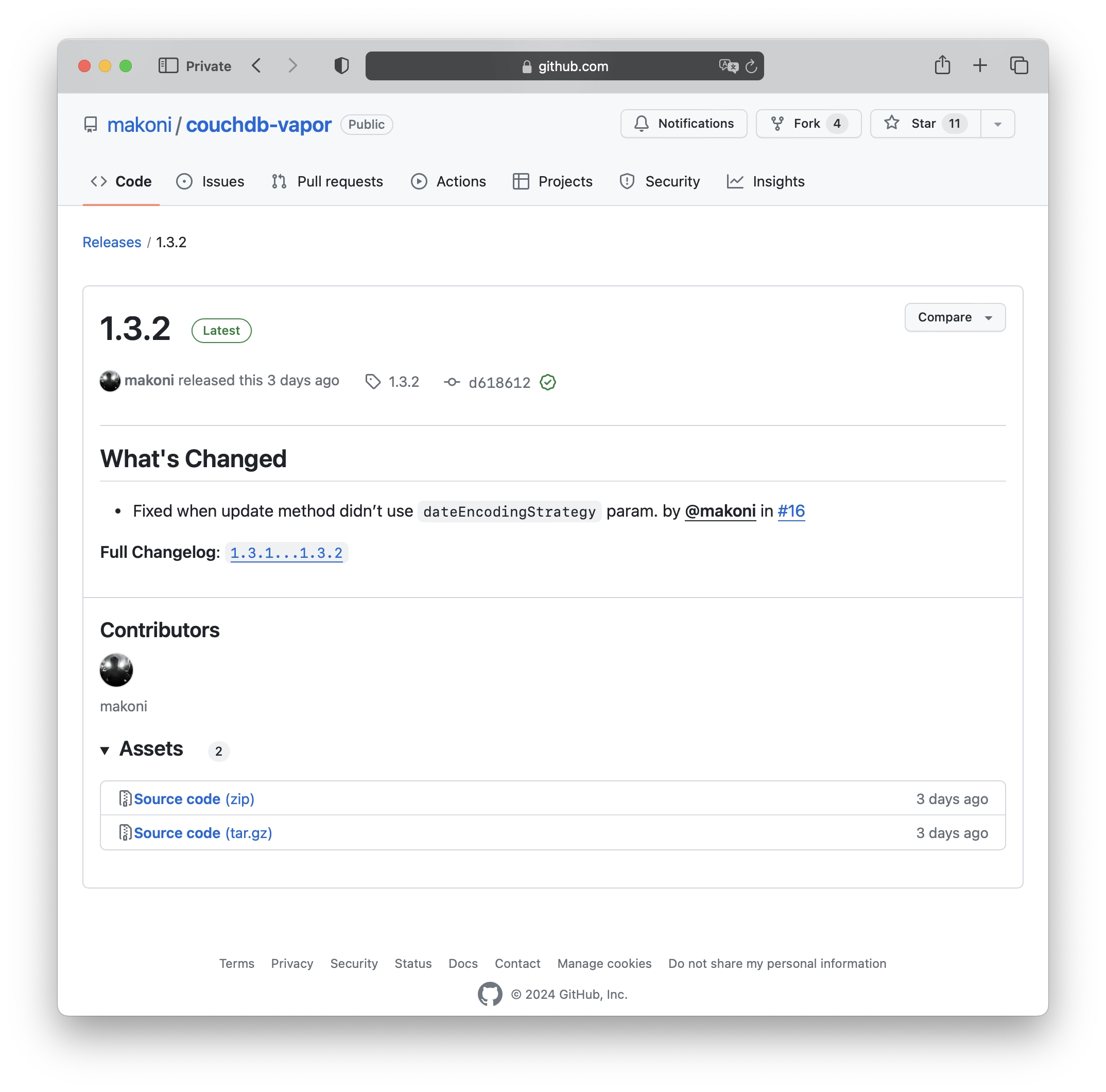
  • Fixed an issue where the update method didn’t use dateEncodingStrategy parameter.

CouchDB Client on GitHub | Documentation with examples and tutorials.

Swift CouchDB client 1.2.1

event Dec 26, 2022 at 22:50

Swift CouchDB client 1.2.1

Just a small update for Swift CouchDB client lib with couple new methods that I needed by myself:

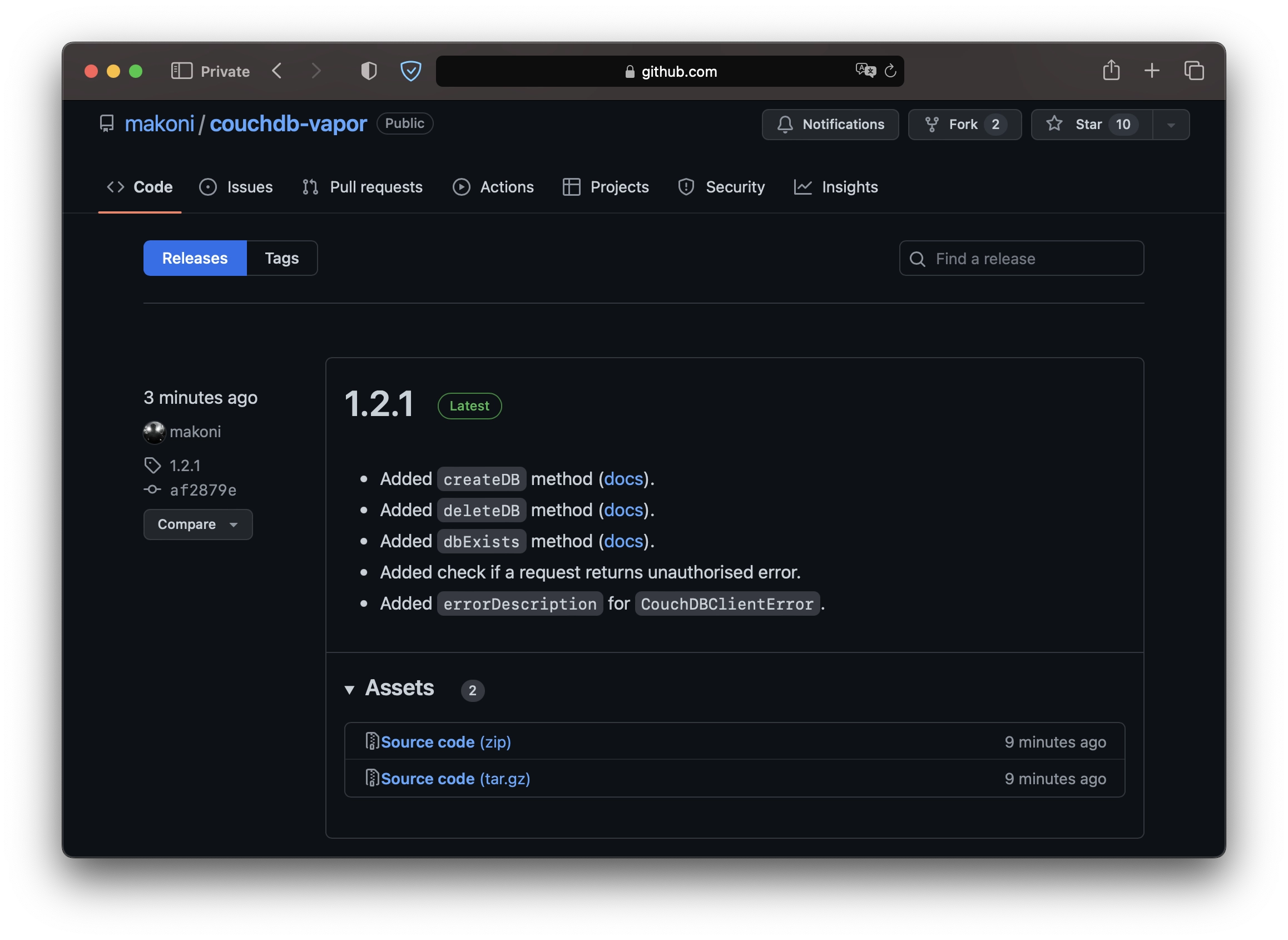
  • Added a new method to create a database [docs].
  • Added a new method to delete a database [docs].
  • Added a new method to check if a database exists [docs].
  • Every request handles unauthorised errors now.
  • CouchDBClientError model has a description text now.

CouchDB Client on GitHub | Documentation with examples and tutorials.

Swift CouchDB client 1.2.0

event Oct 4, 2022 at 23:18

Swift CouchDB client 1.2.0

Couple months ago I started learning Apple's DocC tool that generates documentation from your source code. I've decided to use as many features as possible so I took my small lib CouchDB Client and added docs to every method including usage examples that Xcode will show in the autocomplete popup. As it often happens, during adding docs and examples I found that many things in the library can be done in a much better way. So I've updated existing methods and added some more that can take a doc as a param and use generic types.

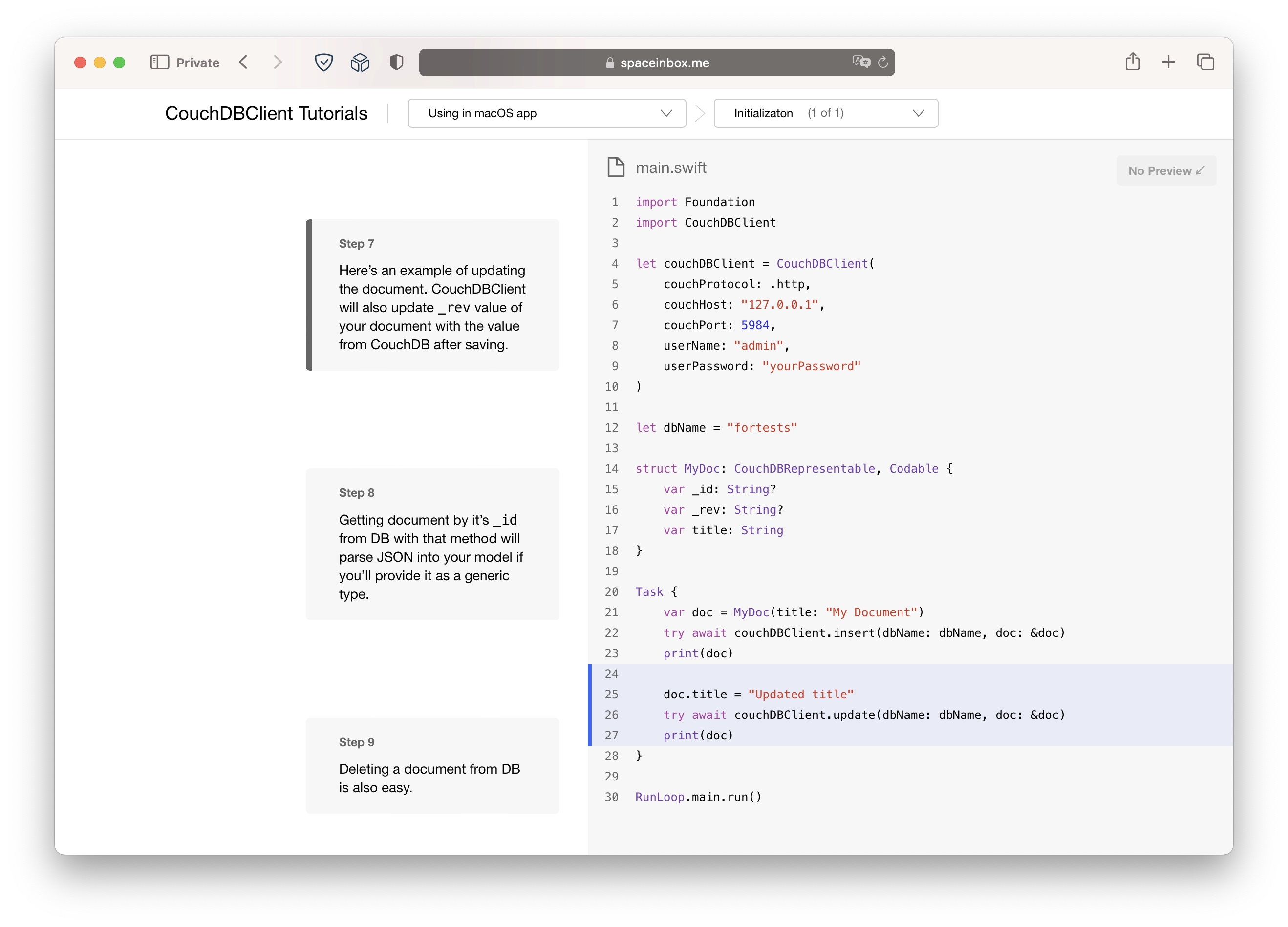
Next step was tutorials. Apple allows devs to create exactly the same tutorials as they have for SwiftUI on their own website. So I've added a couple. They're also part of the repo on GitHub.

Pretty sure that I've spent more time on the documentation than on the lib itself but I hope it's worth it.

CouchDB Client on GitHub | Documentation with examples and tutorials.

Swift CouchDB client 1.0.0

event Nov 30, 2020 at 17:46

Swift CouchDB client library

Finished new version of Swift CouchDB client. Now it's using only async-http-client as a dependency to make http/https requests. Can be used with Vapor 4.

Available on Github: https://github.com/makoni/couchdb-swift

Syntax sugar for JSON parsing in Swift

event Sep 23, 2019 at 22:43

JSON decoding and encoding became easy after adding Codable protocol in Swift 4.0. But during coding I wanted to have something shorter and more elegant than Do-Catch statement that looks like this:

var myModel: MyModel?
let decoder = JSONDecoder()

do {
    myModel = try decoder.decode(MyModel.self, from: data)
} catch {
    print(error.localizedDescription)
}

Or like this:

let myModel: MyModel? = try? decoder.decode(MyModel.self, from: data)

So I wrote a protocol with default implementation that allows to do decoding just like that:

let myModel = MyModel.decodeFromData(data: data)

And the same for encoding:

let data = MyModel.encode(fromEncodable: myModel)

All you need is just to add protocol conformance:

extension MyModel: Parseable {
    typealias ParseableType = Self
}

It's available on GitHub as a Swift Package: https://github.com/makoni/parsable

JPG to HEIF converter

event May 21, 2018 at 23:19

JPG to HEIF converter

Today I've decided to experiment with HEIF that was introduced by Apple with macOS 10.13 and iOS 11. They said that it has the same quality with much lower file size.

It's supported in the latest versions of macOS and iOS and last models of iPhone can take pictures in that format.

I'm thinking about compressing my home archive of photos and videos. I was experimenting with HEVC (H.265) and results were great - I had reduced the size of my videos by encoding them to HEVC with an awesome util called HandBrake.

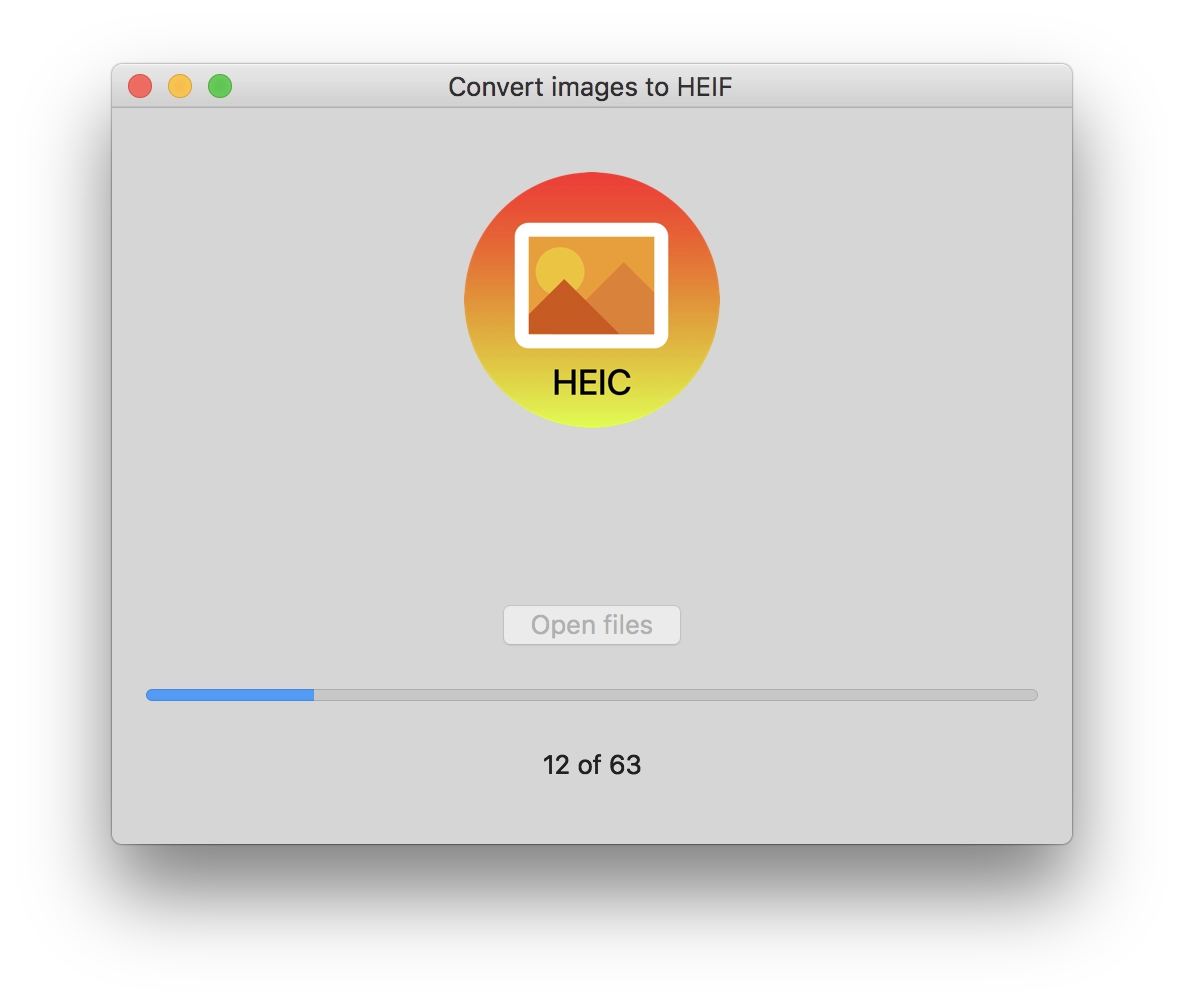
I found the only way to convert JPG to HEIF (which has HEIC extension). It's possible with the Preview app from macOS. But it would be interesting for me if I can do it by myself in Swift. So I did :)

My folder with 64 photos from my action camera was 203 mb in JPG format. And it's only 31.3 mb in HEIC.

macOS and iOS support it from the box. And what's interesting - it's easy to add pictures in this format to the Photos library and it will appear on all your devices that use iCloud. But if you want to export this picture from the Photos library - it will be converted to JPG on the fly, so it looks like you can't export the original HEIC file.

The converter is free and open source (but it's for macOS only): https://github.com/makoni/jpg-to-heif-converter