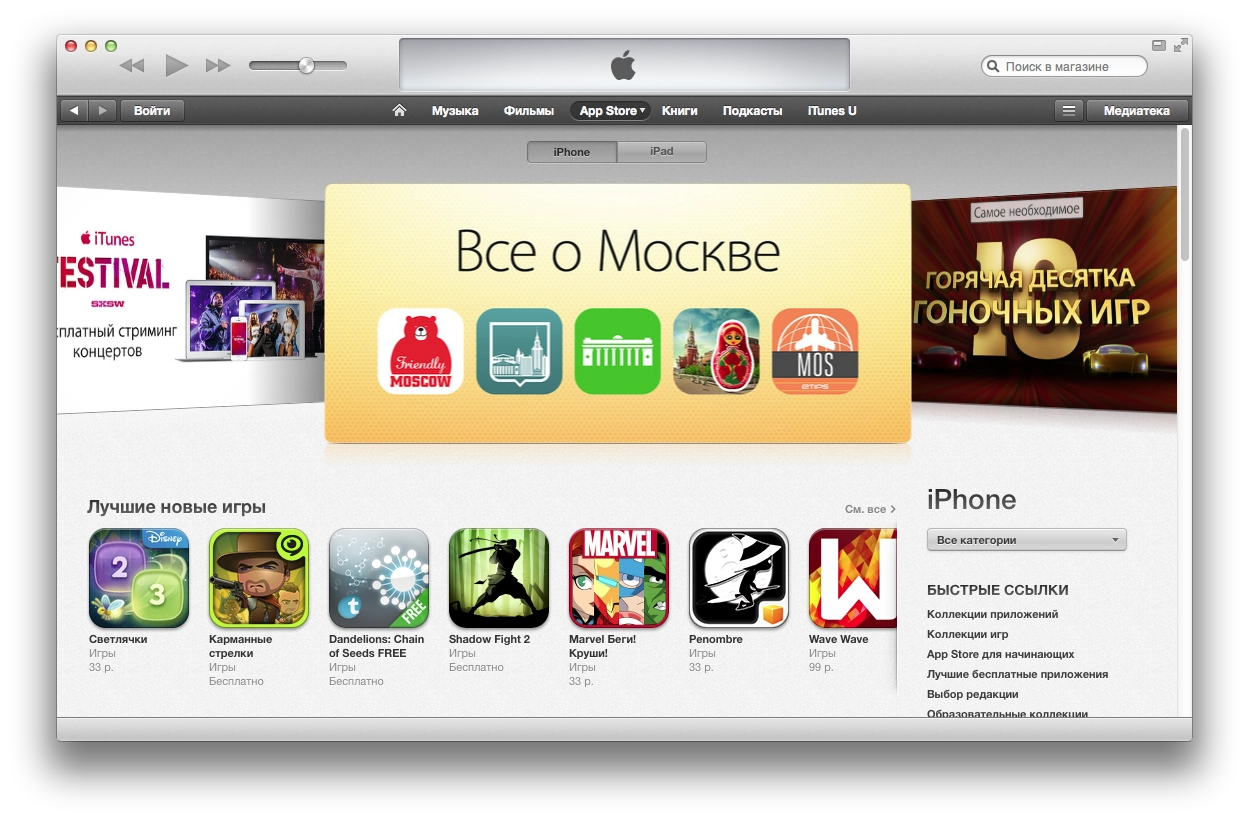
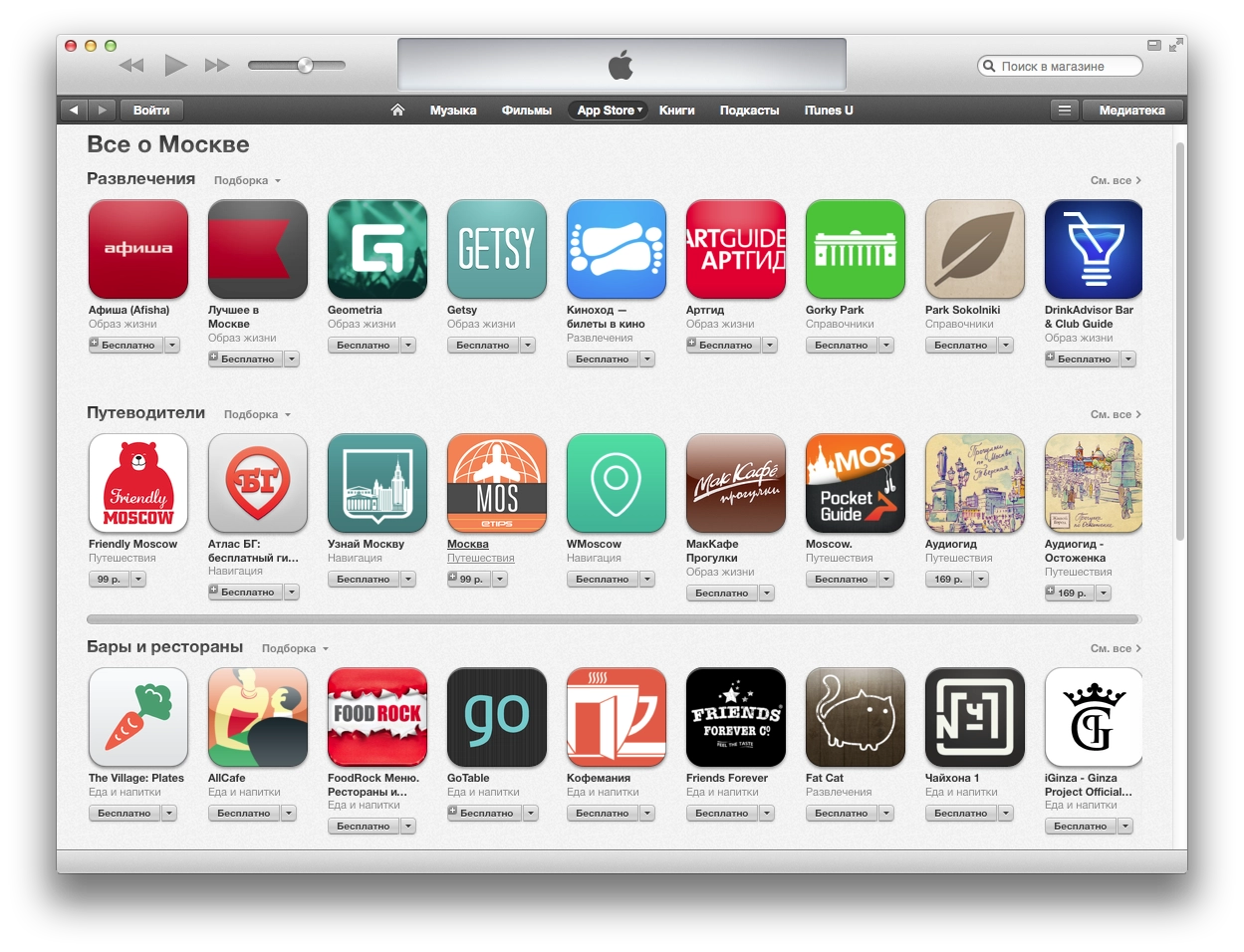
AllCafe for iPhone Featured in the “All About Moscow” Section of the App Store
A small thing, but nice. A separate “All About Moscow” collection appeared in the Russian App Store, and an app I wrote made it into it.

Hooray, I finally more or less finished the new version of the Dolphin fan site on a new engine. The old one was on an old Joomla version that got hacked, and I really did not want to clean all the spam out of it while also looking for the vulnerability.
The new version is custom-built. I decided to make it with CouchDB — lately I have really been liking this document-oriented database. In the end I had to do the design myself. I wanted some minimalism. I also decided not to have any registration on the site. You can simply sign in via social networks to post comments. I used Loginza for that. Still, I have a suspicion that the project started dying after Yandex bought it. Nobody answers on the forum about bugs, and now it has been killed completely. Apparently nobody is going to fix Twitter authorization either. That is Yandex for you. They laugh at Google for buying projects to shut them down, while buying projects that then wither away themselves. Take kinobaza.tv, for example.
I got distracted. The site will have a huge archive of materials. It turned out that even reworking and organizing all the old material takes a lot of time and effort. I hope I will gradually upload everything there little by little.
For now I am successfully sticking to my plan: release something at least once a month. January and February — done :)
And here is the link to the site: dolphinfanclub.net
I released an update for the This Day app. I redesigned it for iOS 7 (which is roughly the same as removing almost all styling altogether). In my opinion it became nicer and more concise.
I used the standard UIActivityViewController for sharing via Facebook, Twitter, and other built-in options such as email, sms/iMessage, etc., and I also added Vkontakte-iOS-SDK for sharing to VK instead of the homemade thing that had been there before. True, there are not really any visual differences for the user, and by the time I finally got around to polishing everything, VK had already released an official iOS SDK, but I did not want to dig into it just to replace something that was already working.
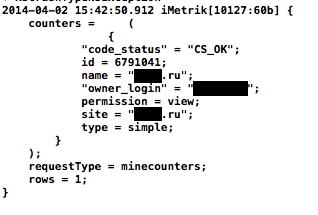
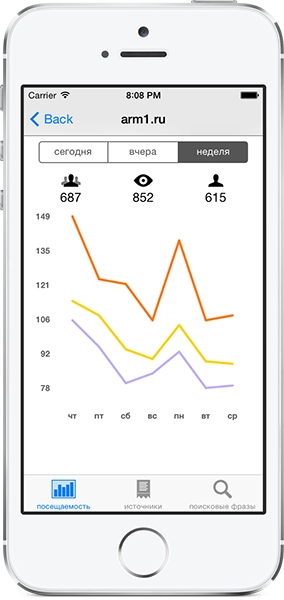
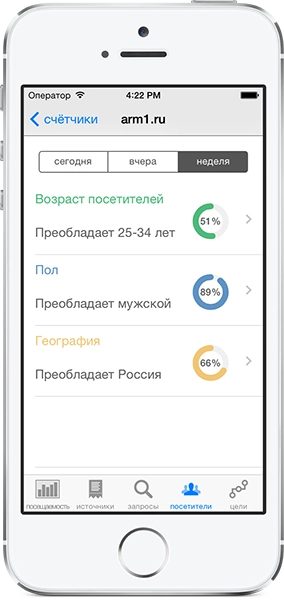
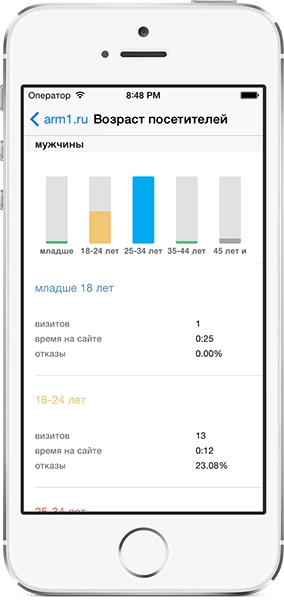
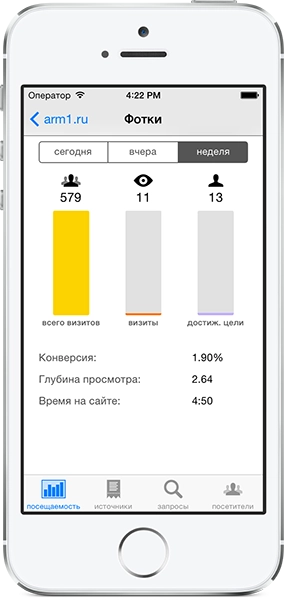
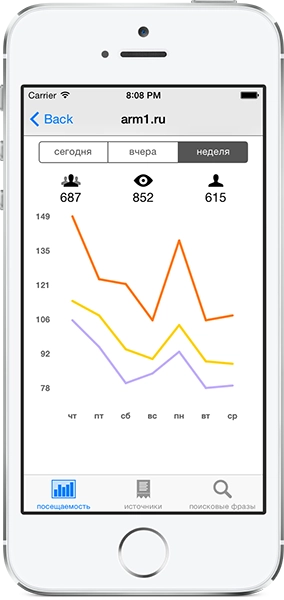
At the same time I got rid of the now unnecessary SBJson for working with JSON, because you can safely use the NSJSONSerialization already built into iOS. I decided to add Yandex.Metrica Mobile to the app to count users properly and see, for example, who uses which iOS version and on what device. For now I am just watching the numbers; it is informative.
This is how the little hobby project continues. I will think about what else to build into it, and then I will write the next app. For now — download/update:
Translation of an answer on stackoverflow.com to the question about the differences between CouchDB and Couchbase.
I think there are some essential differences between CouchDB and Couchbase Server that need to be pointed out.
I will not write about the advantages of switching from CouchDB to Couchbase Server because those are described pretty much everywhere (see The Future of CouchDB by Damien Katz or Couchbase vs. Apache CouchDB by Couchbase). Instead, I will try to enumerate features of CouchDB that you will not find in Couchbase Server.
There is CouchDB, CouchIO, CouchOne, Couchbase, Couchbase Server, Couchbase Mobile, Couchbase Lite, CouchApps, BigCouch, Touchbase, Membase, Memcached, MemcacheDB... all different and yet related, obviously not only by name.
First, there was CouchDB, a database created by Damien Katz, a former IBM developer. Its official name changed to Apache CouchDB after it became an Apache project.
A company named CouchIO was founded to work on Apache CouchDB and later changed its name to CouchOne (I mean the company name, not the database name).
CouchOne (formerly CouchIO) merged with Membase (formerly NorthScale) to form a new company called Couchbase. Membase (the company) developed Membase (a product of the same name). Membase was created by several leaders of the Memcached project and used the Memcached protocol. After the merger of CouchOne and Membase, Couchbase continued developing the Membase software and later changed its name to Couchbase Server.
Today, I think most people believe that Couchbase Server is a new version of CouchDB, but in fact it is a new version of Membase. It still uses the Memcached protocol and does not use CouchDB's REST API. Meanwhile, CouchDB is still CouchDB, actively maintained and developed as an Apache project.
Now to the relevant differences:
Couchbase Server is not entirely open-source/free software. There are two versions: Community Edition (free but without the latest bug fixes) and Enterprise Edition (there are restrictions on usage, confidentiality provisions, audits by Couchbase Inc. that «will be conducted during regular business hours at Licensee's facilities», and other terms typical of proprietary software that many people may find unacceptable).
CouchDB is open-source/free software (no strings attached), a project of The Apache Software Foundation, and is distributed under the Apache License, Version 2.0 (DFSG-compatible, FSF-approved, OSI-approved, GPL-compatible, non-copyleft, commercial-friendly).
I have never seen this pointed out directly, but it may actually be the biggest difference between these two databases because it is about the philosophy of distributed computing models and not just certain features, APIs, or licensing. CouchDB and Couchbase Server are completely different in their views on building distributed systems and databases.
According to the CAP theorem (consistency, availability, partition tolerance), it is impossible for a distributed database to simultaneously provide consistency, availability, and partition tolerance.
CouchDB is an AP-type system (provides availability and partition tolerance)
Couchbase Server is EITHER a CP-type system (according to Wikipedia) OR a CA-type system (according to the Couchbase technical update) — WHICH OF THESE IS CORRECT? PLEASE COMMENT.
Here is what I considered worth pointing out from the list of CouchDB features that are not supported by Couchbase Server:
These CouchDB capabilities may or may not be important to you, so whether their absence is a disadvantage or not is strictly subjective. But I think the decision whether to switch from CouchDB to Couchbase Server should be based on these differences and on whether you depend on these capabilities in your current CouchDB-based implementation.
For example, if you became interested in CouchDB after watching the changes in CouchDB talk at NodeCamp by Mikeal Rodgers or one of the CouchApp tutorials by J. Chris Anderson, you should realize that if you want to switch to Couchbase Server, you will have to forget quite a lot of what they were talking about.
Because of that, I would say that Couchbase Server looks like an evolution of Memcached and Membase (not an evolution of CouchDB), and therefore looks like a good product if you are already using Memcached and Membase. If you use CouchDB only for the simplest tasks, you can consider using Couchbase Server for them and it may work better (if you do not care about the licensing restrictions). But if you use any features that are unique to CouchDB (for example, changes feed, CouchApps, two-tier architecture, peer-to-peer replication, and so on), then you should either forget about them or stay with CouchDB. In any case, make sure you read and understand the migration guide for CouchDB users to Couchbase before you think about switching.
People often get the wrong impression (perhaps after reading something like «What is the future of CouchDB? The future is Couchbase») that CouchDB is somehow obsolete compared to Couchbase Server, or that it is an old version of Couchbase. Meanwhile CouchDB is an actively developing open-source project, Couchbase Server is a completely separate project (it is a newer project, but it is not a new version of CouchDB — they are not even compatible), and since even new tools for creating CouchApps are still being developed (for example, the Kanso project), CouchDB is not going anywhere anytime soon.
I hope this helps clear things up. Please correct me if I am wrong anywhere.
Couchbase Server is actually the new name for Membase Server (it was renamed to Couchbase Server somewhere around version 1.8). Take a look at the Couchbase 2011 review:
Unfortunately, we confused the hell out of many of our users. In addition to Membase Server and our new mobile products, we also offered Couchbase Single Server, which was a packaged distribution of Apache CouchDB.
On top of that, we began releasing developer previews of Couchbase Server 2.0, which incorporated CouchDB technology into Membase Server — but this product was not compatible with Couchbase Single Server (or CouchDB). [...] Membase Server will be renamed to Couchbase Server 1.8 in its next January release — a small step to ease the confusion around the name. As planned from the very beginning, the Couchbase Server 2.0 release (currently Developer Preview 3) will add index and query functionality. While Couchbase Server 2.0 will include a substantial part of the technologies from the CouchDB project, it will not be backward compatible with CouchDB and should not be viewed as a «version of CouchDB».
I decided to write a recap, but before New Year there was somehow no time for it, and during the holidays there was no decent internet.
2013 was like a storm, tossing me back and forth.
On the pleasant side, there were three new countries over the year: Thailand, France, and Sweden. In France, though, I did not see anything besides Paris, and even there I only moved around the center, but I explored Thailand and Sweden quite closely and in several places.
As usual, I will illustrate the year.
Funny enough, the year started with PTVP. On January 1, Vanya and I went to MOD for their show. It was somehow... extremely epic :)
In February I had a great two-week trip to Thailand, specifically Samui. Thanks to Olya and Rafael for the awesome hospitality. It really is a good place to relax.
This year we often got out into nature. For example, there was a picnic by the bay in Komarovo before the ice had even fully melted.
We made a trip to Finland once, supposedly for work, but in fact just to wander around :)
In summer we had two amazing tent trips to Ladoga. Being outdoors is just really great :)
In August we went to Paris for four days. Beautiful city. That beauty is spread very evenly across the whole city :) In Paris we went to the Rock en Seine festival. I saw another amazing Nine Inch Nails performance live, and we also checked out System Of A Down.
There were many, many concerts again this year. In 2014 I will probably shoot them only very rarely, if at all. But in 2013 these were great:
PTVP at MOD on January 1
Diablo Swing Orchestra at Aurora on February 23. That day was a landmark one in general :)
Title Fight at MOD on May 4
BKMSB at Aurora on May 12
4 апреля at Aurora on May 12
Billy's Band at Aurora, May 31
Anacondaz at Aurora, June 8. Anacondaz somehow became the band that united everyone this year.
Eskimo Callboy at Aurora on October 8
Annihilator at Aurora on November 8
And new for me in 2013: Zabitye. Alcoholics, slackers, and hooligans, but cool and fun.
Overall, the year was partly productive and partly disastrously wasted. I still did not launch my own projects; I will launch them in the new year. I gave up one of my two jobs and in general I am going to work for myself in my free time for now. And anyway, it is already time to do more serious things than running around concerts with a camera. There was a lot of fun and a lot of negativity, but it is all in the past now. Moving on.
2013 ended with a trip to Sweden, but that is another story :)
And I will finish, as usual, with a song.
There is a Homebrew issue on OS X 10.9 Mavericks: some packages do not compile from source. This affects programs written in C++. Yesterday I had to spend quite a bit of time solving it.
Judging by what I found on Google, the issue affects only those who upgraded from 10.8 to 10.9. For those who installed the system from scratch, everything seems to be fine.
Yesterday I got this:
$ brew update
Updated Homebrew from f949b212 to 9d10c43e.
==> Updated Formulae
gfortran
$ brew install spidermonkey
==> Downloading http://ftp.mozilla.org/pub/mozilla.org/js/js185-1.0.0.tar.gz
Already downloaded: /Library/Caches/Homebrew/spidermonkey-1.8.5.tar.gz
==> ../js/src/configure --prefix=/usr/local/Cellar/spidermonkey/1.8.5 --enable-readline --enable-threadsafe --with-system-nspr --enable-macos-target=10.9
==> make
==> make install
Error: spidermonkey dependency readline was built with the following
C++ standard library: libstdc++ (from clang)
This is incompatible with the standard library being used
to build spidermonkey: libc++ (from clang)
Please reinstall readline using a compatible compiler.
hint: Check https://github.com/mxcl/homebrew/wiki/C++-Standard-Libraries
After some googling and poking around in GitHub issues, I followed the link that was in the last line of the console output. It said:
There are two standard C++ libraries supported by Apple's compilers.
By default, 10.8 and earlier used libstdc++, and it was supported by Apple GCC, GNU GCC, and clang.
In 10.9, libc++ is used by default; clang also uses it by default on older platforms when building C++11 code.
There are some incompatibilities between the different standard C++ libraries, so Homebrew rejects installing software if one of its dependencies was built with an incompatible C++ library. It recommends rebuilding the dependency tree with a compatible compiler.
If you upgraded to 10.9 from an earlier version, then because libc++ is now the default C++ library, you may be unable to build from source programs whose dependencies were built on 10.8 or earlier. If you are reading this because a compilation error sent you here, you can fix everything by reinstalling the dependencies of the package you are trying to build.
And that, in fact, is the solution to the problem. If you are installing some package (in this case spidermonkey) and you see an error like this:
Error: spidermonkey dependency readline was built with the following
C++ standard library: libstdc++ (from clang)
then you simply need to reinstall the dependency the compiler complains about. In this case, readline. Just run:
brew reinstall -v readline
After the dependency is rebuilt, the package itself will install.
I ran into this when I was trying to install a new version of CouchDB. It pulls in spidermonkey, which in turn pulls in readline. I simply had to reinstall both dependencies.
I hope this note saves someone some time.

I upgraded my work Hackintosh to 10.9 today. Everything was rather strange, but doable.
Before that it was running 10.8.5 Mountain Lion. I downloaded the Mavericks update from the Mac App Store. I launched it, the installer asked for a reboot, and after the reboot nothing happened — Mountain Lion simply loaded again.
To install the update, you need the following:


And after the upgrade the dancing with tambourines begins again: installing kexts and all the rest. Naturally, after the upgrade macOS did not start for me. It only started with the -x -v -f flags for the bootloader. In safe mode I launched Multibeast 6, which was made specifically for Mavericks, and installed EasyBeast — some kind of basic set of kexts.

I installed it, rebooted, and got a black screen. As it turned out, Multibeast 6 now uses the GraphicsEnabler=No flag for the bootloader by default. That is exactly why my video did not start and I got a black screen when the system booted. Once I googled that, I added this flag at system startup and everything worked. I then used Multibeast to add this flag in Bootloader, and that was it. After that I had to deal again with the Kernel Panics that traditionally appeared after the update and are described here. Add sound drivers, and my Hackintosh is upgraded and now runs on Mavericks.
I am saving this here just in case — if I had known all of this in advance, I would have saved myself 2-2.5 hours of reboots and googling.