Valentin Strykalo at Aurora, September 14, 2012, video
First gig video of the season. A great show by Valentin Strykalo.
First gig video of the season. A great show by Valentin Strykalo.
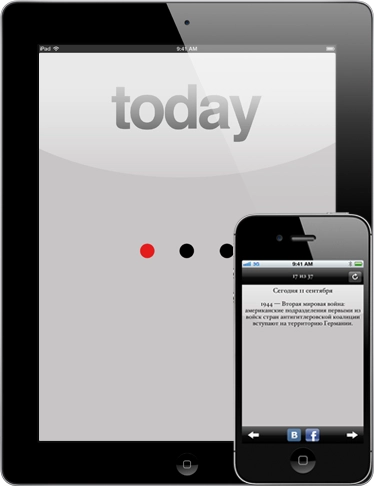
Finally finished updating the «This Day» app so that it now installs not just on iPad, but on iPhone as well.
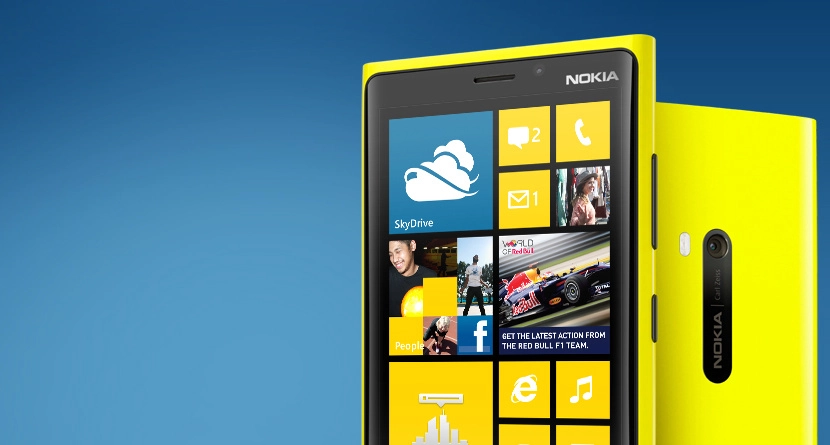
Yesterday Nokia announced two new phones running the upcoming Windows Phone 8. This is a hate post aimed at analysts, journalists and other parasites. I’ll try to keep the swearing to a minimum.
Nokia showed off the new models. Most of the new Nokia Lumia phones are good in my opinion, design-wise. Even though nothing radically new has been invented in smartphone looks over the past few years, these phones do stand out. Nokia has always been good at that.
The new models are stuffed with modern features. First, LTE with support for all the bands, supposedly. Second, a great IPS screen, which is awesome. 1280×768, 4.5 inches — all very up to date and, in my opinion, no worse than the competition.
Wireless charging, in my view, is another thing that should have been universal long ago. People say — what’s the difference between leaving your phone on the floor with a cable plugged in and leaving it on a pad next to the bed? Well, there is a difference. When you’re woken by, say, a phone call, half-asleep you won’t drag the cable along with whatever extension cord is attached to it. Besides, nothing stops you from charging the phone with a cable. Why no one has rolled this out widely yet — unclear. Maybe it can be harmful. Maybe. But it’s undeniably convenient. You walk into the flat, drop the phone on a shelf, and that’s it — it’s charging, and when you need it, you just grab it.
A solid battery that should last a long time. A powerful CPU, a gigabyte of RAM — I don’t know about Windows Phone 8, but 7 was already pretty light on resources.
A great camera — one of people’s favourite things in a phone. 9 megapixels, that special non-digital image stabilisation, supposedly a large sensor. There’s plenty for the consumer to be happy about.
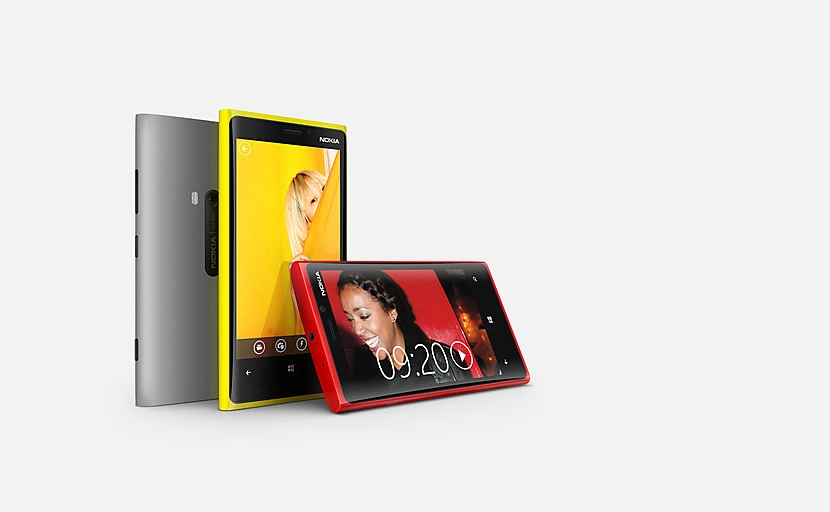
There’s a whole bunch more features you can read about on Nokia’s site, no point listing them all here.
So we end up with a couple of new models that have:
Pretty much everything you could currently want from a modern smartphone — and then some. In places, ahead of the competition. I’ve been drooling over Windows Phone for ages, and judging by what people post online, plenty of others like the OS too. Recently I even helped a friend install a bunch of useful apps on one of the older Lumias — there’s already plenty of everyday software out there.
And now to the hate part — everyone is just sick-and-tired-level burying Nokia. Yes, they got a brutal kick in the teeth when Windows Phone 7 was declared a dead-end branch and Windows Phone 8 was announced for the autumn. Naturally they had bet a lot on the WP7 Lumias, and after the WP8 announcement those phones tanked in price.
But the situation now is different. They have a great phone on an OS that will keep evolving, into which Microsoft is pouring a ton of money and which they’ll keep pushing. As far as I know, almost all WP7 software will run on WP8. Just not the other way round.
What infuriates me is how the entire internet seems to have converged on analysts, journalists and other talking-heads-of-bullshit (couldn’t avoid the swearing after all) whose expectations and predictions Nokia somehow «failed to meet».
For one thing, analysts try to predict what will happen — they don’t dictate market policy. They are essentially nobodies. Companies release new things, consumers decide whether they like them and vote with their wallets. Analysts just try to guess what those new things will be.
Reading various posts and news on different sites, you start to get the impression that analysts are a club of fantasists who completely ignore any new product they failed to predict and only trumpet that what they’d invented in their heads didn’t come true, and oh the horror, oh the shame, the company has screwed up.
My view is precisely captured by a comment on Habr by user ade:
When predictions of so-called analysts don’t pan out, for some reason people always write «the company failed to meet analysts’ expectations» — when really it should be «the analysts have screwed up yet again».
Exactly. A lot of journalists are taking the tabloid road. To me they’re just information parasites. Especially their love of writing about Nokia stock falling in percent. «Damn, Apple shares dropped 19 percent! That’s it, the end, no other company sees its shares drop 19% after a phone announcement!»
Now let’s remember 7th-or-8th-grade maths, when kids are taught what percentages are. And take a look at the stock chart on the day of the new product announcement:
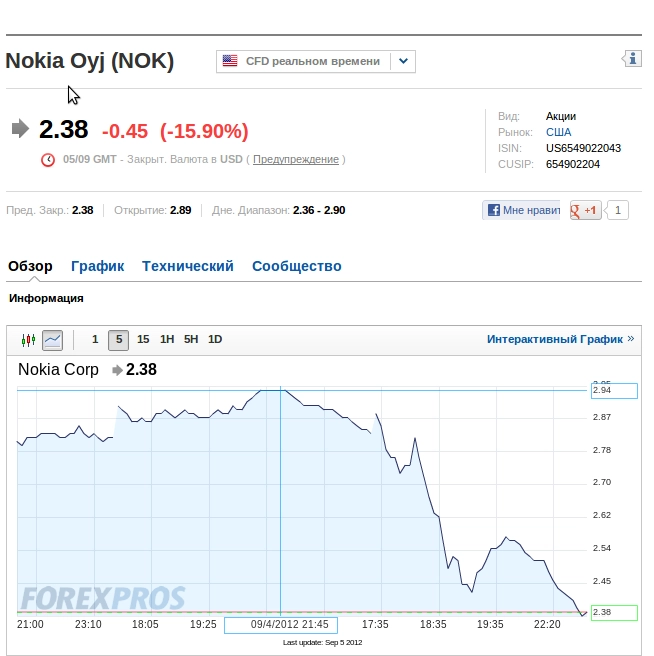
The shares moved between $2.90 and $2.38. So the drop was 45 cents. Yes, scaled to the company’s share price, that’s -15.9%. A big number. But, damn it, it’s 45 cents! Not a single analyst or journalist quoted it that way. Nobody would read it — everyone wants scandals, intrigue, investigations and sensations, otherwise there’d be no audience to sell ads to. And on top of that they keep quiet about how the shares of many phone makers fall on the day of new releases. With Apple it’s tradition — before a new iPhone/iPad release, the stock dips, and yet that doesn’t stop them being the most valuable company in the world right now.
Hacks, honestly. Blowing every little thing out of proportion, the bloody parasites.
In my opinion the new Lumias from Nokia look very attractive and tempting to buy. The fact that they run Windows Phone 8 is, for me right now, only a plus. I’m perfectly happy with my iPhone, but I really want a new Lumia. I think that, if no one drops Nokia in it again — Microsoft especially — things should start looking up for them. At least I really want them to; they know how to make a product that stands out from the competition in a good way.
P.S. There’s one journalist I really do like — Pavel Kushelev. He travels to all the big conferences and posts on Twitter from the events along with photos. Make sure to follow him: @pqorama. Pavel (and his team) work at Russian TV channel Rossiya, where he runs a show called Vesti.net. In my view it’s the only IT-related programme on TV worth watching. Sure, sometimes they overdo it, especially when they invite oracles from Kaspersky Lab to share opinions — which I consider made-up-on-the-spot fantasies 90% of the time. But overall the show is good.
I’m not an analyst, I’m not a journalist, I’m an IT guy, an ordinary user, and this is just my opinion.
Peace.
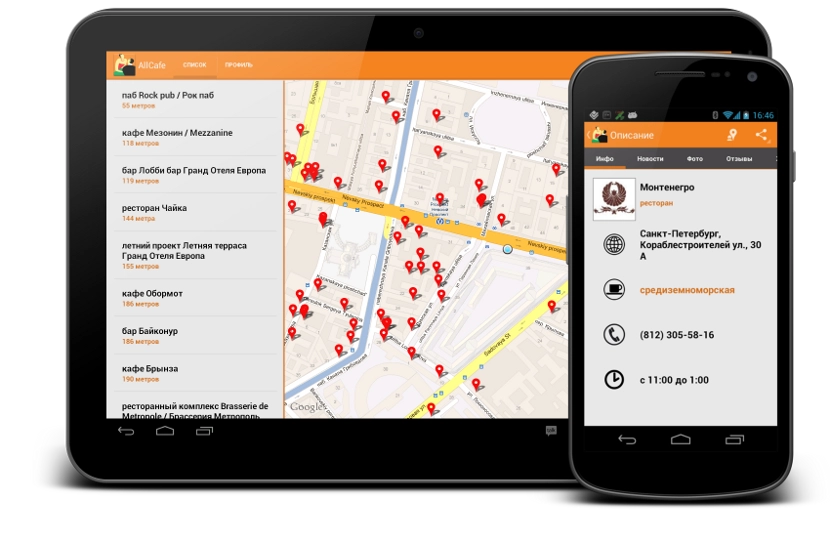
We’ve released a mobile AllCafe client for Android. Conformant to the guidelines, fragments and a few near-impossible things under the hood :-D Works on both phones and tablets.
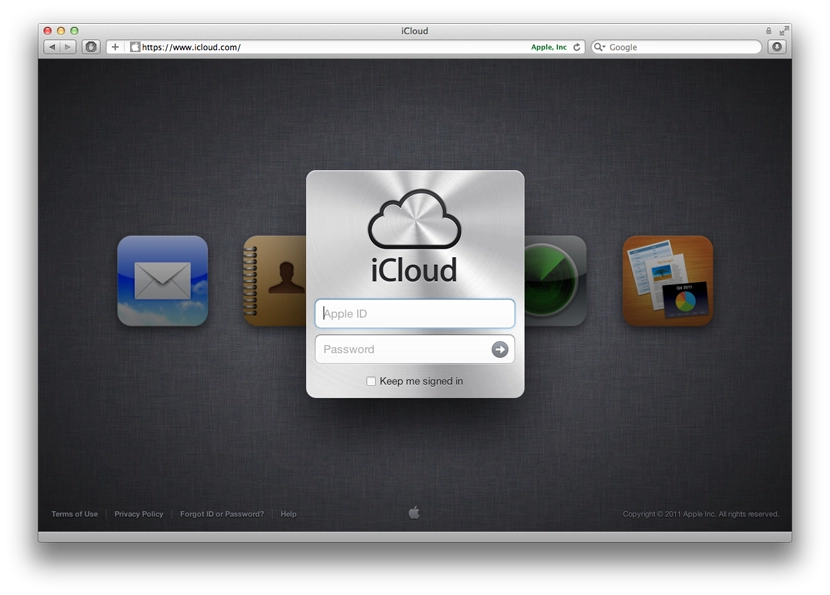
When I got the chance to play with the new iCloud features in OS X Lion, the only thing that left me puzzled was the feature called «Back to My Mac». Yesterday I finally figured out how it works, and today I gave it a proper try.
The whole thing works very simply, between two Macs. On both Macs you turn on «Back to My Mac» in iCloud preferences, and from then on they behave as if they’re on the same local network.
I tested it today by taking my MacBook to work and leaving the iMac switched on at home. Once the MacBook connected to wi-fi, it reached into iCloud, saw that my iMac was online, and showed it to me in Finder’s left sidebar under Shared.
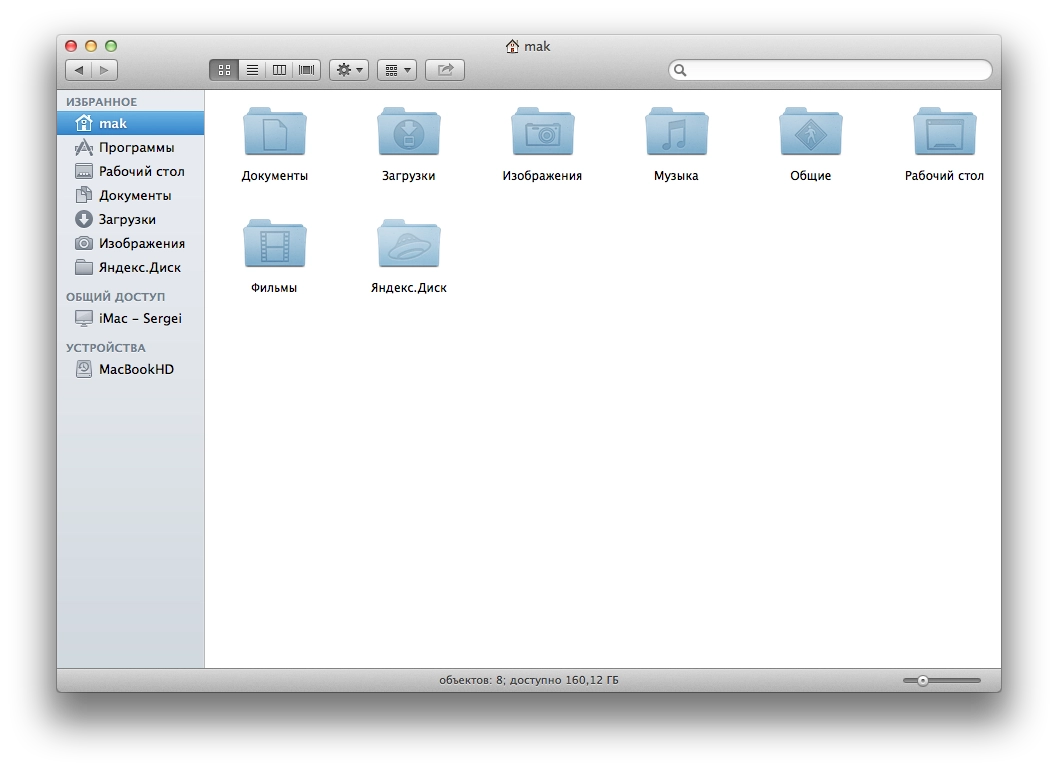
From there it’s all just like the machines are on a LAN. You can connect to it and browse files. By default you connect as a guest.
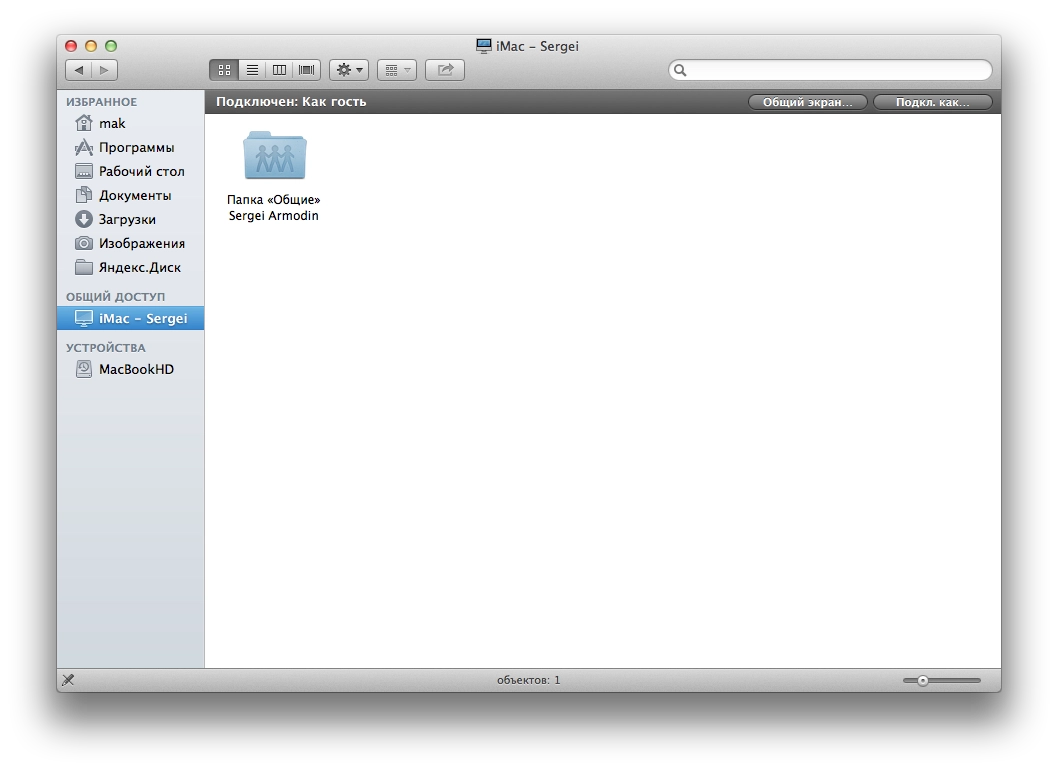
If you log in, you get to see all the files. You can authenticate either with the user account on the other machine, or with the iCloud account.
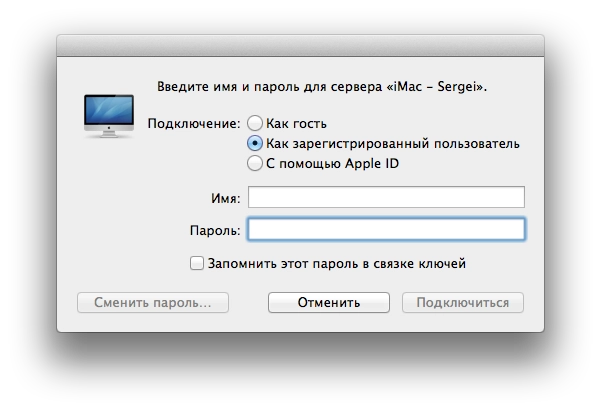
That said, I couldn’t log in via the iCloud account. But I did manage with the local account on the Mac. Got access to my files. You can copy or upload a file, just like over LAN — only the speed limit depends on the providers on each end.
But the most important and valuable thing for me is the «Share Screen» button.
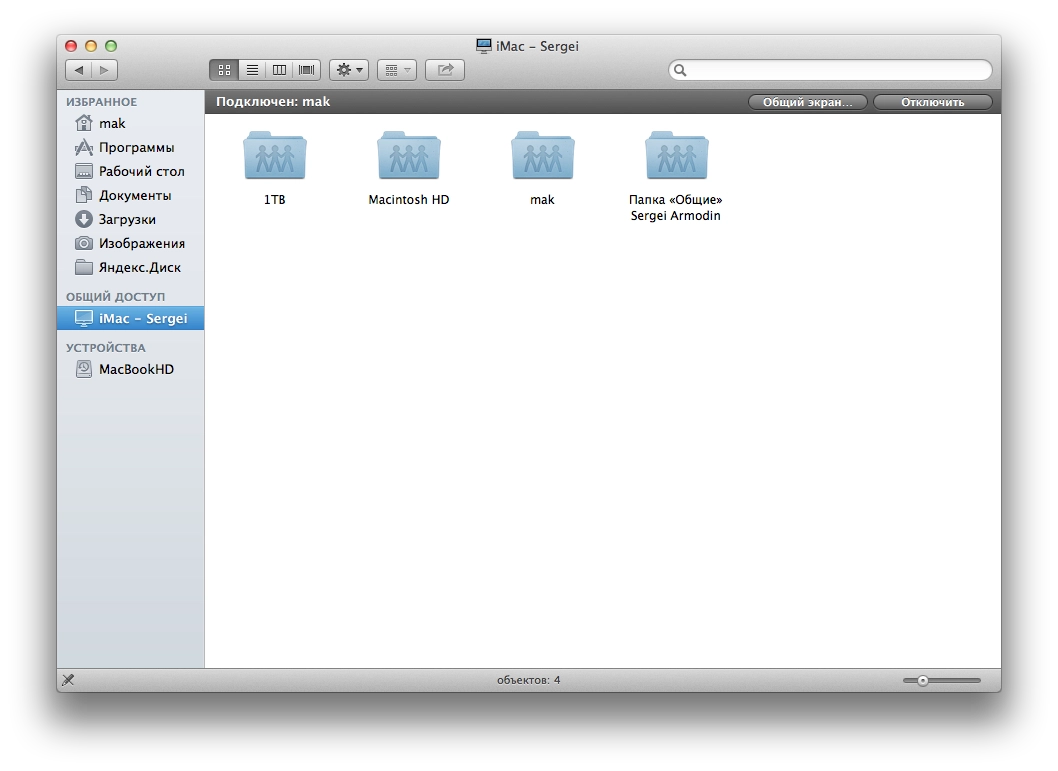
I can finally drop TeamViewer, which is rather flaky on macOS and where to connect you need all sorts of numbers/codes or logins/passwords. Plus the constant pop-ups telling you it’s only free for personal use, and the connections that constantly drop out claiming the free session has ended.
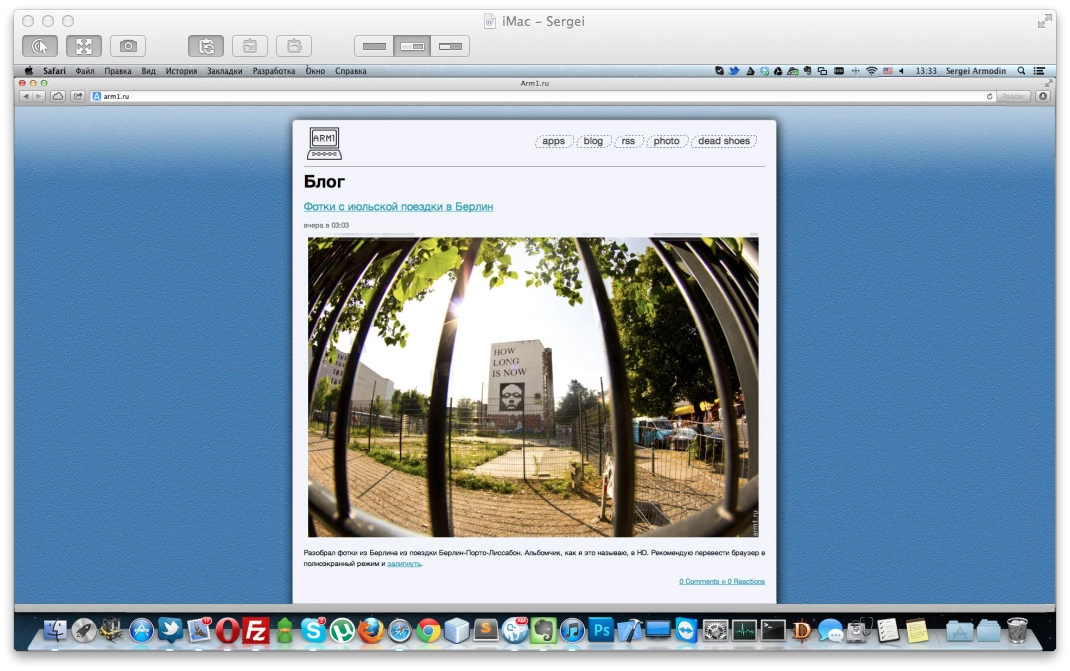
And the client is rather pleasant. You can take a screenshot of the remote screen. If the remote Mac has more than one display, you can either show both, or switch to whichever one you want. It’s probably the standard built-in client; I just last used it back on Lion and didn’t pay attention to the rest of its features. To me it all looks great. There’s no option to change the quality of the streamed picture, but I don’t need that — my connection is fast enough.
So TeamViewer will from now on only be used for emergency Windows cases. Finally there’s a simple, convenient way to connect to my home machine. Beautiful.
P.S. Maybe someone can tell me how to stop the wretched TeamViewer from launching at boot? Even after I quit it, it just starts up again, and I have to quit it the second or third time.
Updated Nginx and PHP on my server to the latest stable versions. PHP is currently 5.4.6.
After the update FCKEditor stopped working — instead of it I was getting an «Access Denied» message.
FCKEditor is rendered on the page through an iframe, and that’s where the message was hanging. I dug through the editor’s sources thinking maybe there was some PHP version check somewhere, but didn’t find anything special. The iframe loads fckeditor/editor/fckeditor.html. Opening that file directly produced the same error. I started suspecting Nginx, but it turned out to be neither Nginx nor the editor’s code — it was PHP itself (php-fpm).
Googling «Access Denied» wasn’t easy, but glancing into the error logs I spotted the keyword security.limit_extensions. From the name, this php-fpm.conf option controls which file extensions PHP code is allowed to execute in. Starting with PHP 5.3.9, for security reasons, if this option isn’t specified in the config, PHP only runs in .php files (I don’t know what it was before). FCKEditor wires itself up through PHP in some clever/messy way that ends up executing code in that very fckeditor.html file (even though there’s no PHP code inside — just a long framework setup). That’s why php-fpm was returning «Access Denied».
Fix: in php-fpm.conf, or better, in the pool .conf file (something like /etc/php-fpm/pulls/mysite.conf), add this line:
security.limit_extensions = .php .htmlThat’s the fix. Spent almost an hour and a half tracking it down — without knowing the editor’s code I couldn’t immediately figure out where to dig. So I’ll leave this here. Maybe it’ll save someone else the same trouble.
Video from my July holiday. The route was Saint Petersburg — Riga — Berlin — Barcelona — Porto — Lisbon — Barcelona — Saint Petersburg. Riga and Barcelona were just stopovers. In Lisbon there was the Optimus Alive festival. Music — Slugabed; performances in the video — Zola Jesus, Tricky, The Cure, Radiohead.
