Tag: «actioneer»
Actioneer for Linux 1.0.8
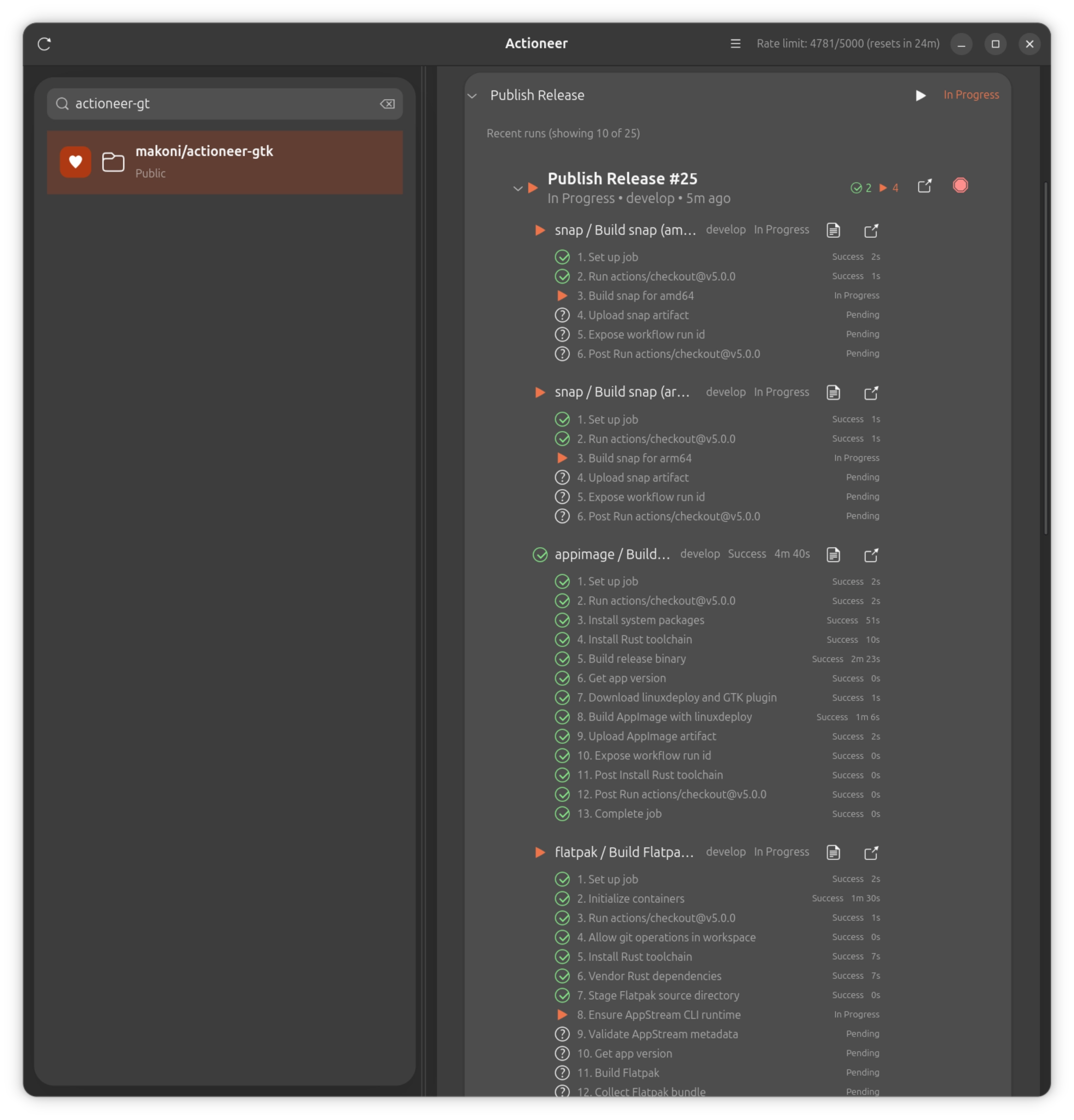
Actioneer 1.0.8 focuses on making live GitHub Actions monitoring more reliable while using the GitHub API more efficiently.
Highlights
- In-progress workflow runs now keep refreshing while they are still active, so expanded jobs and steps stay current before the run finishes.
- Expanded run details are more stable and easier to read, with clearer badges, preserved job context, and contiguous step numbering.
- Workflow status badges are now translated more consistently across the app's supported languages.
- Background refresh is lighter on the GitHub API, reducing duplicate requests and helping preserve rate-limit headroom.
Technical improvements
- Fixed several live-refresh lifecycle issues in the detail pane so switching repositories or rebuilding rows no longer disables the active refresh loop.
- Removed duplicate initial jobs fetches caused by rerender races around freshly expanded runs.
- Reduced unnecessary polling pressure by tightening selected-repo refresh ownership and job-refresh reuse.

Actineer for Linux got translations
Actioneer for Linux has translations available in numerous languages, including Russian, Spanish, French, Portuguese (Brazil), Hindi, Simplified Chinese, Arabic, Bengali, Urdu, German, and Dutch.
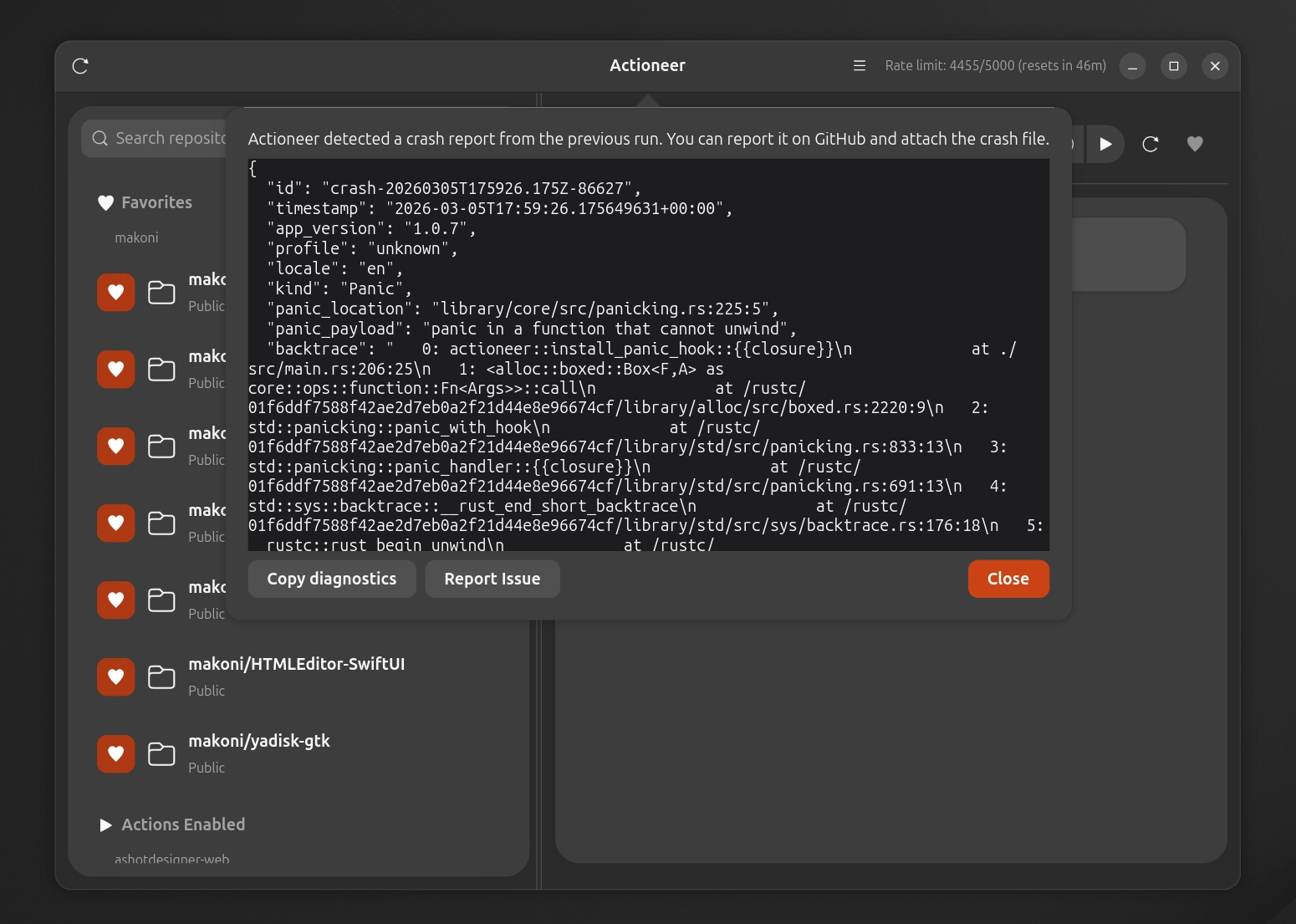
It also includes a built-in crash reporter, which you can copy and paste the report or open an issue on GitHub. Additionally, there are some tweaks and improvements made under the hood.
Recent updates for Actioneer for Linux
There were a bunch of updates of Actioneer for Linux recently, which I forgot to post here. Here's what's new in these updates:
1.02
- Faster and smoother UI with refreshed repo/workflow lists and improved scrolling behavior.
- New run filtering controls with better caching, so switching filters is instant and doesn’t reload data.
- Better workflow auto-refresh and run status updates, including fewer duplicate fetches.
- Notifications are more reliable across Snap/Flatpak, with improved icon handling and fallbacks.
- Improved sandboxed credential storage using the secret portal for Snap/Flatpak.
- Offline-friendly cache persistence for workflows, runs, and jobs.
- Packaging and CI updates across Snap, Flatpak, and AppImage for better compatibility.
- Dependency updates and stability fixes.
1.03
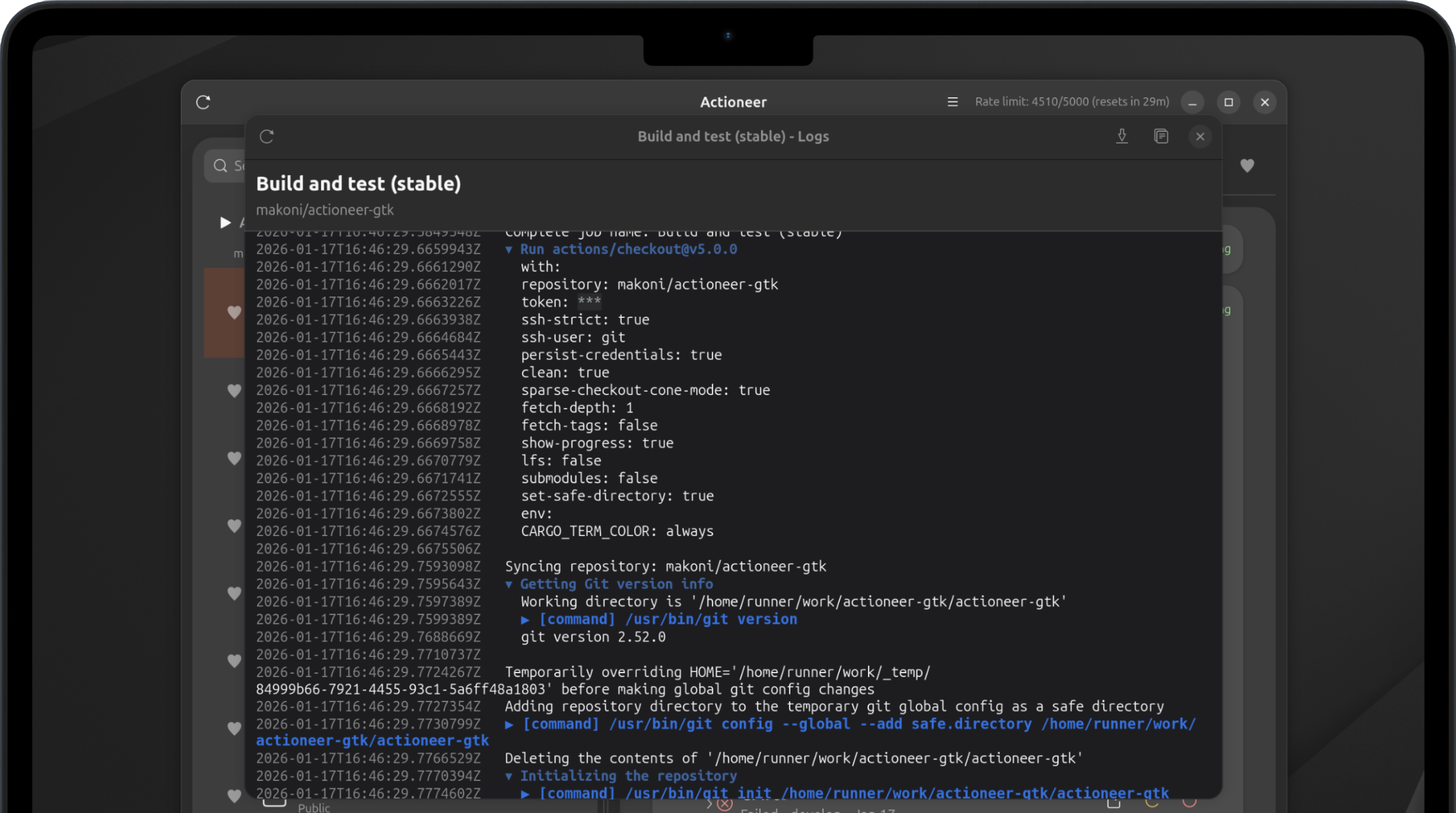
- Job logs now render ANSI colors, grouped workflow sections, and clearer command/output formatting.
- Aligned timestamps and command prefixes improve scanability, with stronger error highlighting.
- Packaging CI refreshed with multi-arch updates for AppImage/Snap/Flatpak builds.
- Dependency updates and demo log refreshes for improved accuracy.
1.04
- Handle expired job logs (HTTP 410) with clearer messaging instead of a broken view.
- Strip BOM markers in job logs so first-line timestamps render correctly.
1.05
- Manual workflow triggers now support workflow_dispatch inputs with dynamic parameter fields.
- Dependency updates for ryu, unicode-ident, and zmij.
Actioneer 1.01
The first update for Actioneer has been released. Here's what's new:
- Workflows refresh in the background so newly-dispatched runs appear automatically.
- Reduced API usage and fewer rate-limit hits with ETag-based caching — lists load faster and your quota lasts longer.
- The app remembers the repository you were viewing between launches.
- Better diagnostics and reliability for smoother everyday use.
Follow updates on X: https://x.com/ActioneerCI
Actioneer for Linux
Actioneer is a native GNOME desktop client for GitHub Actions. It combines a GTK4/libadwaita interface with a Tokio-powered API client so you can browse repositories, inspect workflow runs, watch job logs, and receive notifications without leaving your desktop.
Key features
- Browse your GitHub repositories and view Actions workflows and recent runs quickly.
- Inspect run status (success, failure, queued, in progress) with clear badges and counts.
- View job logs: download and preview run logs for quick troubleshooting.
- Dispatch workflows, cancel running workflows, and re-run failed runs directly from the app.
- Favorites and quick search let you focus on the repositories and workflows that matter most.
- Desktop notifications for run completions and failures so you never miss important results.
- In-memory caching and efficient refresh make the app responsive while respecting GitHub rate limits.
- Secure authentication using OAuth, tokens are stored securely in keyring.
Acntioneer for Linux is an open source project, source code is available on GitHub.
Actioneer - Command your CI
Actioneer — a lightweight macOS app for developers and DevOps engineers who want fast, reliable access to GitHub Actions from the desktop.
Key features
- Browse your GitHub repositories and view Actions workflows and recent runs quickly.
- Inspect run status (success, failure, queued, in progress) with clear badges and counts.
- View job logs: download and preview run logs for quick troubleshooting.
- Dispatch workflows, cancel running workflows, and re-run failed runs directly from the app.
- Favorites and quick search let you focus on the repositories and workflows that matter most.
- Desktop notifications for run completions and failures so you never miss important results.
- In-memory caching and efficient refresh make the app responsive while respecting GitHub rate limits.
- Secure authentication using OAuth (PKCE); tokens are stored securely in the macOS Keychain.
Privacy & security
We only request minimum GitHub scopes required for the features you use. Authentication uses OAuth PKCE and tokens are stored in the macOS Keychain. We do not send your logs or tokens to third-party servers without your explicit consent. See the app’s Privacy Policy for details.
Getting started
Sign in with your GitHub account (OAuth), grant the requested scopes, and the app will list your repositories and workflows. For CI/CD administrators and individual developers alike, Actioneer makes monitoring and simple management of GitHub Actions fast and convenient.
Follow updates on X: https://x.com/ActioneerCI