-rw-r--r-- 2.3K Jun 8, 2015 · 994A146 · ~1 min

UIViewController Lifecycle
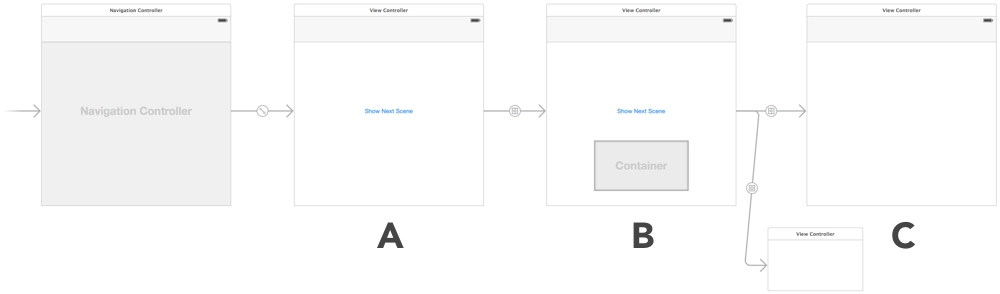
objective-c шпаргалки uiview

UIViewController Lifecycle

A small cheat sheet on the UIViewController lifecycle - which methods are called, and in what order, during different transitions between UIViewControllers.

[↵] open page zhiznennyj-tsikl-uiviewcontroller.md
-rw-r--r-- 870B Jun 2, 2015 · FD87417 · ~1 min

Transparent Image Viewer for OS X

os x objective-c полезное приложения

Transparent Image Viewer for OS X

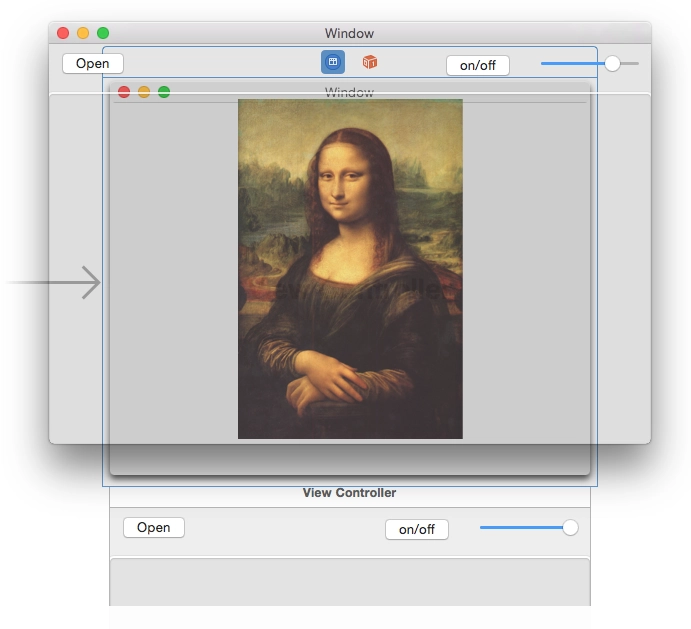
I've been trying to come up with something that would make it convenient to do pixel-perfect screen layout while developing iOS apps. Something that would make it easy and visual to compare the mockup and the result. Today I hacked together this tool for OS X - an almost transparent window where you can open a mockup, place it over Xcode or the simulator, and see what you got. You can adjust the transparency with a slider to check how closely it matches.

Maybe it will be useful to someone. Or maybe someone else feels the same pain and will join the development.

The source code is on github.

Download the binary.

P.S. my first app for OS X.

[↵] open page transparent-image-viewer-dlya-os-x.md
-rw-r--r-- 1.4K Jun 1, 2015 · 676411C · ~1 min

CALayer+UIColor Category

objective-c xcode полезное шпаргалки

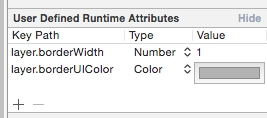
I found a nice little thing on Stack Overflow. In Xcode's Interface Builder you can set some UI values through User Defined Runtime Attributes. I needed to set a border. You can set the layer.borderWidth thickness and it will be picked up, but the color will not. layer.borderColor stores a value of type CGColorRef, while the color you can choose in Interface Builder is a UIColor. A simple category lets you use UIColor through the layer.borderUIColor property.

CALayer+UIColor.h :

//
// CALayer+UIColor.h
//
// Created by Sergey Armodin on 29/05/15.
// Copyright (c) 2015 Sergey Armodin. All rights reserved.
//

#import <QuartzCore/QuartzCore.h>
#import <UIKit/UIKit.h>

@interface CALayer (UIColor)
/**
* CGColor to borderColor
*/
@property(nonatomic, assign) UIColor* borderUIColor;
@end

CALayer+UIColor.m :

//
// CALayer+UIColor.m
//
// Created by Sergey Armodin on 29/05/15.
// Copyright (c) 2015 Sergey Armodin. All rights reserved.
//

#import "CALayer+UIColor.h"

@implementation CALayer (UIColor)
/**
* Setter
*
* @param color UIColor
*/
- (void)setBorderUIColor:(UIColor *)color {
    self.borderColor = color.CGColor;
}

/**
* Getter
*
* @return UIColor
*/
- (UIColor *)borderUIColor {
    return [UIColor colorWithCGColor:self.borderColor];
}
@end

And voilà:

CALayer+UIColor Category

[↵] open page kategoriya-calayer-uicolor.md
-rw-r--r-- 976B May 25, 2015 · 656A140 · ~1 min

CompareShots

compareshots ios приложения

CompareShots

Released a new app - CompareShots.

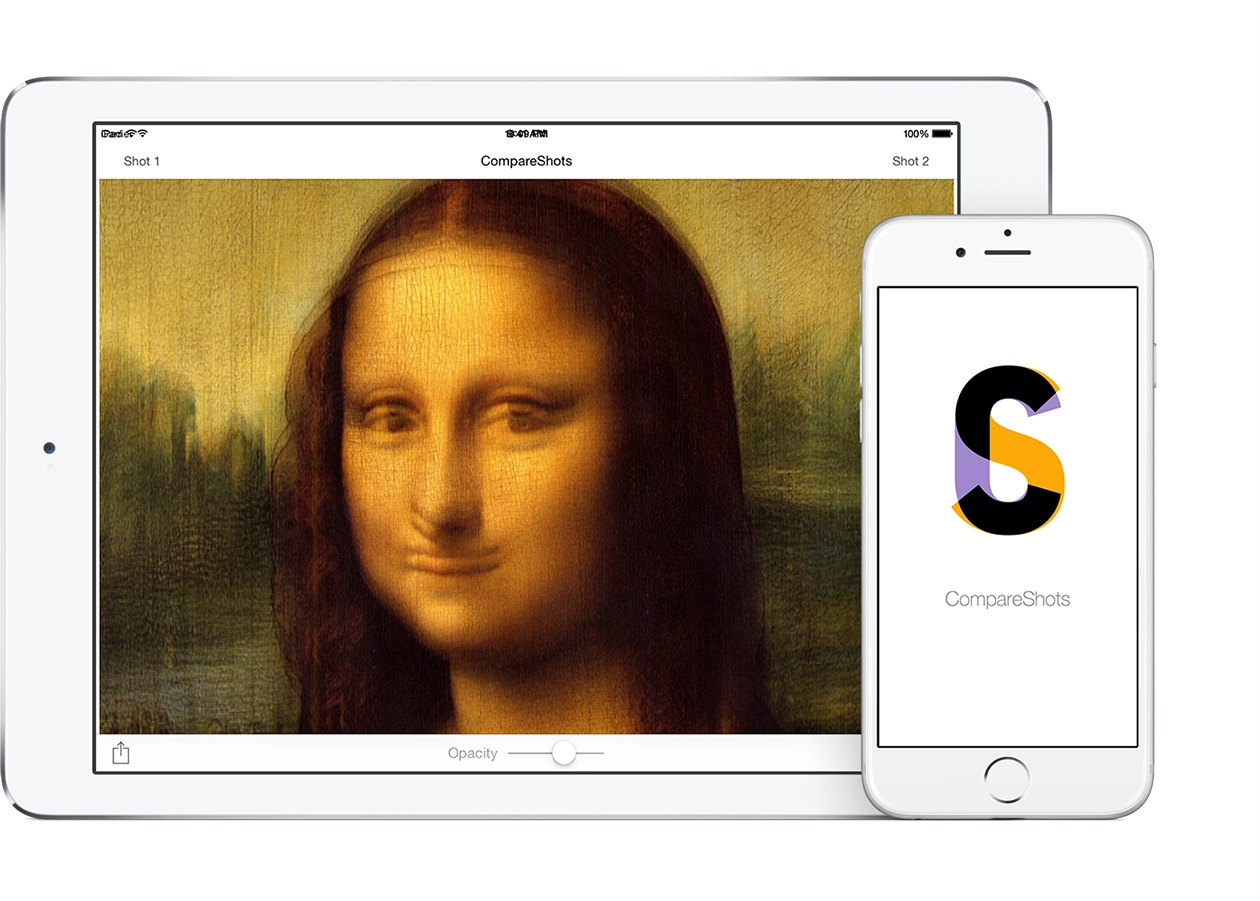
While working, I had the thought that it would be nice to have some kind of tool for comparing the mockup and the actual result. I wrote this little tool in one evening. Then I spent a few more evenings making screenshots. Yeah, the screenshots took more time :)

The app lets you choose 2 images from the device library. For example, a designer's app or website mockup and a screenshot of what the developer built, and check whether it really matches pixel for pixel. While you keep your finger on the screen, the first image is shown. Take it away, and the second one appears. There is a transparency slider, so you can clearly see where things do not match. The mismatch result as an image can be shared, emailed, or sent to any other app that accepts images.

App for iPhone and iPad.

Download

[↵] open page compareshots.md
-rw-r--r-- 305B May 18, 2015 · D1006D5 · ~1 min

Thread-Safe Singleton Definition via GCD

objective-c шпаргалки

Cheat sheet. Tired of having to go hunt for it every time.

+ (instancetype)sharedInstance {
    static MyClass *sharedInstance = nil;
    static dispatch_once_t oncePredicate;
    dispatch_once(&oncePredicate, ^{
        sharedInstance = [[self alloc] init];
    });
    return sharedInstance;
} 
[↵] open page potokobezopasnoe-opredelenie-singltona-cherez-gcd.md
-rw-r--r-- 921B Apr 15, 2015 · 1AC392D · ~1 min

Getting the Weekday Number in Objective-C

objective-c шпаргалки

Cheat sheet for getting the weekday number from NSDate:

/* get the Gregorian calendar */
NSCalendar *gregorian = [[NSCalendar alloc] initWithCalendarIdentifier:NSGregorianCalendar];
/* NSDateComponents lets you get the weekday number, day of month, etc. from NSDate. */
NSDateComponents *comps = [gregorian components:NSWeekdayCalendarUnit fromDate:[NSDate date]];
// get the weekday number. It will be from 1 to 7
NSInteger weekday = [comps weekday];

In iOS, depending on which region is selected in the device settings, the week starts either on Monday, as in Russia, or on Sunday, as in the US. If you only need to output the short name of the weekday, for example: Mon, Tue, Wed, Thu, you can do it like this:

NSDateFormatter *weekdayDateFormatter = [[NSDateFormatter alloc] init];
[weekdayDateFormatter setDateFormat: @"EE"];
NSLog(@"%@", [weekdayDateFormatter stringFromDate:dateFromString]);
[↵] open page poluchenie-nomera-dnya-nedeli-na-objective-c.md
-rw-r--r-- 616B Apr 14, 2015 · 65C2C2F · ~1 min

Simulating a Bad Internet Connection in OS X

шпаргалки os x полезное разработка

Network Link Conditioner

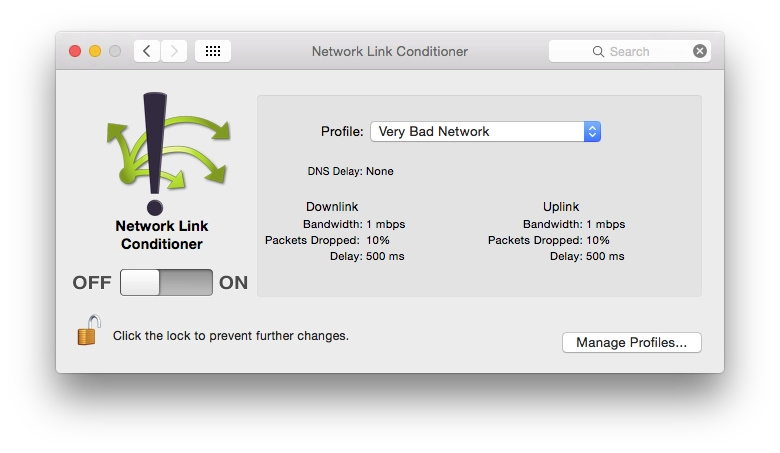
I'll leave another cheat sheet in the form of a link. Network Link Conditioner is a tool from Apple from the Hardware IO Tools for Xcode set. It lets you limit connection speed in macOS. You can test, for example, how an app behaves under EDGE connections or worse. The same thing exists in the Developer section of iOS settings, but that is on the device, while this is in OS X.

By the way, the same set also contains a simulator for HomeKit.

[↵] open page simulyatsiya-plohogo-soedineniya-s-internetom-v-os-x.md
makoni@arm1:~/blog$ cd ../page-16/ // ← previous cd ./page-18/ // more posts →