arm1.ru

Tag: «полезное»

Animating the UISlider Thumb on Touch
event Nov 24, 2017 at 16:59

Animating the UISlider Thumb on Touch

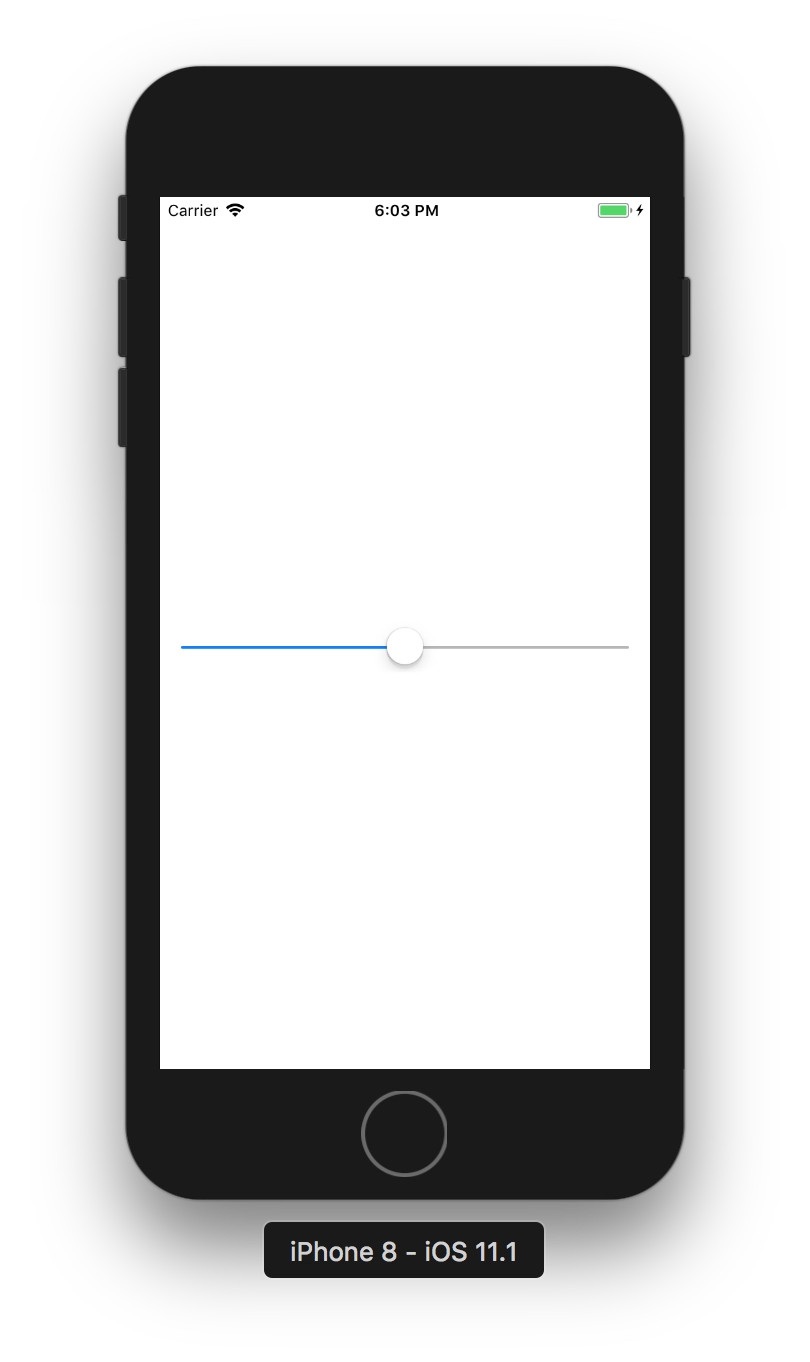
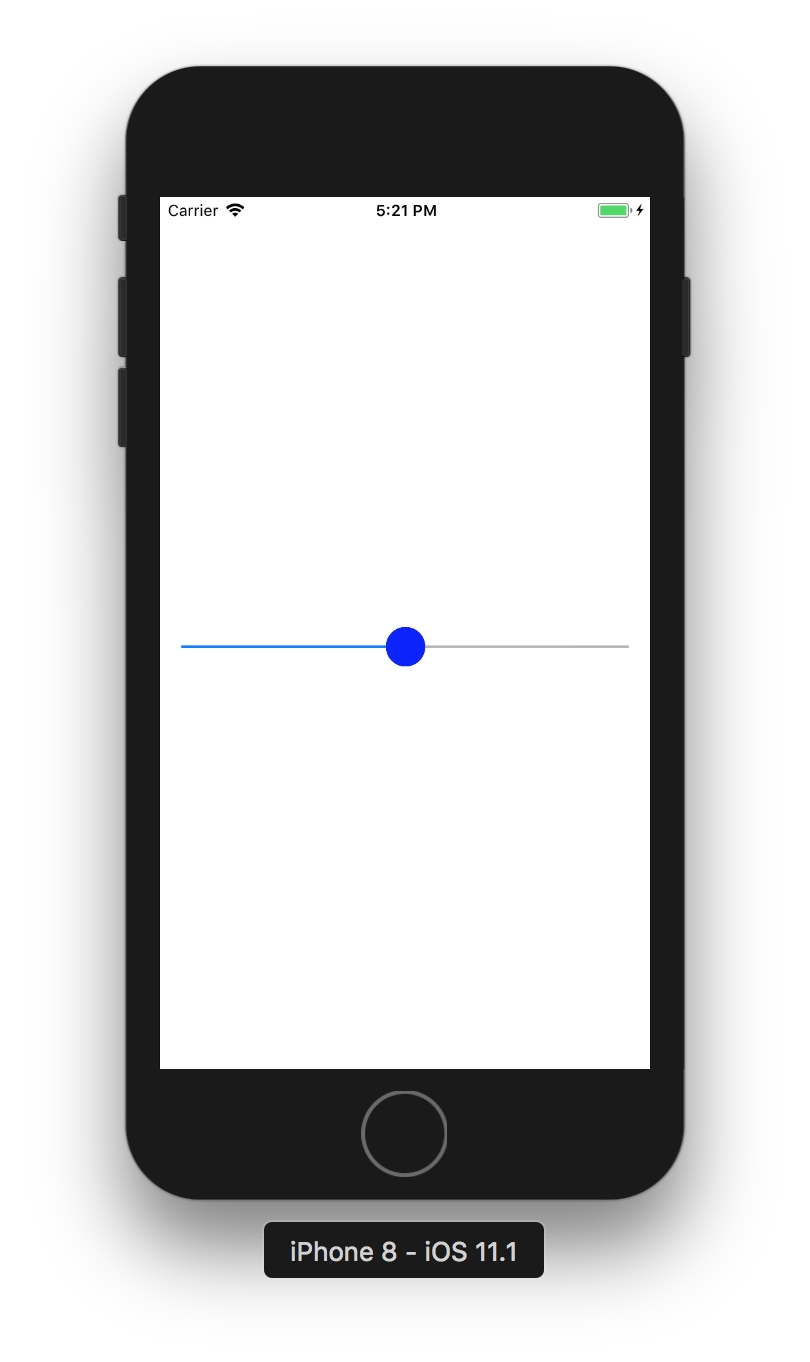
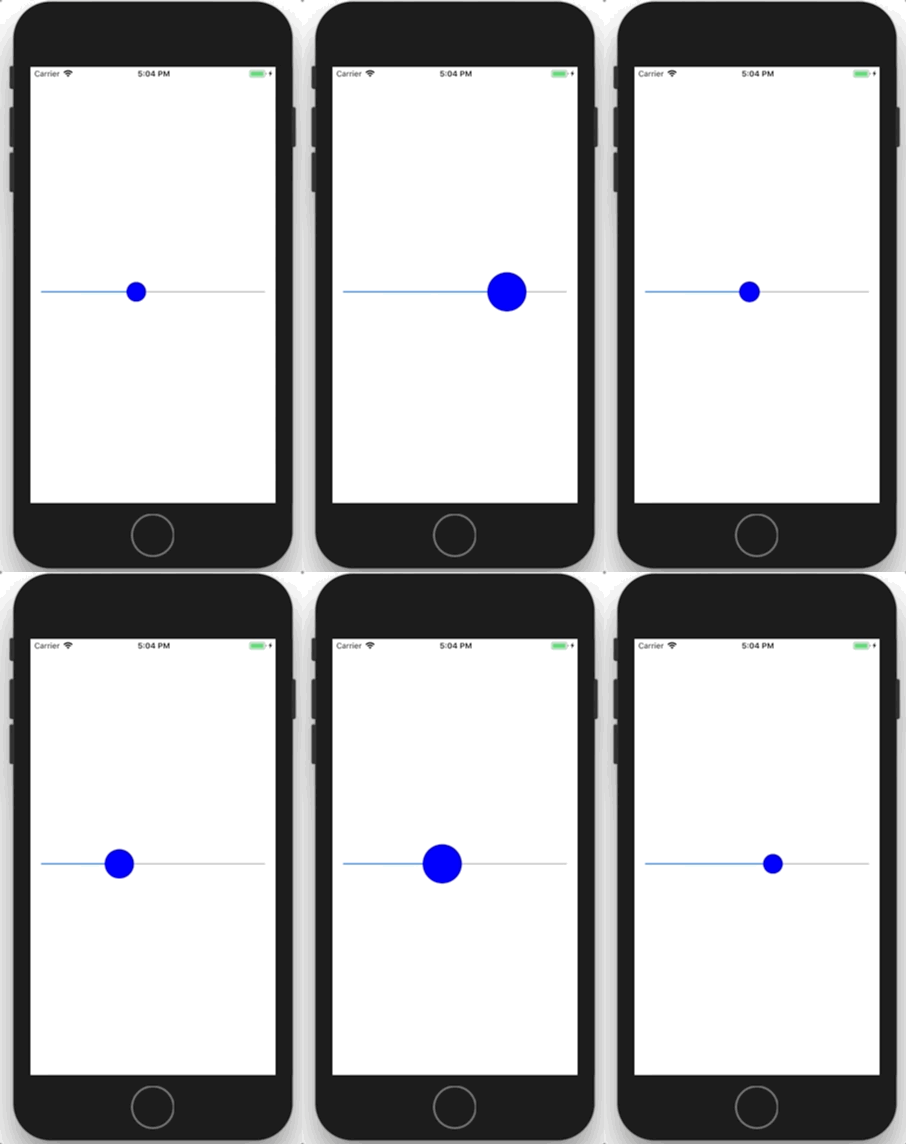
I had a task to animate the slider in the app on touch by smoothly enlarging the thumb. Just like Apple does in the Apple Music and Podcasts player when you start scrubbing the playback position. I spent quite a lot of time looking for a way to do it with standard tools. I really did not want to write a completely custom slider; I wanted to use the system UISlider, and in the end I managed to do exactly that.

A log function for Swift that outputs file, method, and line

event Apr 18, 2016 at 23:28

A cheat-sheet function for logging in Swift:

import Foundation

/**
 A log function that outputs the file, method, and line it was called from. 
 Example usage: DLog("hello")

 - parameter messages: text/objects to print
 - parameter fullPath: path to the calling file
 - parameter line: line number in the file
 - parameter functionName: name of the calling method/function
*/
func DLog(messages: Any..., fullPath: String = #file, line: Int = #line, functionName: String = #function) {
     let file = NSURL.fileURLWithPath(fullPath)
     for message in messages {
          print("\(file.pathComponents!.last!):\(line) -> \(functionName) \(message)")
     }
}

// Example:
DLog("message 1", "message 2")
// YourClass.swift:42 -> someMethod() message 1
// YourClass.swift:42 -> someMethod() message 2

A simple console.log with file and line number output in Node.js

event Apr 6, 2016 at 11:30

While coding in Node.js, I constantly need to print something to the console. Errors, for example. But for better information it is more convenient to know exactly where the output is coming from. Especially since when I was coding for iOS, I always had such a handy macro at hand, but with Node.js I had to google and dig around, because many examples from Stack Overflow simply crashed on the latest Node.js 5.10.0. They crashed because they used Error.captureStackTrace(err, arguments.callee), and now you need to use NFE.

In the end I made what I wanted. Leaving it here as a cheat sheet.

npm install colors --save

File logger.js:

'use strict';

let colors = require('colors');
colors.enabled = true;

exports.p = function logger(somethingForPrint) {
    somethingForPrint = somethingForPrint || '';
    const originalPrepareStackTrace = Error.prepareStackTrace;

    Error.prepareStackTrace = (error, stack) => { return stack; };

    let e = new Error;
    Error.captureStackTrace(e, logger);

    const stack = e.stack;
    const filename = stack[0].getFileName().split('/').reverse()[0];
    const trace = filename + ':' + stack[0].getLineNumber() + " " + colors.bold.black('%s') + "\n";

    Error.prepareStackTrace = originalPrepareStackTrace;

    console.log(trace, somethingForPrint);
}; 

Use:

const logger = require('../utils/logger');
logger.p('something happened');
// file.js:401 something happened 

Transparent Image Viewer for OS X

event Jun 2, 2015 at 22:53

Transparent Image Viewer for OS X

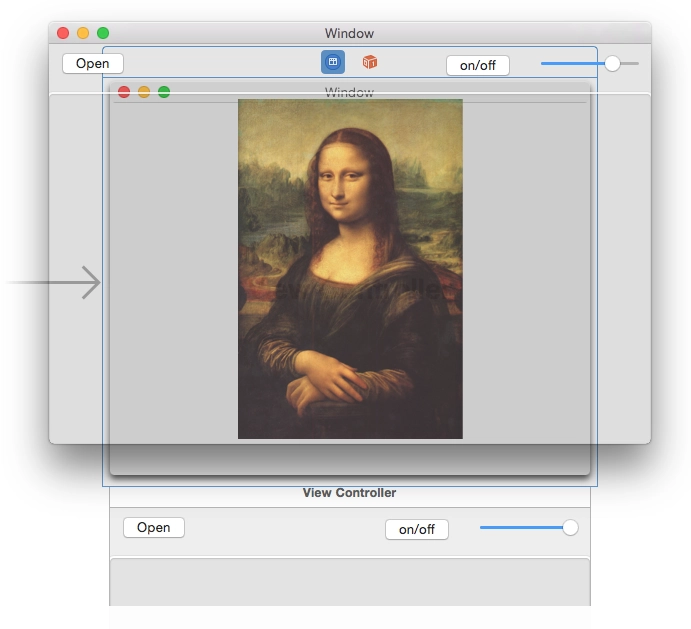
I've been trying to come up with something that would make it convenient to do pixel-perfect screen layout while developing iOS apps. Something that would make it easy and visual to compare the mockup and the result. Today I hacked together this tool for OS X - an almost transparent window where you can open a mockup, place it over Xcode or the simulator, and see what you got. You can adjust the transparency with a slider to check how closely it matches.

Maybe it will be useful to someone. Or maybe someone else feels the same pain and will join the development.

The source code is on github.

Download the binary.

P.S. my first app for OS X.

CALayer+UIColor Category

event Jun 1, 2015 at 11:29

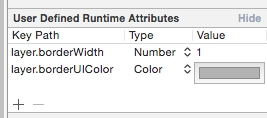
I found a nice little thing on Stack Overflow. In Xcode's Interface Builder you can set some UI values through User Defined Runtime Attributes. I needed to set a border. You can set the layer.borderWidth thickness and it will be picked up, but the color will not. layer.borderColor stores a value of type CGColorRef, while the color you can choose in Interface Builder is a UIColor. A simple category lets you use UIColor through the layer.borderUIColor property.

CALayer+UIColor.h :

//
// CALayer+UIColor.h
//
// Created by Sergey Armodin on 29/05/15.
// Copyright (c) 2015 Sergey Armodin. All rights reserved.
//

#import <QuartzCore/QuartzCore.h>
#import <UIKit/UIKit.h>

@interface CALayer (UIColor)
/**
* CGColor to borderColor
*/
@property(nonatomic, assign) UIColor* borderUIColor;
@end

CALayer+UIColor.m :

//
// CALayer+UIColor.m
//
// Created by Sergey Armodin on 29/05/15.
// Copyright (c) 2015 Sergey Armodin. All rights reserved.
//

#import "CALayer+UIColor.h"

@implementation CALayer (UIColor)
/**
* Setter
*
* @param color UIColor
*/
- (void)setBorderUIColor:(UIColor *)color {
    self.borderColor = color.CGColor;
}

/**
* Getter
*
* @return UIColor
*/
- (UIColor *)borderUIColor {
    return [UIColor colorWithCGColor:self.borderColor];
}
@end

And voilà:

CALayer+UIColor Category

Simulating a Bad Internet Connection in OS X

event Apr 14, 2015 at 20:02

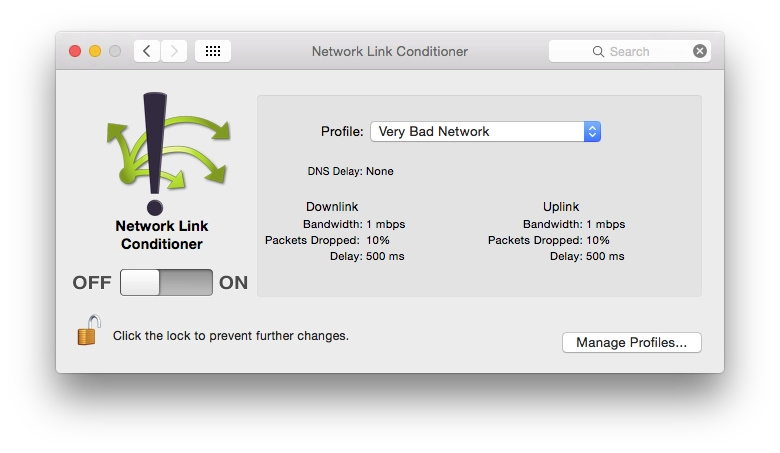
Network Link Conditioner

I'll leave another cheat sheet in the form of a link. Network Link Conditioner is a tool from Apple from the Hardware IO Tools for Xcode set. It lets you limit connection speed in macOS. You can test, for example, how an app behaves under EDGE connections or worse. The same thing exists in the Developer section of iOS settings, but that is on the device, while this is in OS X.

By the way, the same set also contains a simulator for HomeKit.

node-couchdb-mover

event Aug 13, 2014 at 18:42

node-couchdb-mover

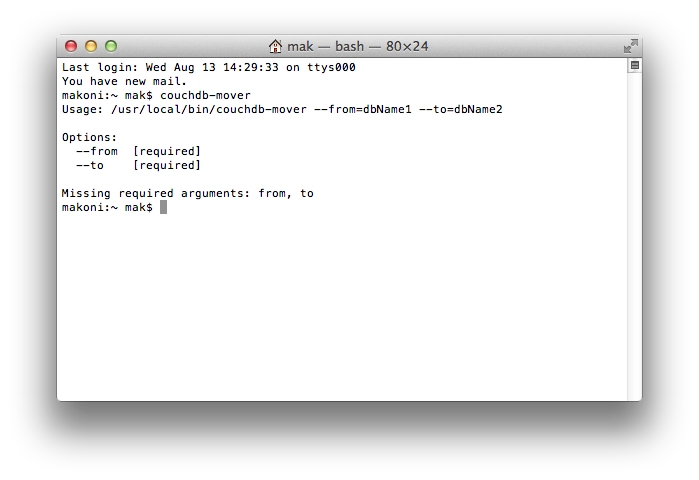
A few days ago I wrote my first Node.js tool. I wrote it only partly for myself, because for me it is not very relevant yet, but for some people it very much is.

The tool is for CouchDB. Since CouchDB keeps document revisions after changes and deletions and does not always clean them up, a database can grow like crazy. For example, for the guys who need this tool right now, something that should weigh 6 GB weighs 50-60. Maybe they started something somewhere or messed something up, changed and wrote a ton of stuff into the database, and that blew up its size. So, overall, it is easier to just create a new clean database and move all live documents there.

The tool simply takes all documents from 1 database in CouchDB and puts them into another one. For now it works rather crudely: it grabs all documents in one shot and then inserts them into the database one by one. For databases with a relatively small number of documents it works fine, but if there are something like 80 thousand documents, fetching them on my computer took about 4-5 minutes. So I will rework it soon so that it pulls documents in batches and writes them to the database sequentially instead of asynchronously.

But it is already usable. You can embed the tool into your own Node.js project, for example.

In the console:

npm install node-couchdb-mover

In code:

var mover = require('node-couchdb-mover');
mover.moveDocuments('dbName1', 'dbName2');

It can also be used directly from the console:

npm install -g node-couchdb-mover
couchdb-mover --from=dbName1 --to=dbName2

And, as expected, here are the sources on GitHub and the package on npmjs.org.

How to tell whether a display is Retina or not?

event Jul 3, 2014 at 00:03

How to tell whether a display is Retina or not?

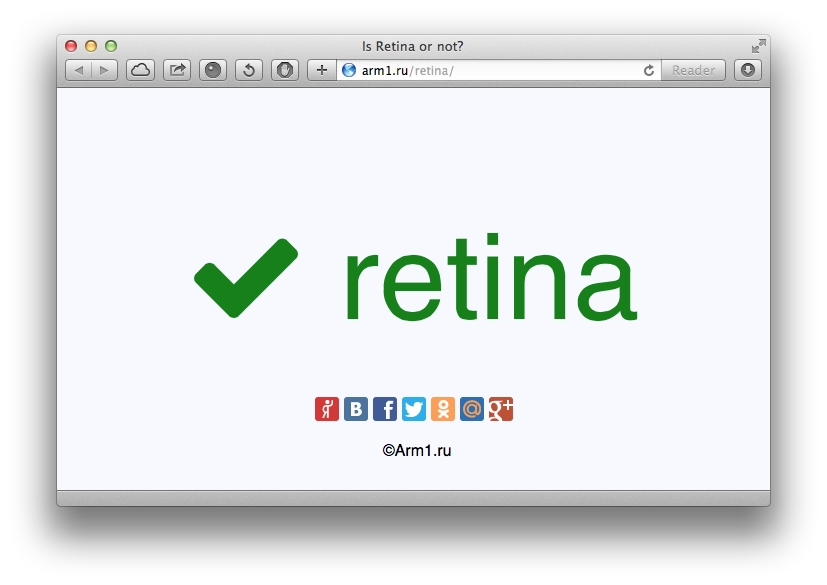
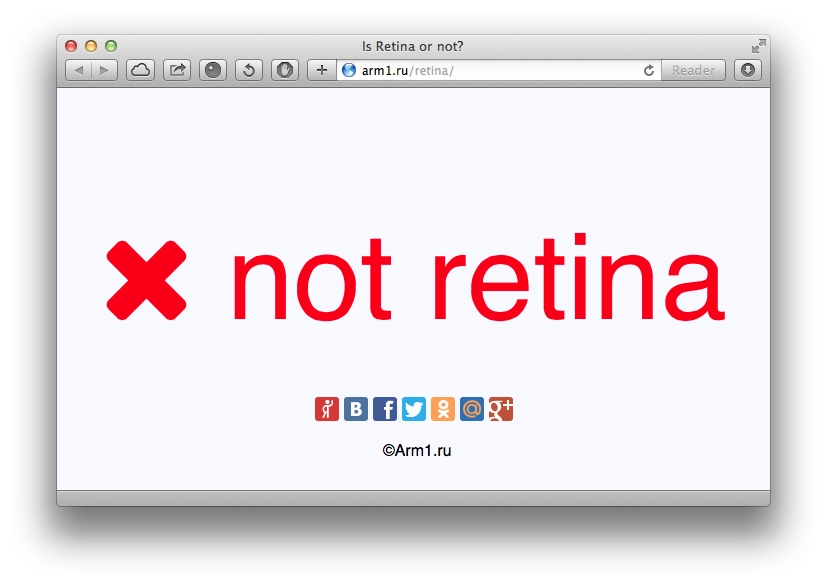
My blog gets a lot of search-engine traffic for queries like “How to detect a Retina display”. People land on my article about Objective-C, but they are clearly not looking for code :) So I ended up making a page like this one: you just open it in the browser on your device. If it is Retina, the result is green, like in the screenshot above. If it is not Retina, it is red, like in the screenshot below.

How to tell whether a display is Retina or not?

It works for iOS devices (iPhone, iPad, iPod) and Macs with a Retina display. On screens with a high pixel density it also says Retina :)

Page URL: https://arm1.ru/retina/

Script for pinning a block while scrolling

event Mar 28, 2012 at 14:03

I had wanted to make something like this for a long time, so that when the page is scrolled some block would scroll together with the page up to a certain point and then stick. Today I found a plugin called jQuery Sticky Scroller

You can download it here.

It is connected quite simply:

var scroller = new StickyScroller("#menu",
{
    start: 270,
    end: 50800,
    interval: 200,
    range: 100,
    margin: 0
});

As the parameter name suggests, when scrolling goes more than 270 pixels past the top edge of the page, the #menu element is fixed on the page, that is, it gets the CSS property position: fixed;. The end parameter is responsible for the lower bound of scroll tracking, in case the fixed element should not stay fixed all the time. The margin parameter defines how far from the top edge of the browser window the element will be positioned.

The plugin also has several public methods; I do not see much point in describing them here, the description is available on the plugin page.

Boosting iPhone 4 volume

event Dec 27, 2011 at 13:45

Boosting iPhone 4 volume

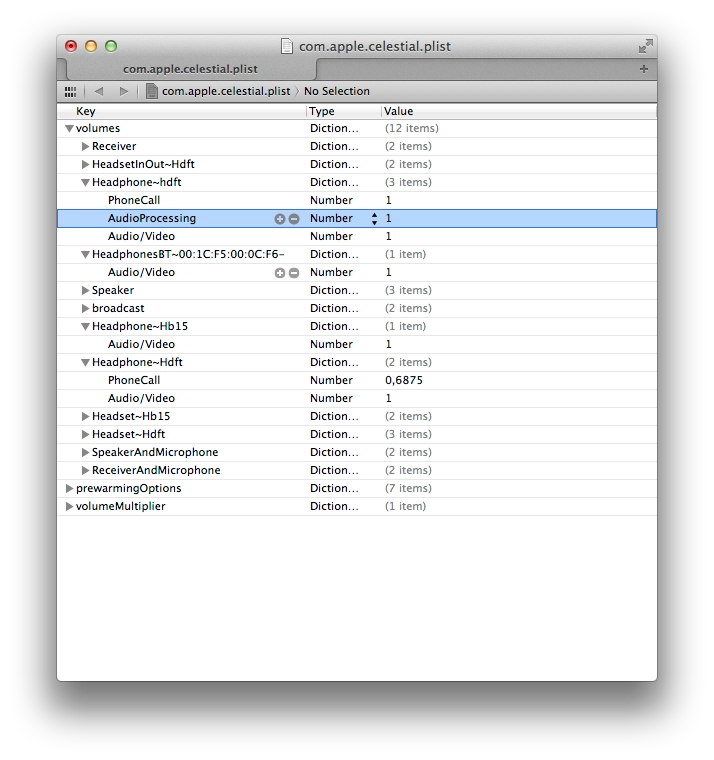
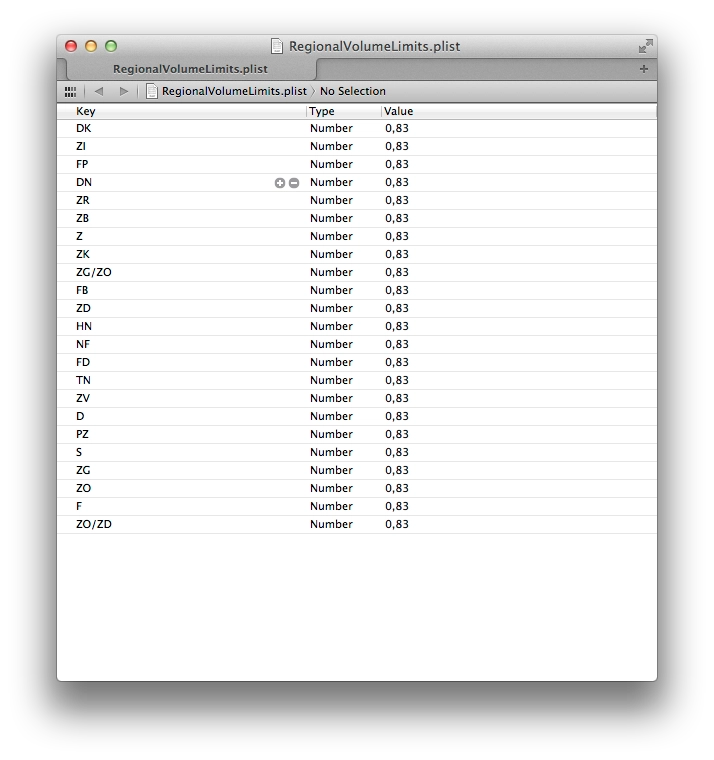
I have a French iPhone 4. Apple is required to cap headphone volume on phones sold in France — apparently to look after the citizens’ ears. In the metro that cap leaves me short on volume, and besides, headphones vary — some play louder, some have different impedance and play quieter.

The cap can be bypassed. You need to jailbreak the phone, then access the file system and tweak a couple of plist files. There are plenty of options — installing a Terminal via Cydia, mounting the phone as a drive on your computer, etc. I prefer the second route — installed Phone Disk, it mounted the phone as a volume, and from there I just rummaged through the file system.

Embedding the Facebook SDK in an iOS app

event Dec 5, 2011 at 20:14

A note to self. Instructions on where to download it and how to embed are in Facebook’s docs. Even though they updated the GitHub project recently (November 23 at the time of writing), they still ship an old version of the JSON framework bundled with it. And since my project already uses a newer version of that framework, the app wouldn’t compile.

Fix:

  1. after adding the SDK to the project, delete the JSON folder from the Facebook SDK;
  2. in FBRequest.m replace the line #import "JSON.h" with #import "SBJson.h";
  3. in the same file, replace
    SBJSON *jsonParser = [[SBJSON new] autorelease]
    with
    SBJsonParser *jsonParser = [[SBJsonParser new] autorelease]

Should work.

Trimming the trailing slash in URLs with a 301 redirect

event Aug 22, 2011 at 14:37

Why not pin this here — easier to find later, when I need it again. Search engines often treat pages like

arm1.ru/blog/yandex-upal-panika-v-twitter

and

arm1.ru/blog/yandex-upal-panika-v-twitter/

as different pages. So you end up with the same content technically living at two URLs, which isn’t great. Below the cut — code that automatically strips a trailing / via a 301 redirect, so search engines don’t end up with duplicate pages.

<?php

# strip the QUERY_STRING from REQUEST_URI
$uri = $_SERVER['REQUEST_URI'];
if ( false === empty( $_SERVER['QUERY_STRING'] ) )
    $uri = str_replace( '?' . $_SERVER['QUERY_STRING'], '', $uri );
			
# 301 redirect when there is a trailing slash on $uri
if ( substr( $uri, -1 ) == '/' && strlen( $uri ) > 1 ) {
    $queryString = '';
    if ( false === empty( $_SERVER['QUERY_STRING'] ) )
        $queryString = '?' . $_SERVER['QUERY_STRING'];
 
    header( 'Location: ' . substr( $uri, 0, -1 ) . $queryString, true, 301 );
    exit;
}

A few FCKEditor settings

event Jul 14, 2011 at 00:03

A few FCKEditor settings

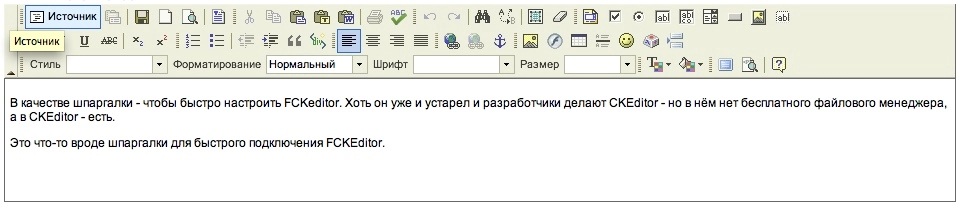
A note to self — for quickly setting up FCKeditor. It’s outdated and the developers are working on CKEditor instead, but CKEditor doesn’t have a free file manager, while FCKEditor does.

So this is a quick reference for getting FCKEditor up and running.

Resizing animated GIF images with Imagick

event Jul 13, 2011 at 19:46

At work I ran into the need to process animated GIF avatars. The source images can be of any size, and they need to be downsized to a target size with cropping to a square. Below the cut — how we solved it.

Simple online TimeStamp converter

event May 13, 2011 at 00:57

At work I occasionally have to look at some data from the database. Times we mostly store as TimeStamp (the number of seconds since the dawn of the Unix world — 1 January 1970).

A number like 1305233826 tells you nothing about what date it is. Writing the conversion in some script every time gets tedious, so I made an online converter. It shows the time in a human-readable form.

Enjoy. Online TimeStamp Converter